Log In to Authorium
This guide shows how to log in to Authorium using your email, password, or single sign-on (SSO), depending on your organization’s configuration.
What to Expect During Login
If your organization uses SSO, you'll be redirected to your identity provider to complete login. If multi-factor authentication (MFA) is enabled, you’ll also be prompted to enter a verification code.
When to Log In
You should log in to Authorium when you need to:
- Access your projects or dashboards.
- Manage templates or organization settings.
- Collaborate with other users in your workspace.
To Log In to Your Account
- Go to app.authorium.com in your browser.
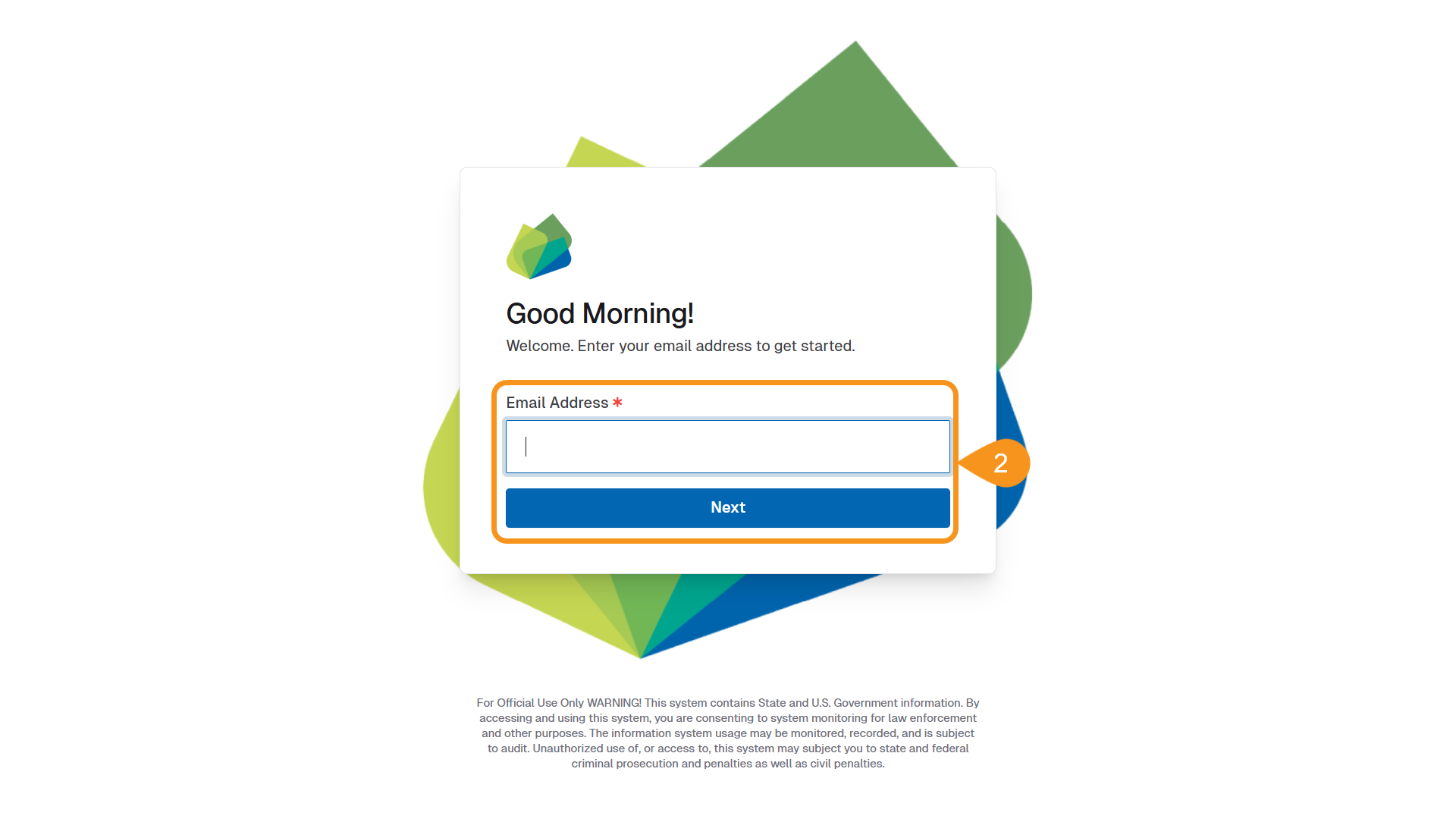
- Enter your email address and click Next.
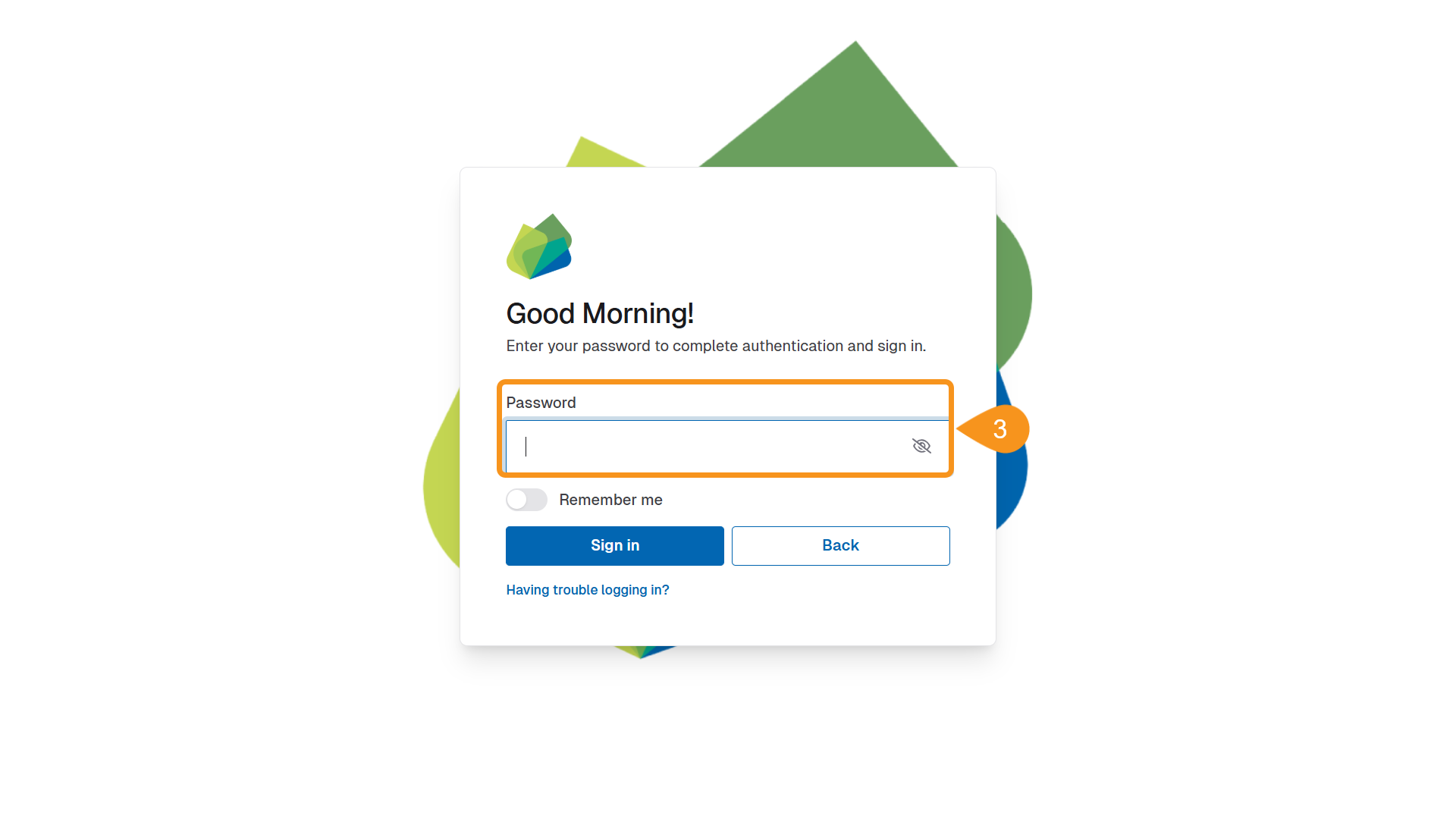
- Complete the sign-in process:
- Use SSO if your organization has it enabled.
- Otherwise, enter your password.
- If MFA is enabled, enter the verification code sent to your device.
- After signing in, you'll be redirected to the Projects page.
See Also
To complement your knowledge of this process, check the following pages: