Test Project Templates Before Publishing
This how-to guide explains how to test a Project Template in Authorium before making it available for production. Testing ensures your workflows, forms, and configurations work as expected—without affecting live projects or users.
Why Testing Matters
Thorough testing prevents configuration errors from reaching production. By validating templates in a safe environment, you can confirm that forms, workflows, and permissions behave correctly.
To Create a "Test" Project Type
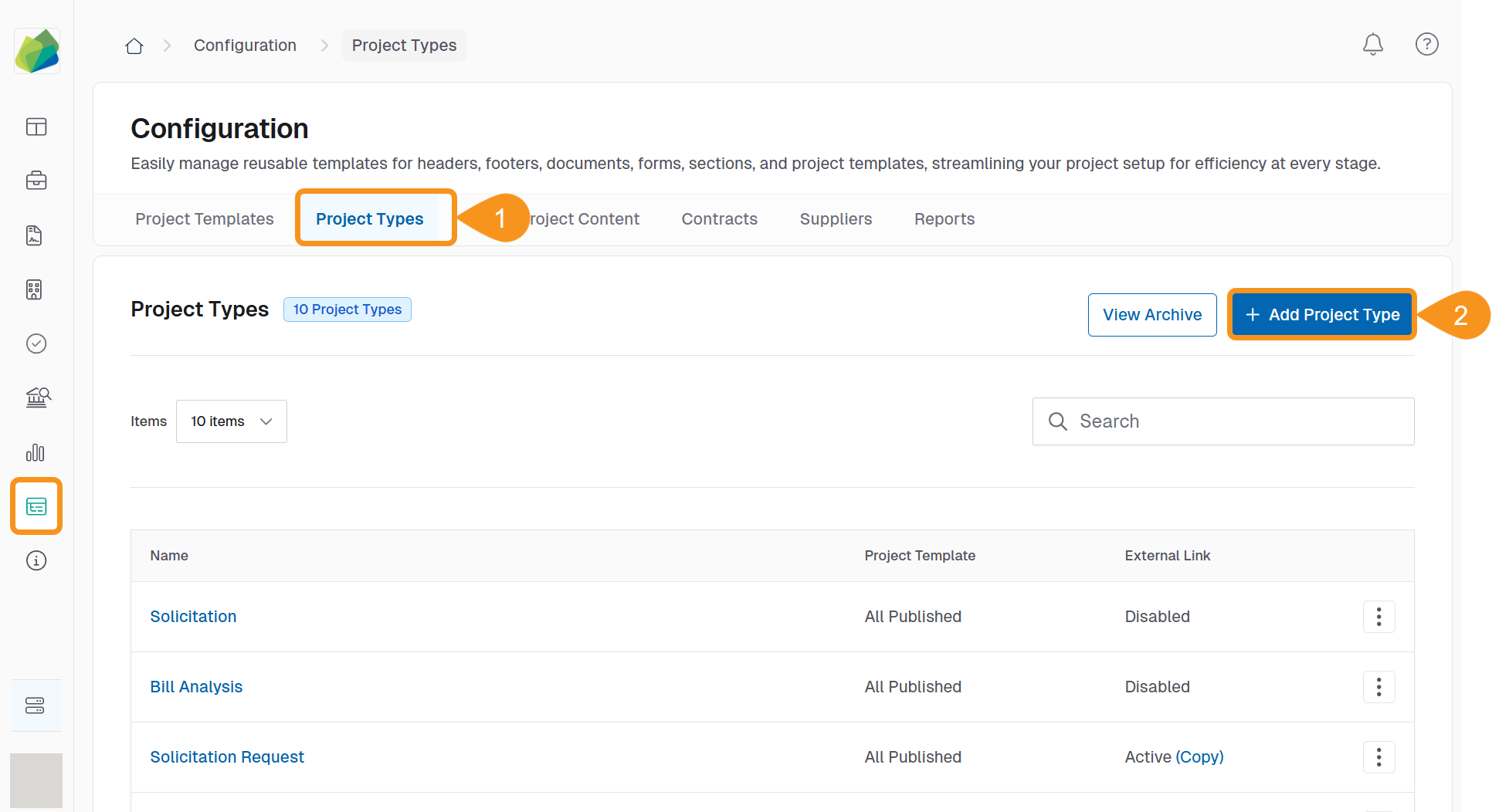
- Go to Configuration > Project Types.
- Click + Add Project Type.
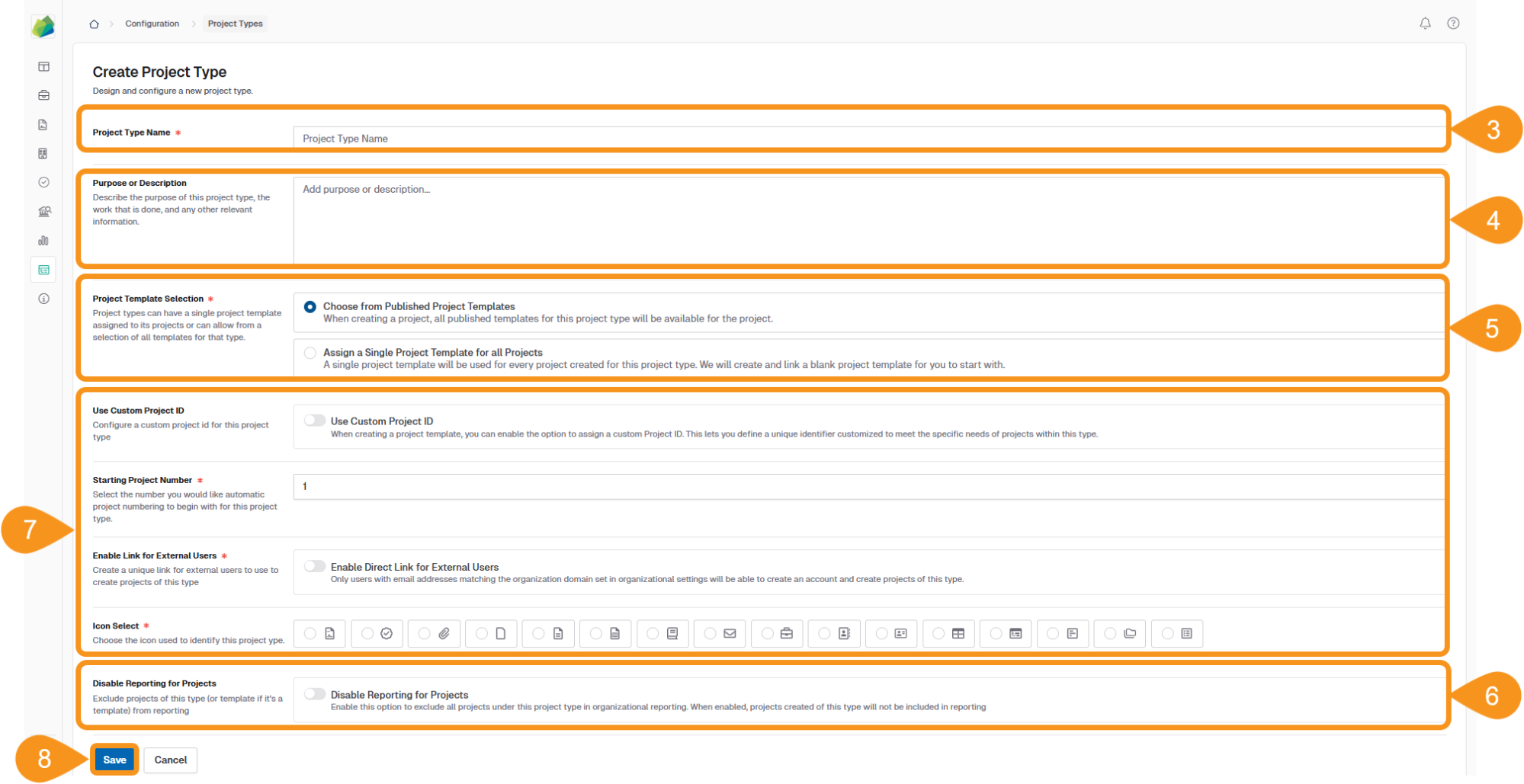
- Enter the Project Type Name (e.g.,
TestorTeam A Test). - Add a Purpose or Description to clarify that this type is for testing only.
- Under Project Template Selection, choose Choose from Published Project Templates or Assign a Single Project Template, depending on your testing needs.
- (Optional): Enable Disable Reporting for Projects to ensure that test data is excluded from reporting.
- Configure any other settings as needed (e.g., custom ID, starting project number, icon).
- Click Save to create the new Test Project Type.
You can use one shared Test Project Type across your organization or create separate ones per team, depending on your testing strategy.
Testing templates in a dedicated Project Type prevents test data from mixing with live records.
Validate Templates Before Publishing
When testing a template, create a test project using your Test Project Type and review:
- Form logic: Ensure all fields appear correctly based on visibility rules.
- Assignments: Confirm stage owners are assigned as intended.
- Notifications: Check that alerts and task assignments are received at the right moments.
- Progression logic: Validate that advancing stages works without errors.
Include "Test" in the project or template name to clearly differentiate it from production.
To Finalize After Testing
Once testing is complete:
- Return to your unpublished template.
- Apply any adjustments based on testing feedback.
- Publish the template for production use.
Always test templates thoroughly before publishing. Once a template is live, any changes only apply to new projects, not to projects already in progress.
See Also
To complement your knowledge of this process, check the following pages: