Publish a Project Template
This how-to guide explains how to publish a Project Template in Authorium. Publishing a template makes it available for users to start new projects based on its structure and configuration.
When to Publish a Project Template
You should publish a Project Template when:
- All required configurations, documents, and forms are completed.
- All Business Rules and Variables are properly assigned or linked to the project.
- You want to standardize project creation across your organization.
- You are ready to lock in the structure for consistent use across teams.
Permissions Required
Only Org Owners or Org Admins can publish a Project Template.
To Publish a Project Template
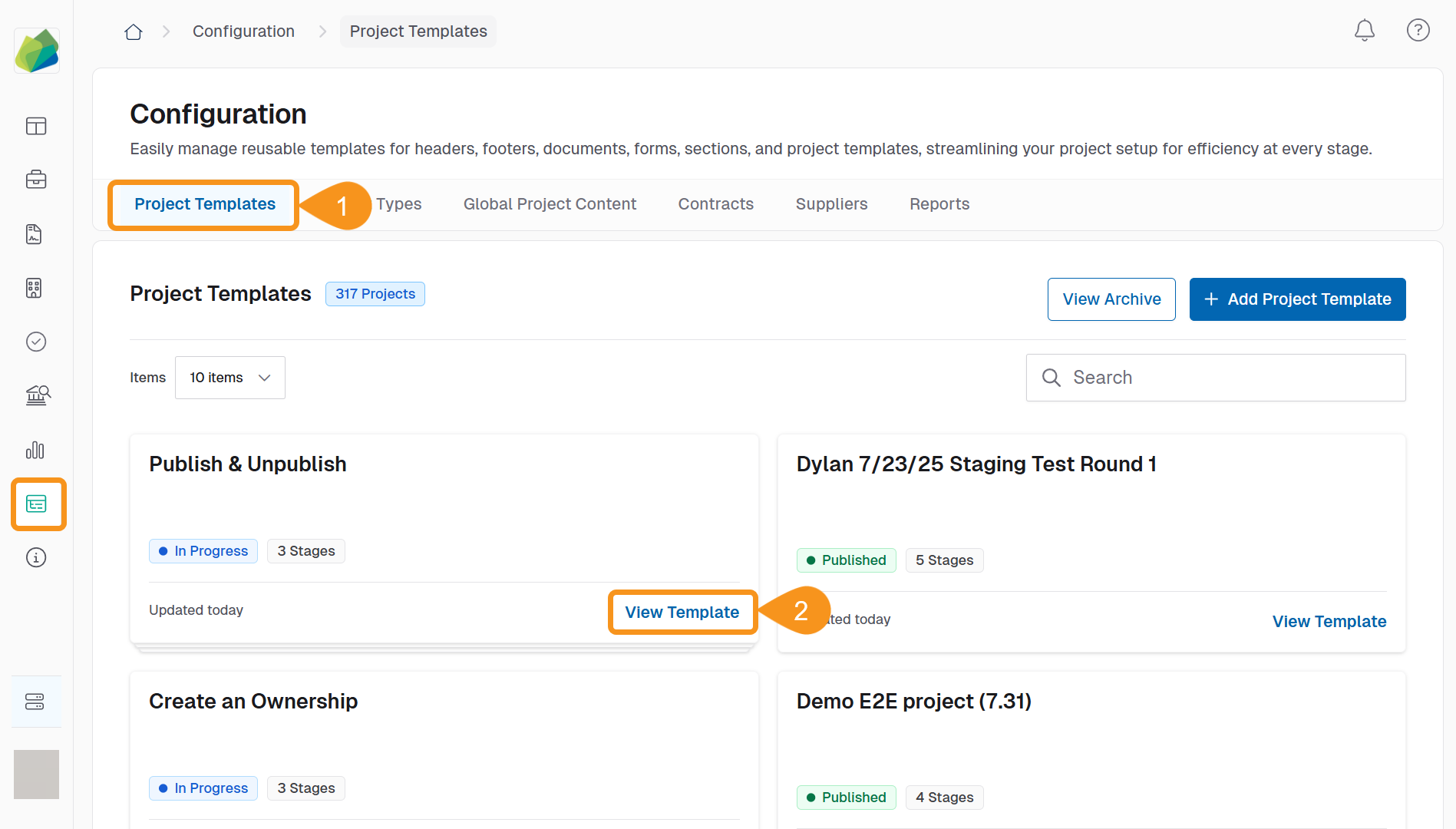
- Go to Configuration > Project Templates.
- Locate the template you want to publish and click View Template.
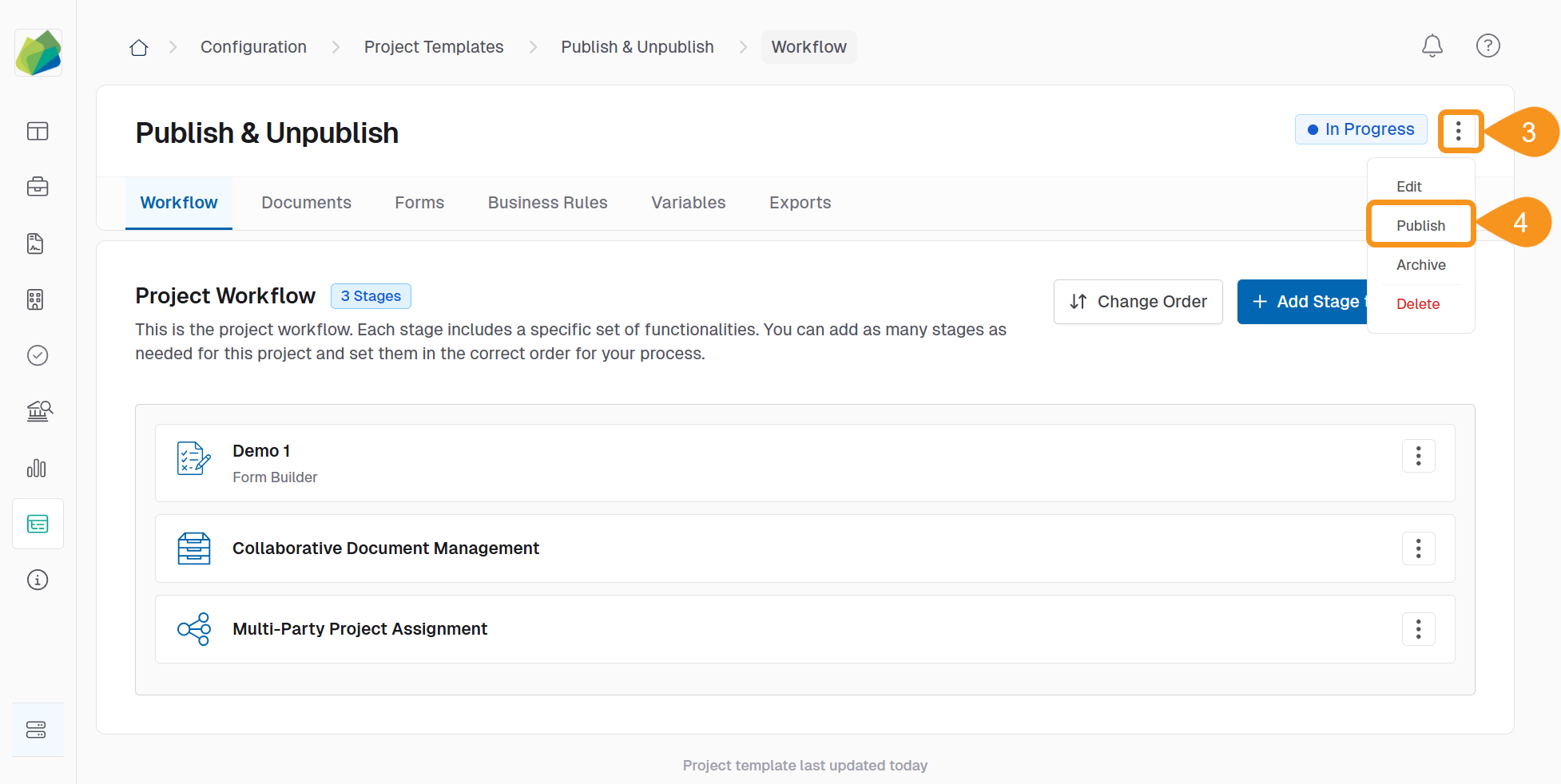
- Click the three-dot menu next to the template status.
- Select Publish from the dropdown menu.
- Click Publish in the confirmation dialog.
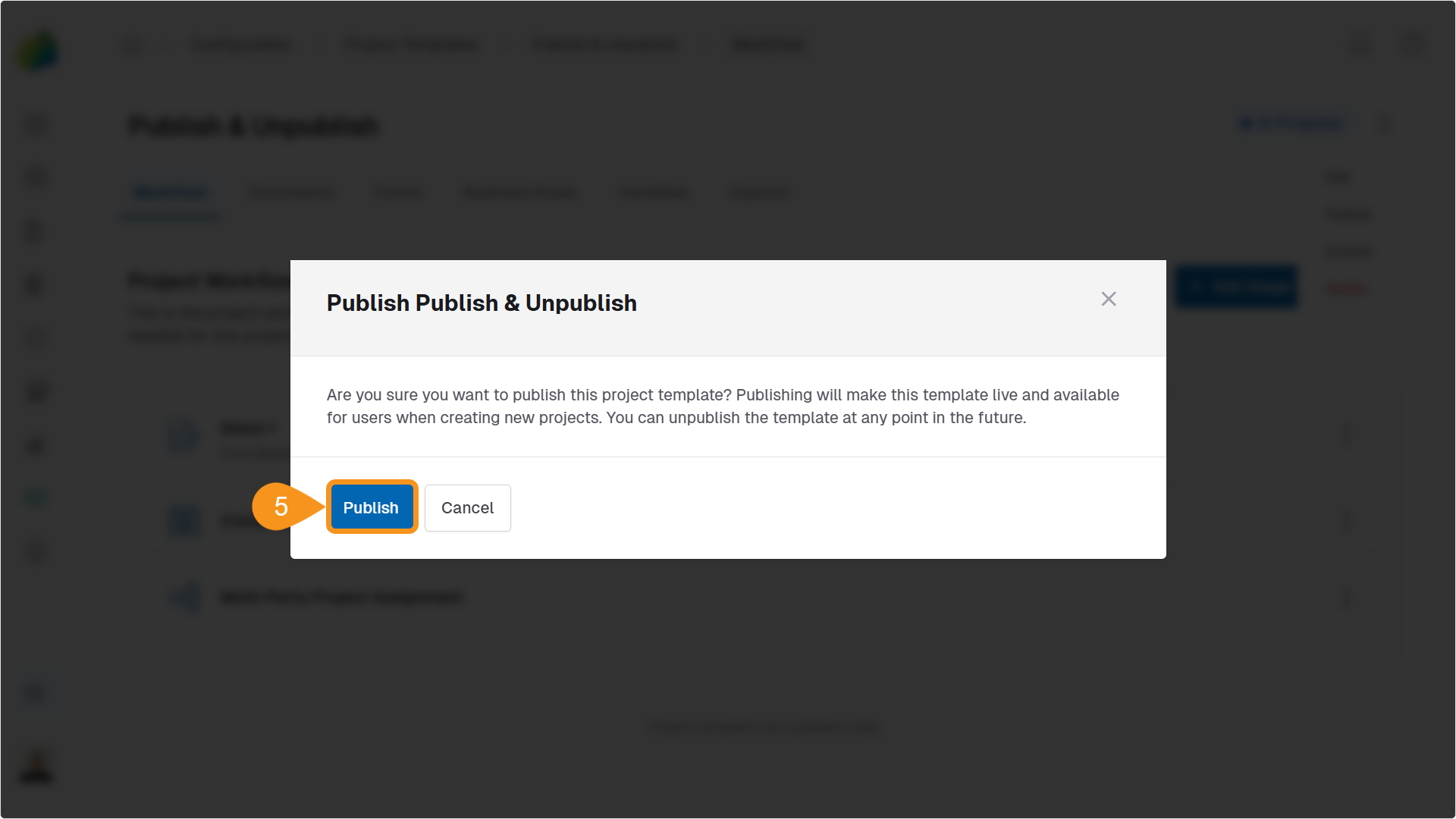
Once published:
- The template becomes available for creating new projects.
- It cannot be edited unless it is first unpublished.
Note
There is currently no audit trail that records when a template is published or by whom.
See Also
To complement your knowledge of this process, check the following pages: