Remove Approvals from a Workflow Stage
This guide explains how to remove all approval requirements from a workflow stage in a project template. Removing approvals will disable structured review for that stage, allowing it to proceed without sign-offs.
When to Remove Approvals from a Workflow Stage
You should remove approvals from a stage when:
- The review process is no longer needed.
- You want to simplify the workflow and allow stages to proceed without approval.
- The approval logic has been moved to another stage or handled externally.
To Remove Approvals from a Workflow Stage
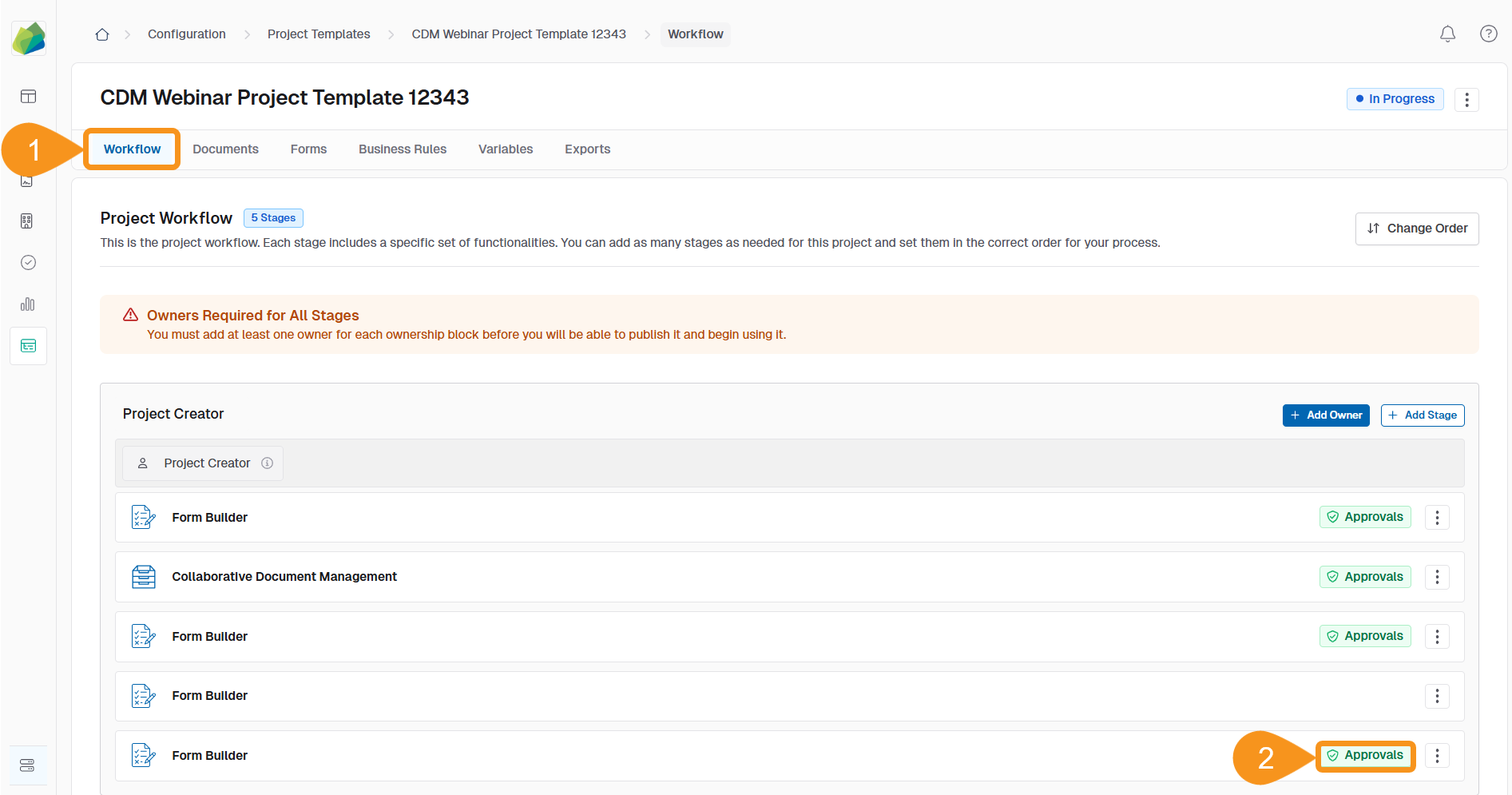
- Go to the Workflow tab of your project template.
- Identify the stage with approvals you want to remove and click the green Approvals banner.
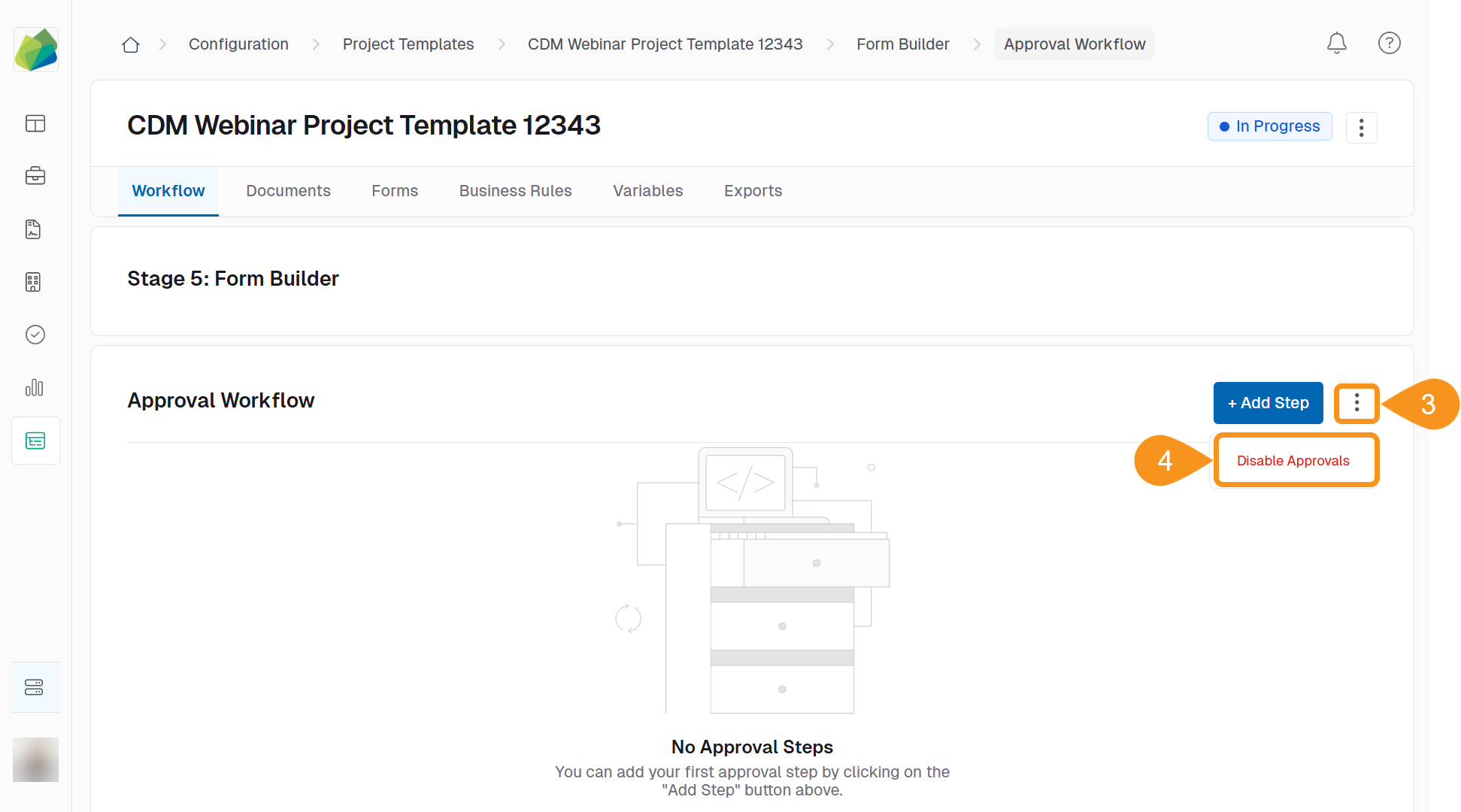
- On the approval workflow page, click the kebab menu next to the + Add Step button.
- Select Disable Approvals from the dropdown menu.
- Click Confirm and Change to finalize the removal.
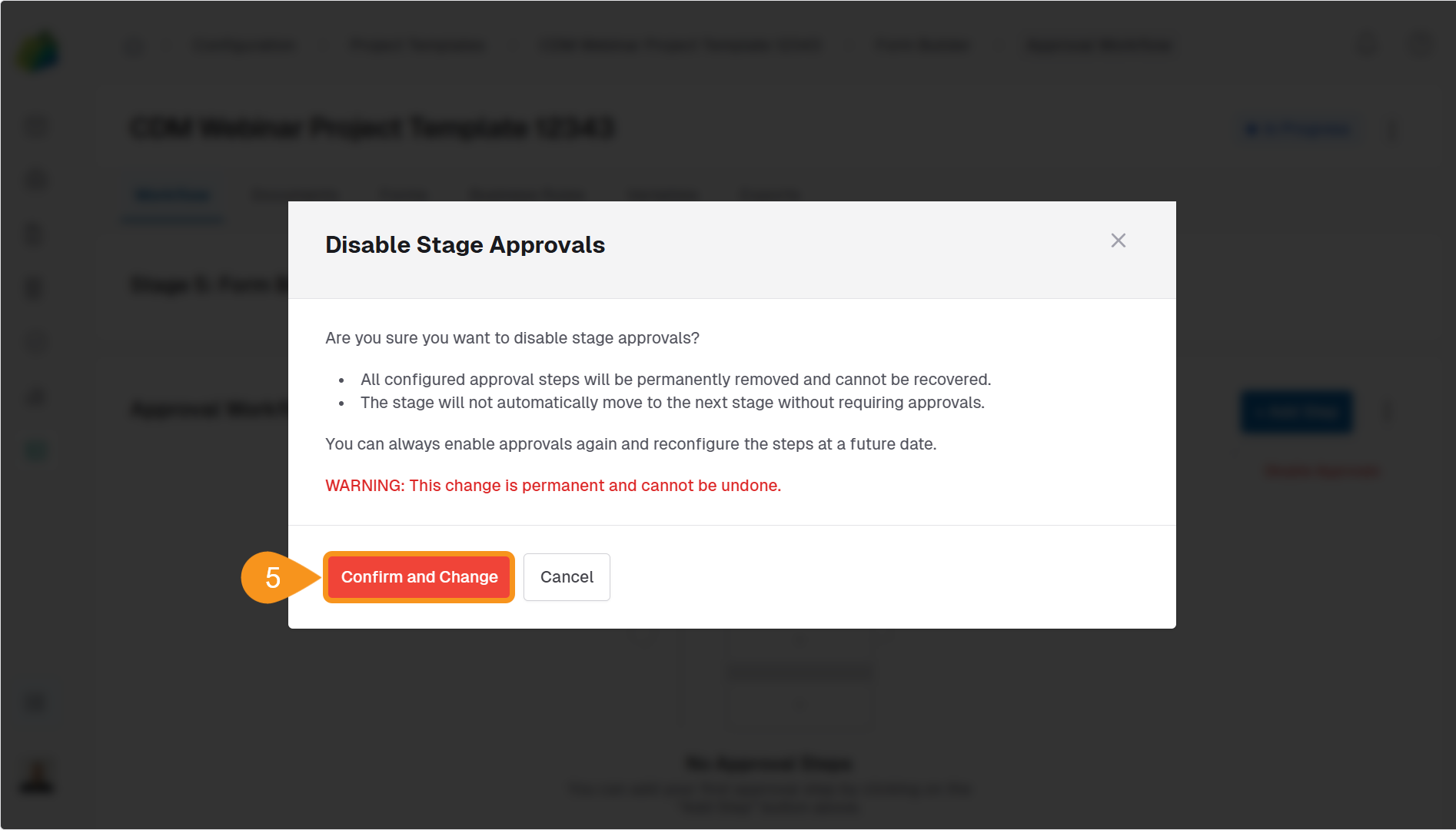
Once removed, the stage will operate without any required approval workflow.
See Also
To complement your knowledge of this process, feel free to check the following pages: