Edit a Global Form
This guide explains how to edit an existing global form in Authorium. Global forms are centrally managed templates used across different project types to ensure consistent data collection.
When to Edit a Global Form
You should edit a global form when:
- You need to update the fields, layout, or logic in an existing template.
- Your organization’s data collection requirements have changed.
- A published form draft requires further adjustments before use.
To Edit an Existing Global Form
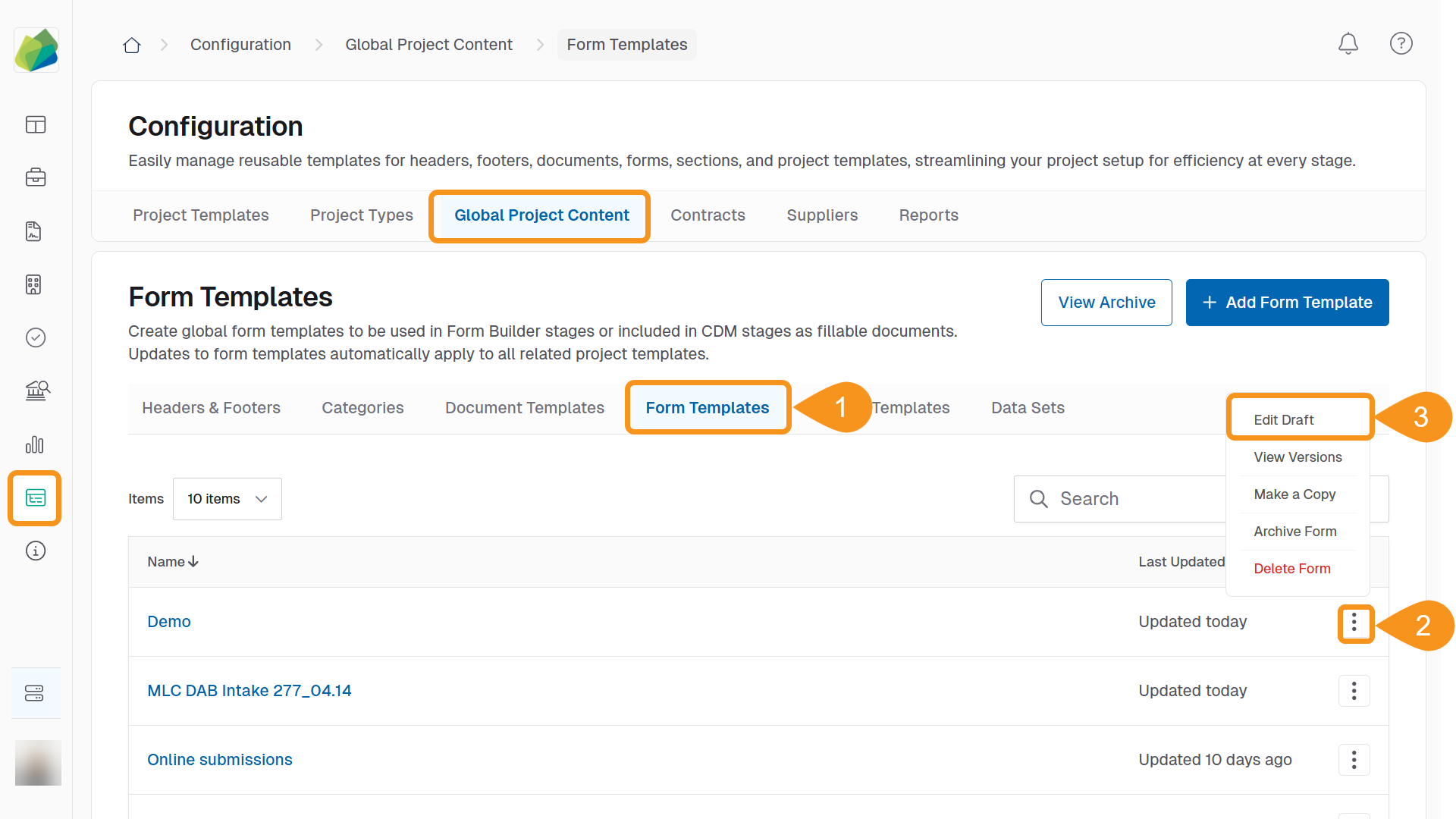
- Go to Configuration > Global Project Content > Form Templates.
- Locate the form template you want to update and click the Kebab menu on the far right of the form name.
- Click Edit Draft from the dropdown menu.
- Modify the form:
- Update the Title or Description.
- Add, remove, or reorder field components.
- Adjust validation or conditional logic in each component’s settings.
- Click Save to keep your draft changes.
See Also
To complement your knowledge of this process, check the following pages: