View Supplier Details
Active suppliers are listed in the Suppliers section of the navigation menu. Each supplier has a profile page with contact details, project history, and pool memberships.
When to View Supplier Details
You should view supplier details when:
- You want to review a supplier's current and past participation.
- You need to verify pool memberships or contract activity.
- You're preparing to evaluate supplier performance.
To View a Supplier's Details
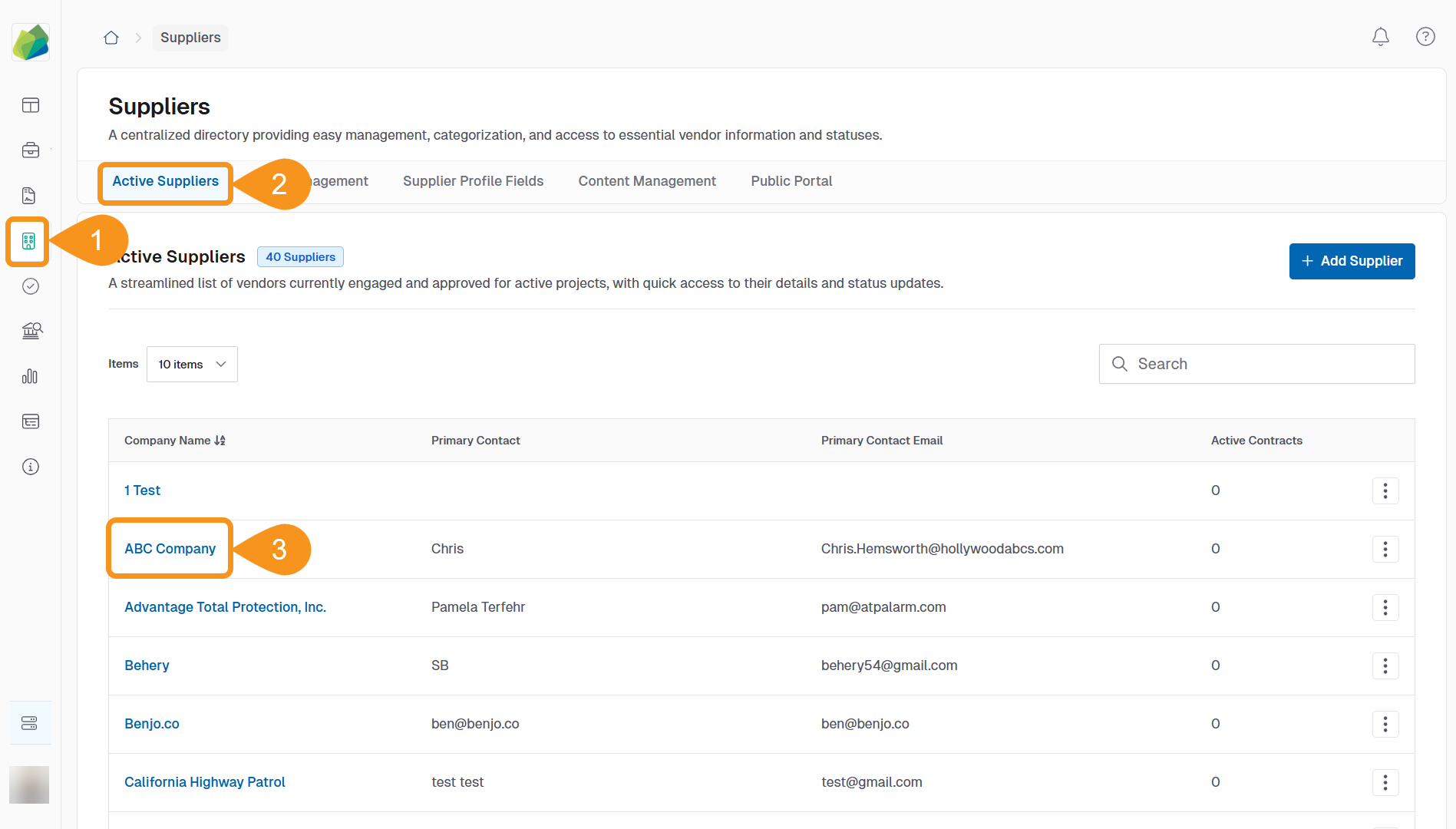
- From the Dashboard, go to the Suppliers section.
- Select the Active Suppliers tab.
- Click the supplier's Company Name to open their profile page.
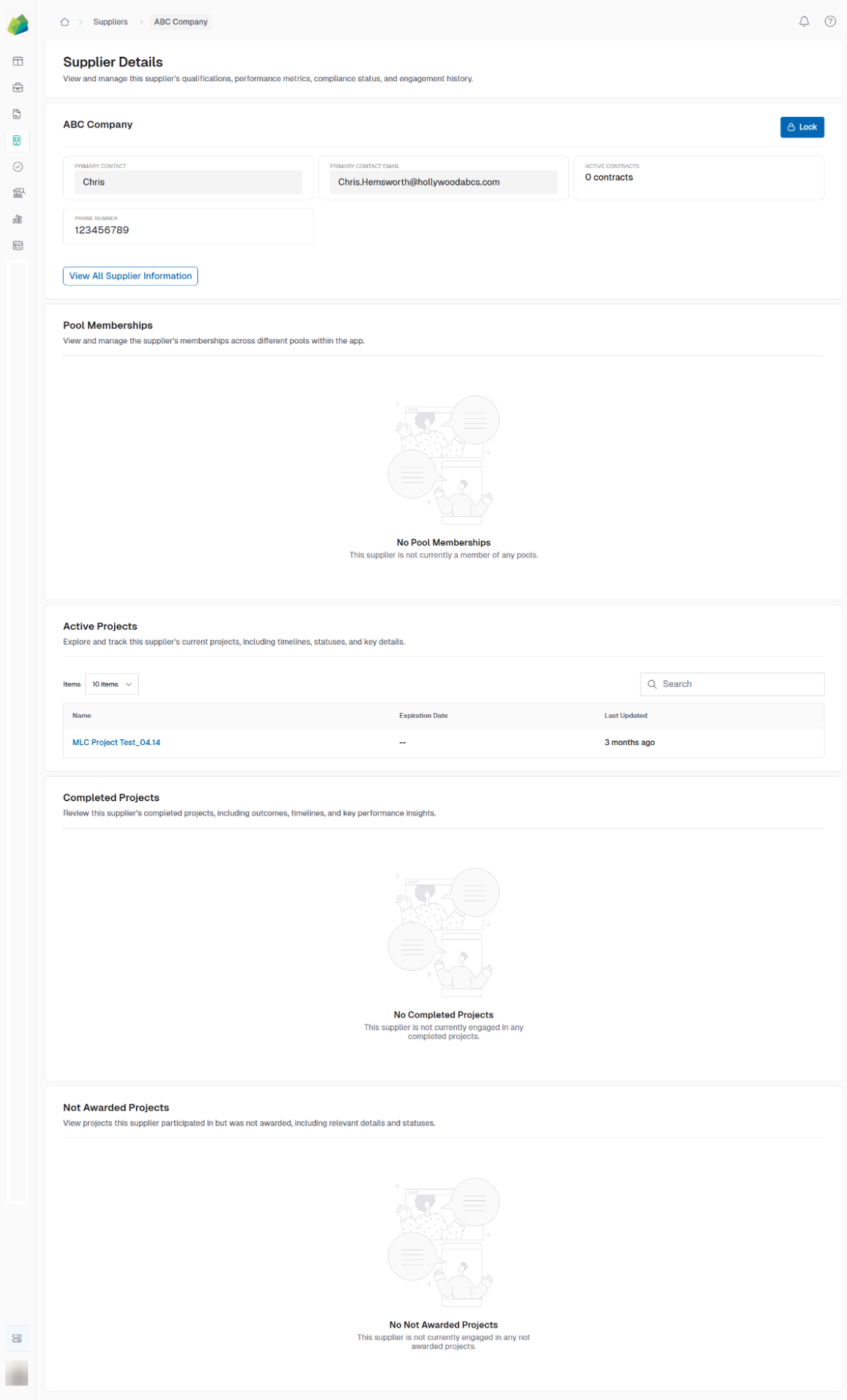
The Supplier Details page includes:
- Company name and contact
- Active and completed projects
- Active contracts
- Pool memberships
- Unawarded project history
See Also
To complement your knowledge of this process, check the following pages: