Manage Supplier Pools
Supplier pools allow you to categorize vendors into searchable groups for prequalification, filtering, and organization. Pools can include categories and subcategories to match your sourcing needs.
When to Use Supplier Pools
You should manage supplier pools when:
- You want to group suppliers by specialization or eligibility.
- You need to update pool information or structure.
- You're preparing pools for upcoming projects.
To Create a New Supplier Pool
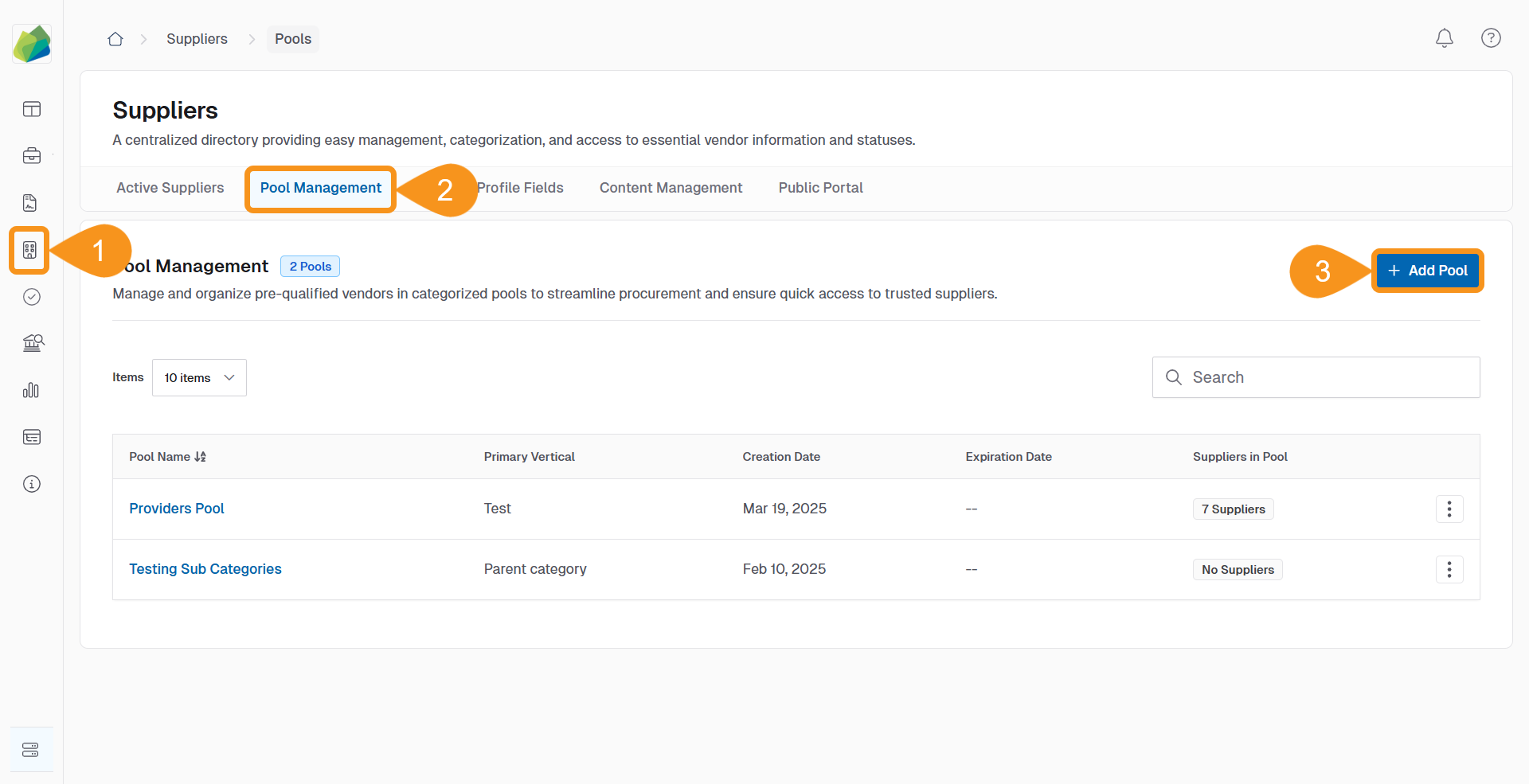
- Go to the Suppliers section from the navigation bar.
- Click the Pool Management tab.
- Click + Add Pool.
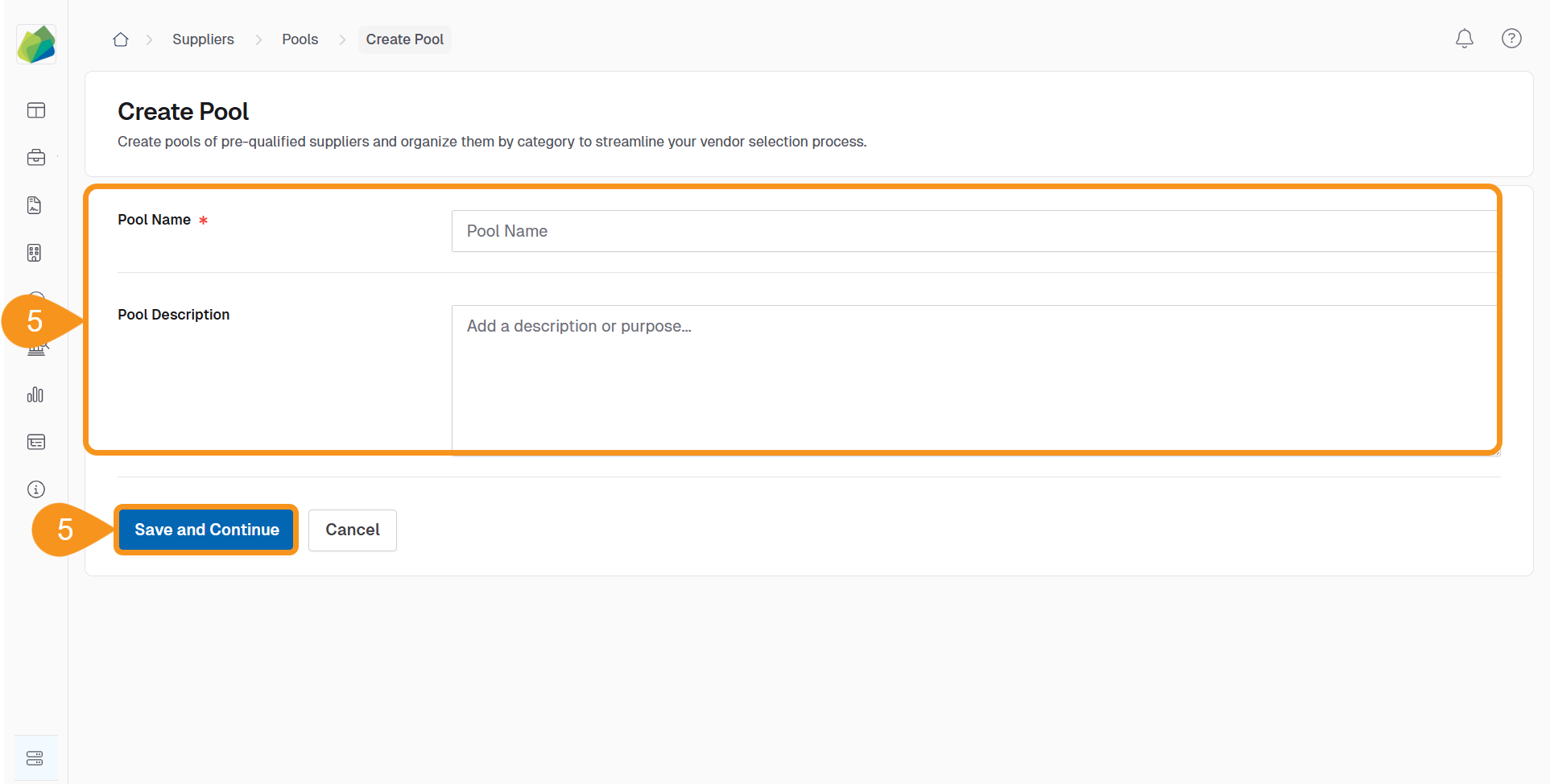
- Enter the Pool Name and an optional Pool Description.
- Click Save and Continue.
To Edit a Supplier Pool
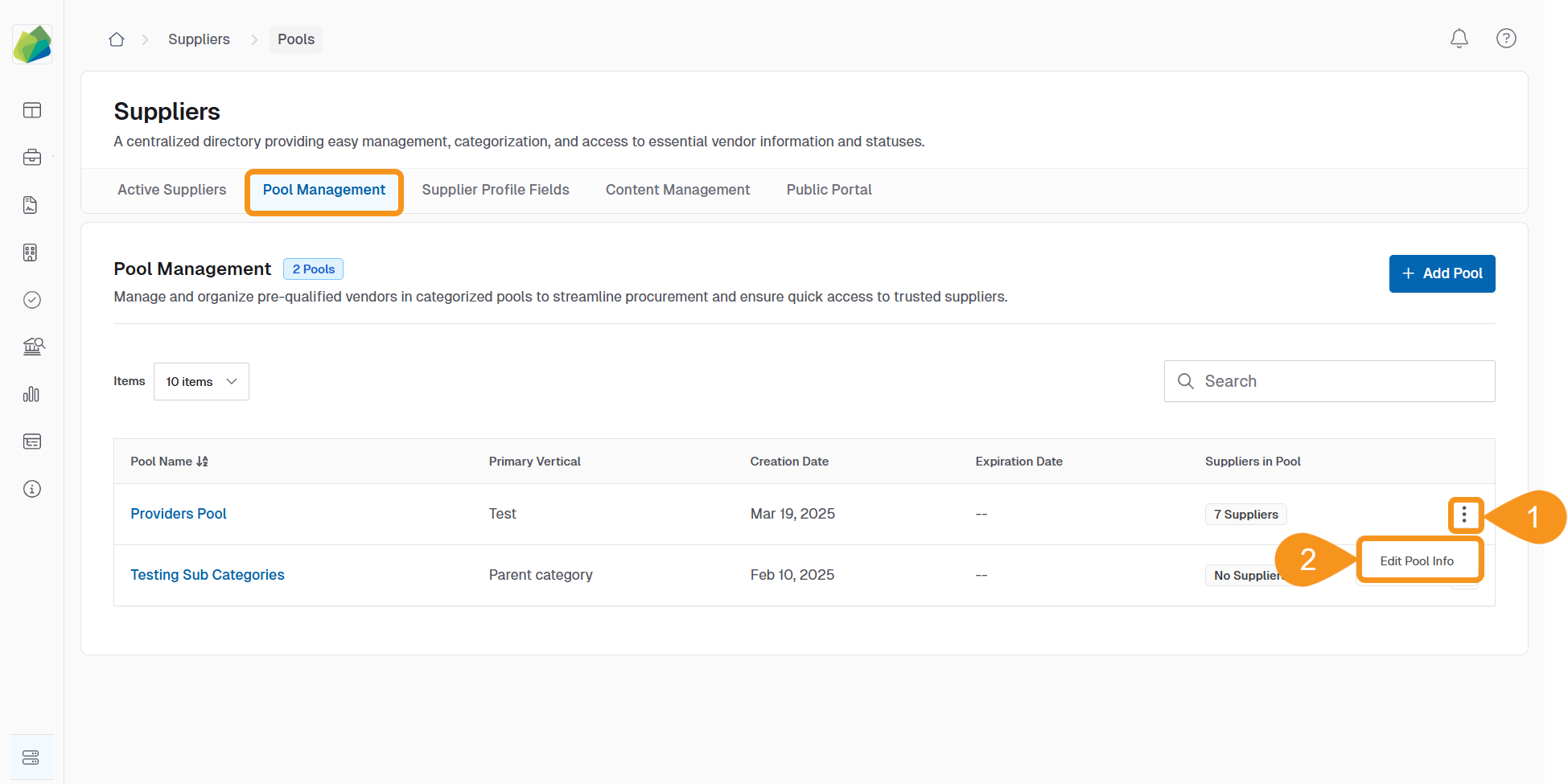
- In the Pool Management tab, click the Kebab menu (︙) next to the pool you want to edit.
- Select Edit Pool Info.
- Update the Pool Name or Pool Description as needed.
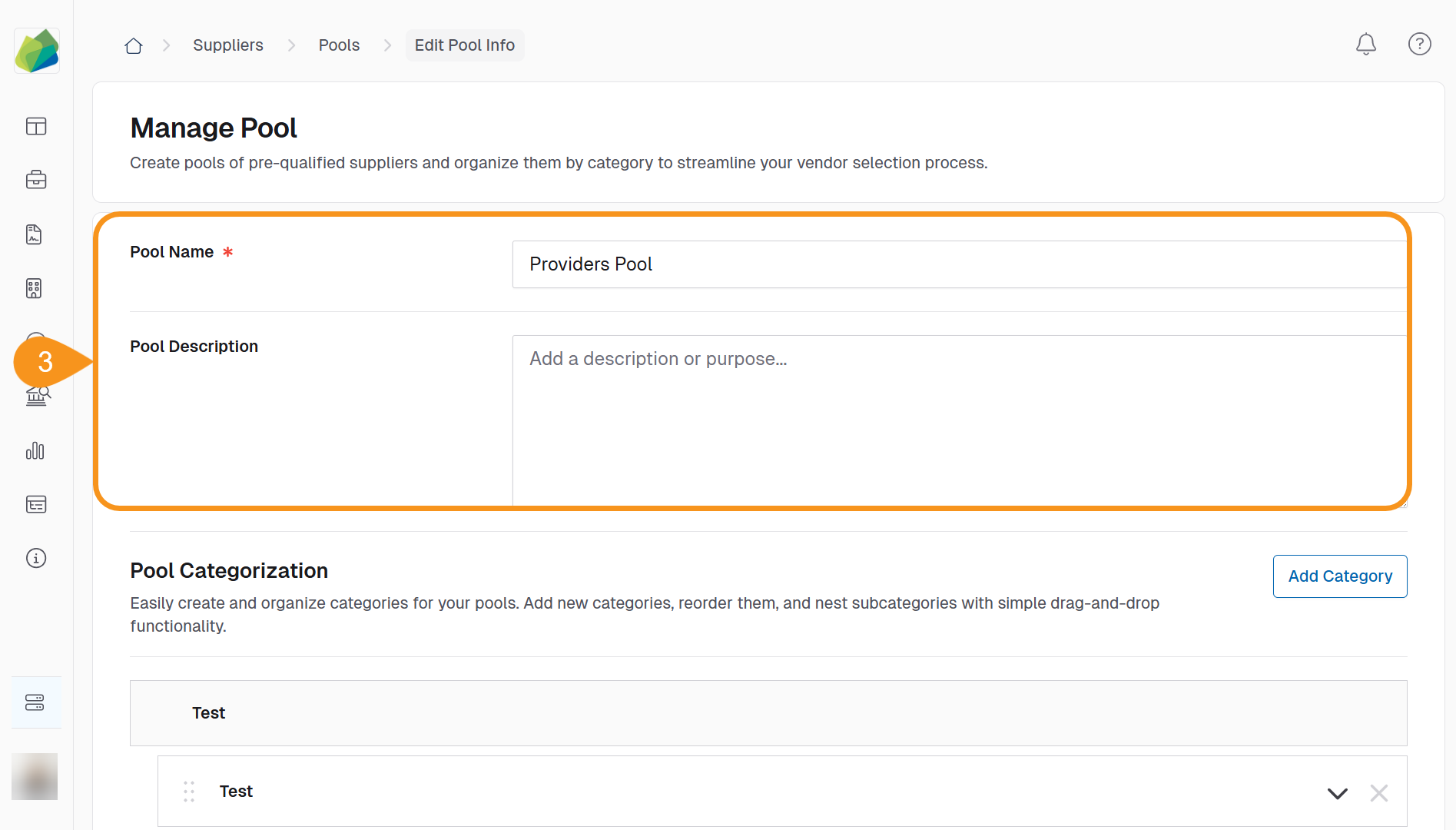
- Click Save.
To Add a Category to a Pool:
- In the Edit Pool Info screen, click Add Category.
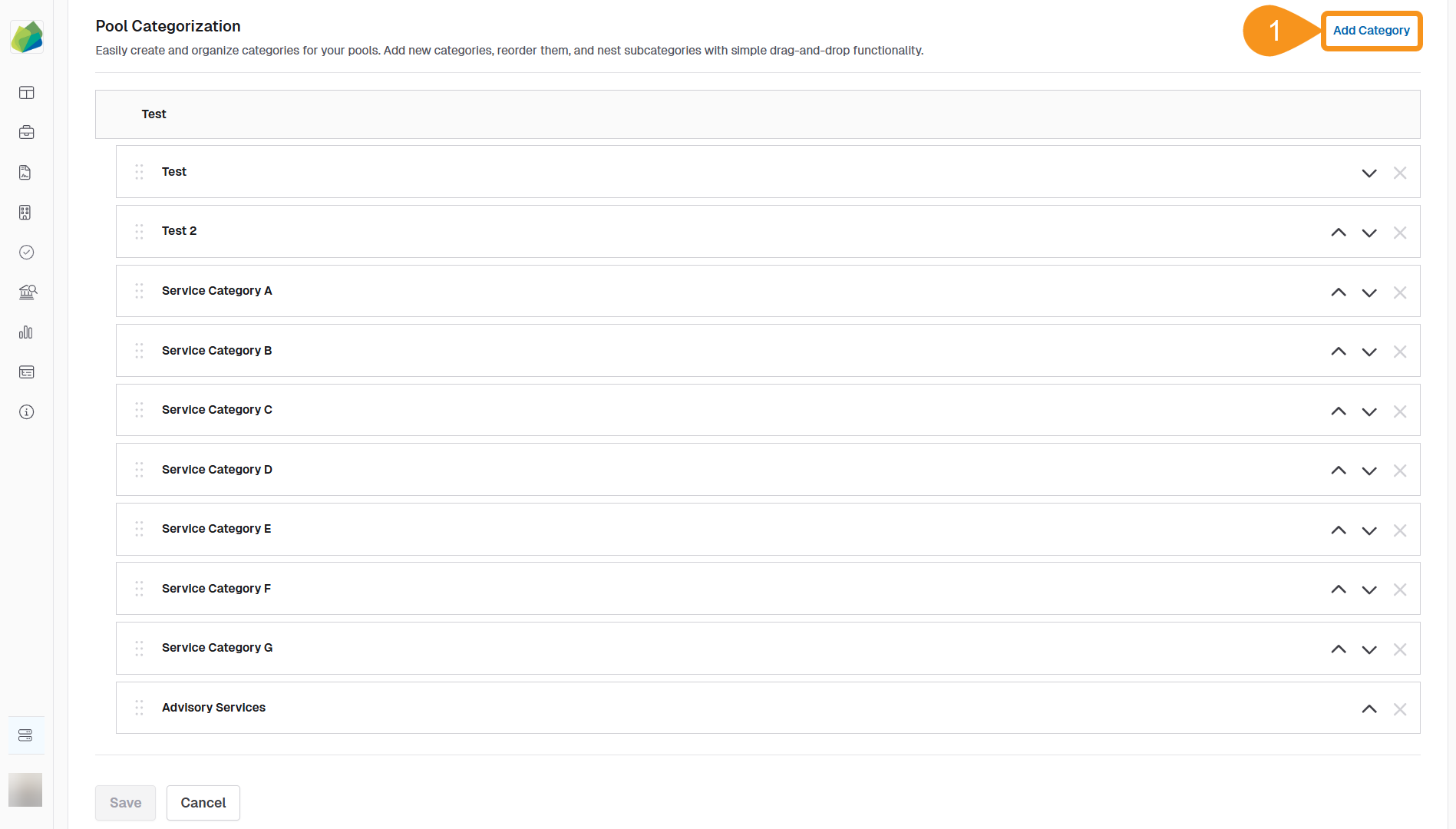
- Enter the Category Name.
- Click Save to add the category.
To Reorganize Categories or Create Subcategories:
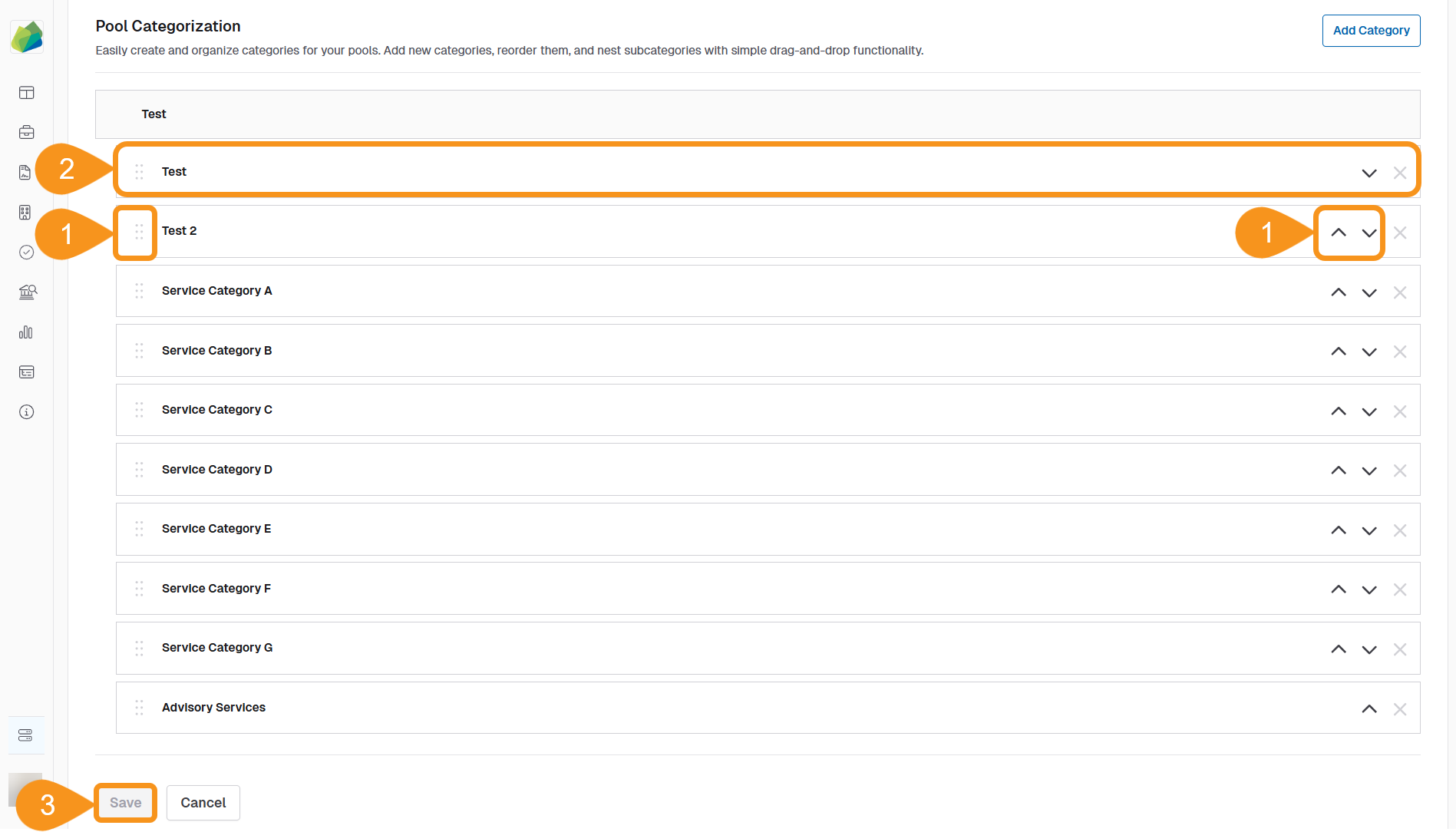
- From the Edit Pool Info screen, use drag-and-drop or the arrow icons to reorder categories.
- To create a subcategory, drag a category onto another one.
- When finished, click Save to confirm the changes.
See Also
To complement your knowledge of this process, check the following pages: