Unpublish a Project Template
This how-to guide explains how to unpublish a Project Template in Authorium. Unpublishing a template allows you to make edits to its configuration or retire it from use.
When to Unpublish a Project Template
You should unpublish a Project Template when you need to:
- Modify the workflow, stages, or configuration.
- Retire the template so no new projects can be created from it.
- Correct or update business rules, forms, or variables before making it available again.
Warning
Unpublishing a template does not affect projects that were already created from it. Existing projects continue to follow the original configuration.
To Unpublish a Project Template
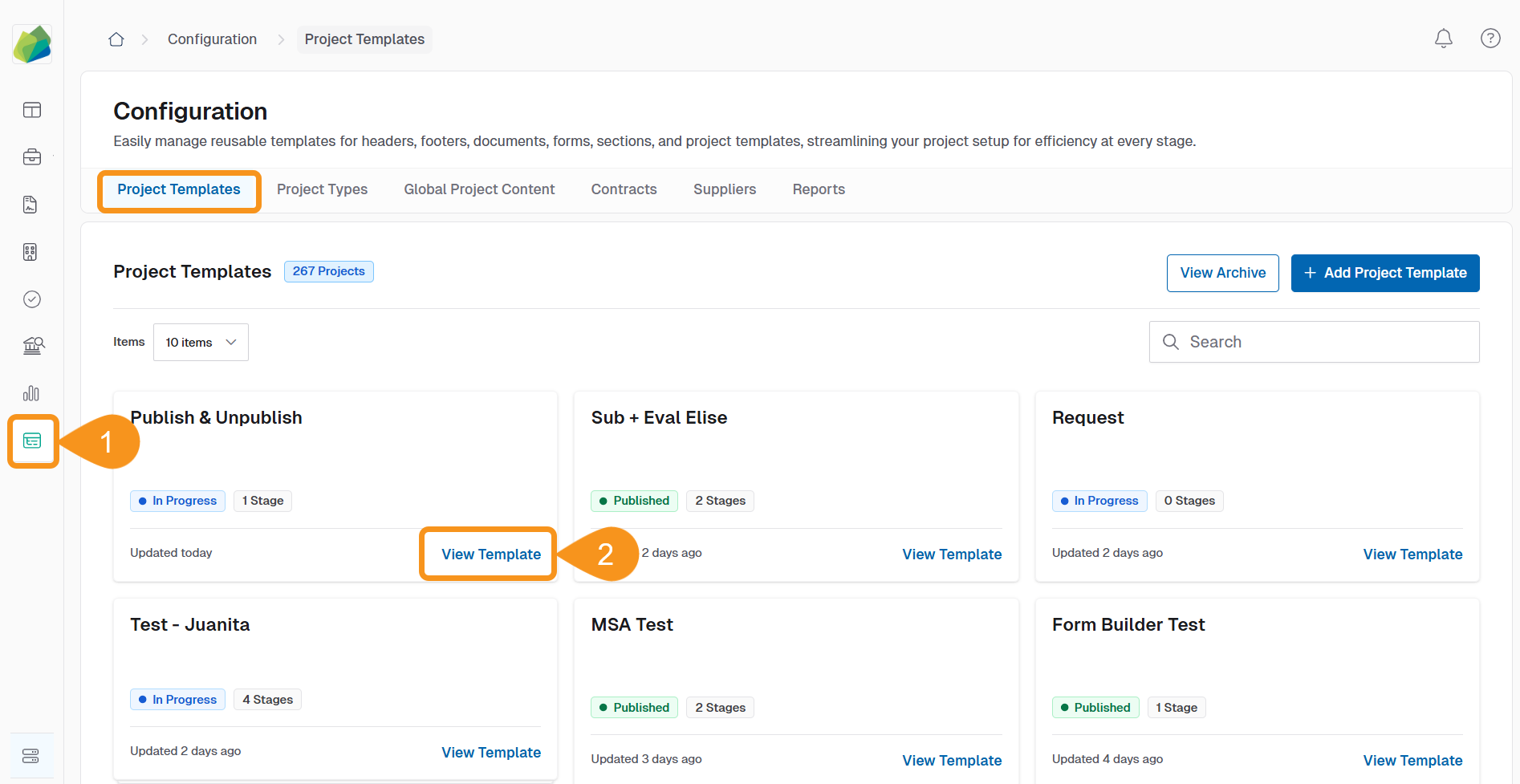
- Go to Configuration > Project Templates.
- Locate the template you want to unpublish and click View Template.
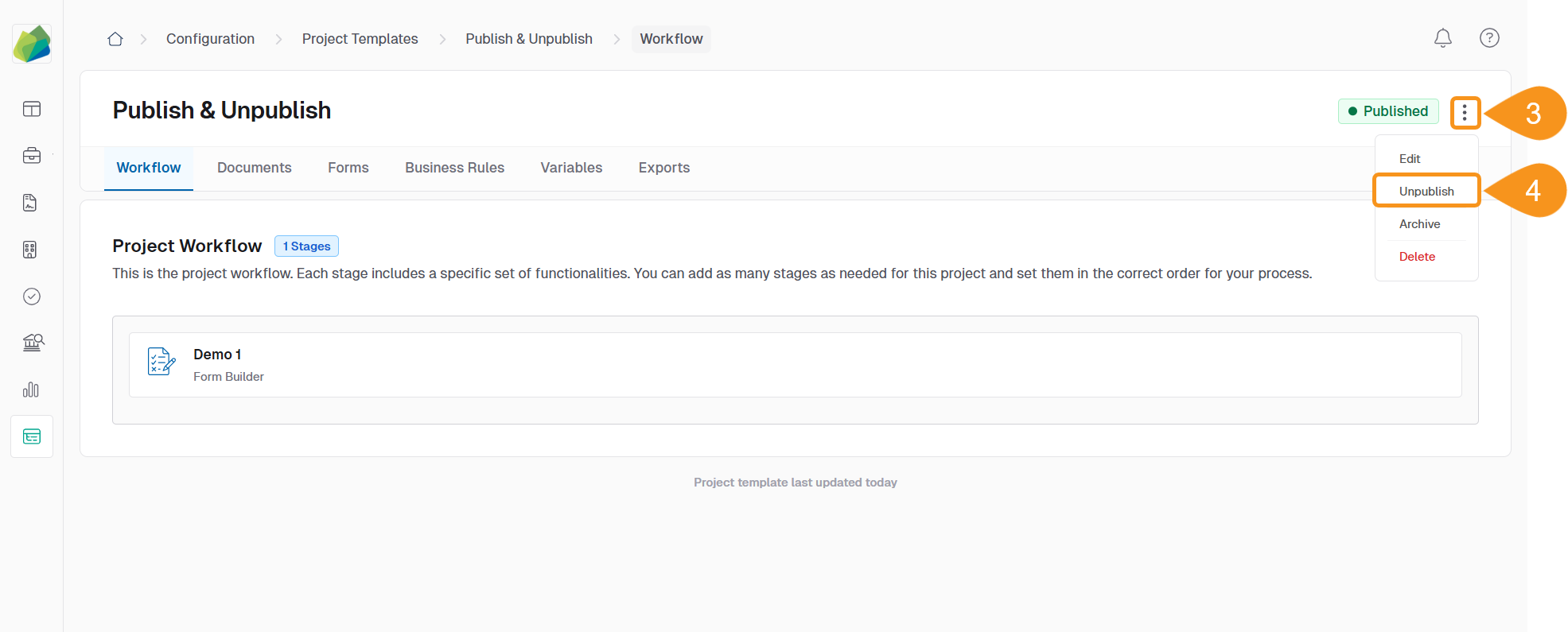
- Click the three-dot menu next to the template status.
- Select Unpublish from the dropdown menu.
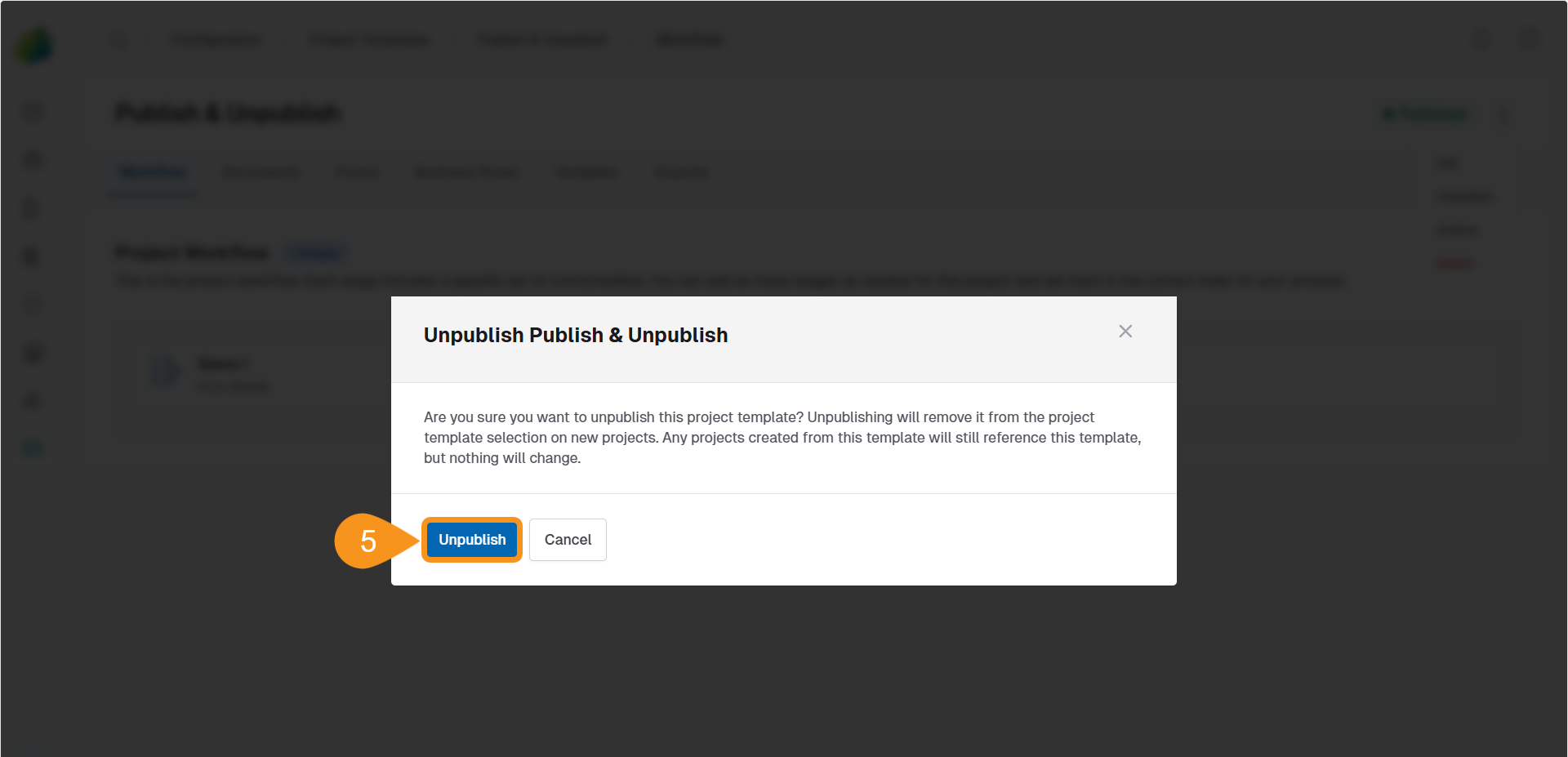
- Click Unpublish in the confirmation dialog.

Once unpublished:
- The template can be modified again.
- It will no longer be available for creating new projects until republished.
Tip
Use version management to track changes between published and unpublished states. This ensures clarity when updating templates across your organization.
See Also
To complement your knowledge of this process, check the following pages: