Create a New Project Template
This how-to guide explains how to create a new Project Template in Authorium. Project Templates help standardize project creation and streamline setup by combining workflows, forms, and configuration in a reusable format.
When to Create a Project Template
You should create a Project Template when you need to:
- Standardize the structure for recurring projects.
- Reuse forms and workflows efficiently across teams.
- Ensure consistency in project setup.
To Create a New Project Template
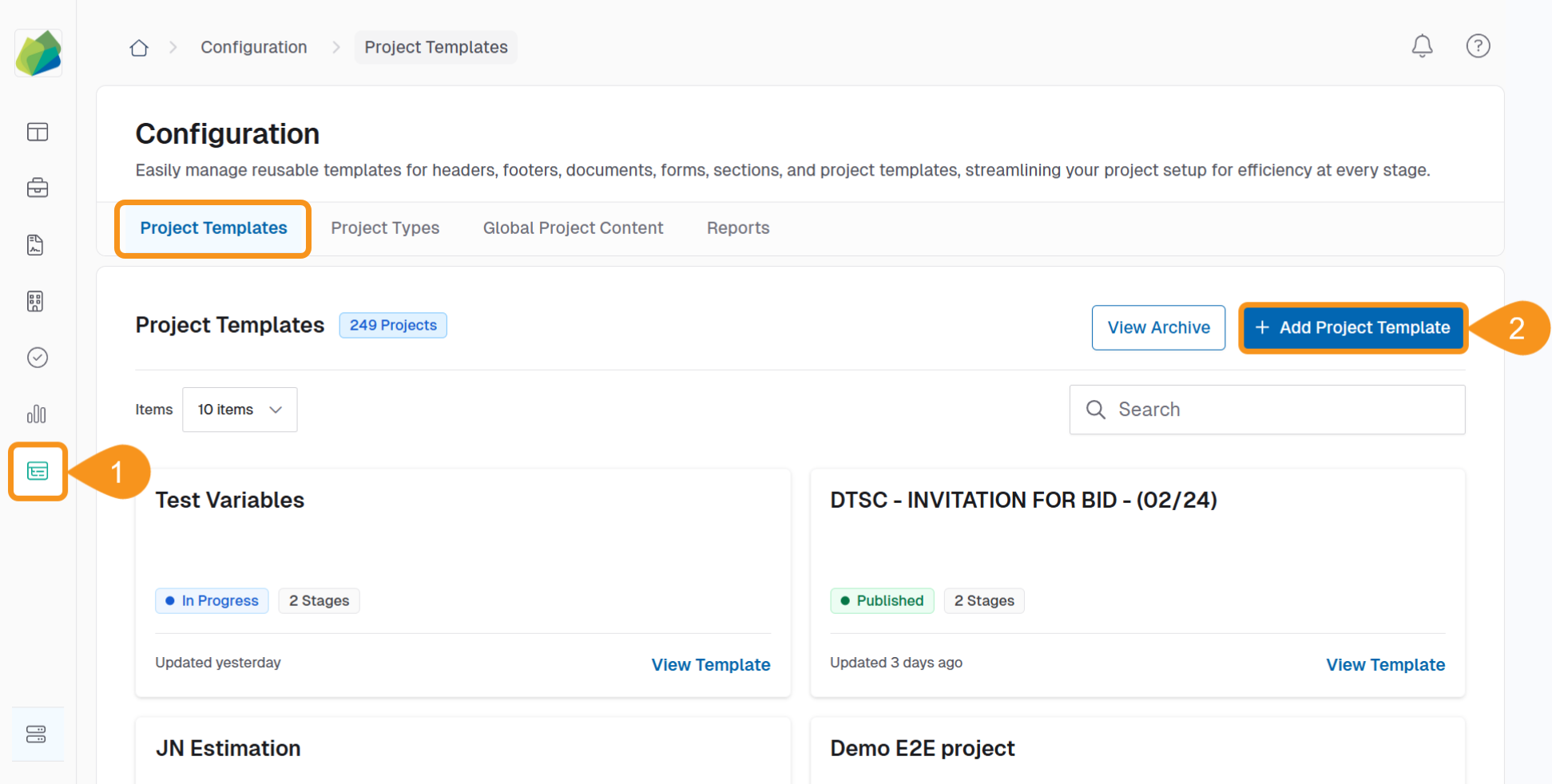
- From the Dashboard, go to Configuration > Project Templates.
- Click + Add Project Template in the top right corner.
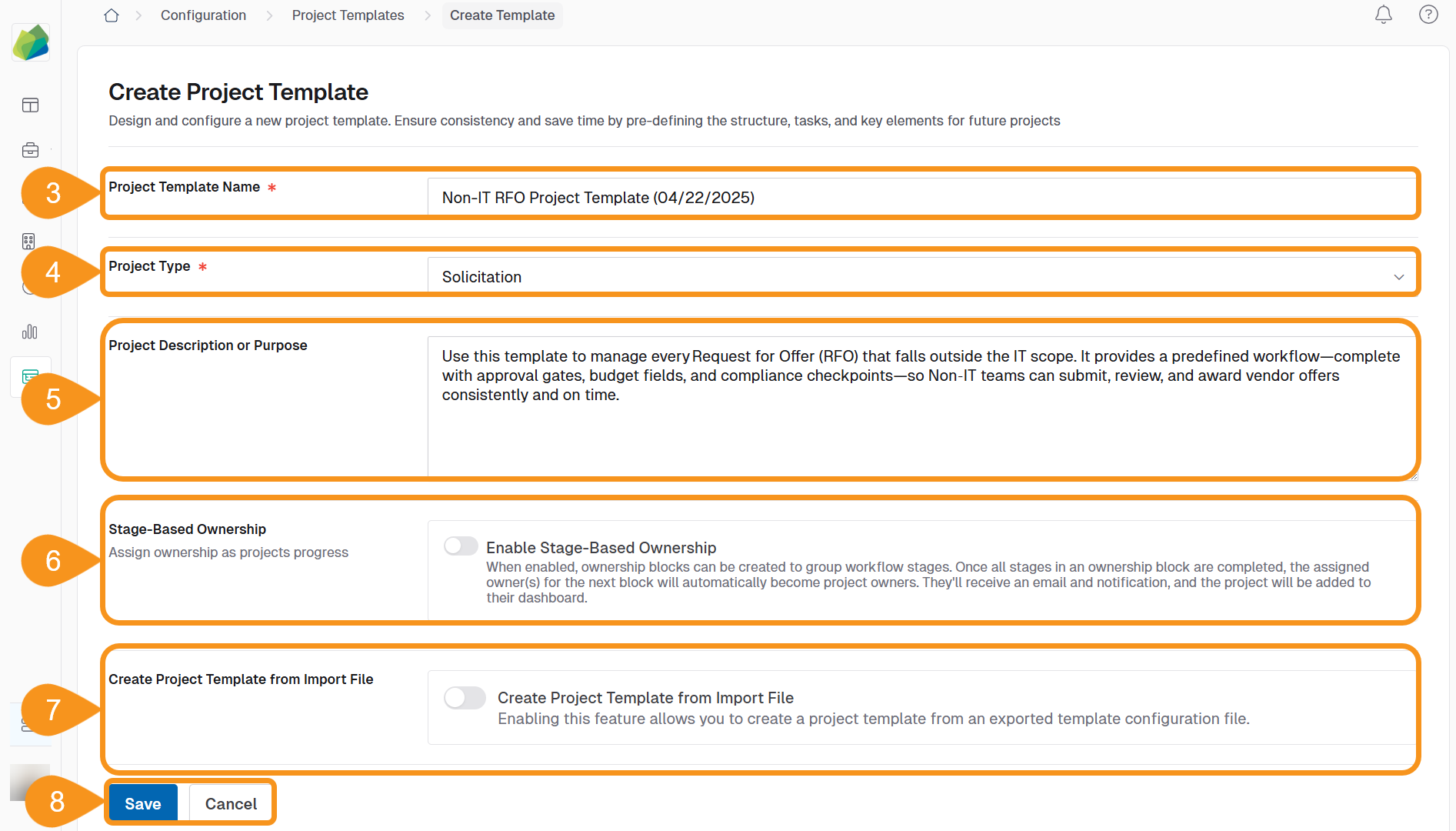
- Enter the Project Template name.
Note
Use a descriptive name that reflects the purpose or ownership of the template.
Example:{Last Name, First Name: Non IT RFO Project Template (MM/dd/YYYY)} - Select the Project Type.
Current project types include:Note
The project type you select determines which document templates will be available in later stages.
– Bill Analysis
– Direct Contact Request
– Solicitation
– Solicitation Request - Provide a Description or Purpose.
Note
- Explain the intent of using this template.
- This description appears on the template’s card in the Project Templates tab.
- (Optional): Toggle Stage‑Based Ownership to On if you need to assign owners by stage blocks.
Note
Owners of the next block receive an email, a notification, and the project appears on their dashboard when the previous block is completed.
For detailed steps, see Create Ownership Blocks in a Project Template. - (Optional): Toggle Create Project Template from Import File to On to build the template from an exported configuration file.
Important
The options Stage-Based Ownership and Create Project Template from Import File are mutually exclusive—if one is enabled, the other is disabled automatically.
To learn more, see Create Project Template from Import File. - Click Save to apply the changes and bring up the Add Workflow Stage screen, or Cancel to discard them.
See Also
To complement your knowledge of this process, check the following pages: