Invite Existing Suppliers to the Submission Process
This how-to guide explains how to invite existing suppliers—already stored in your organization’s supplier repository—to participate in a solicitation through the Online Submissions stage.
This method saves time when working with recurring vendors, as their company details and contacts are already in the system.
When to Invite Existing Suppliers to the Submission Process
You should invite existing suppliers when you need to:
- Save time by reusing supplier data already stored in the system.
- Ensure recurring vendors are included in your solicitation process.
- Avoid manually re-entering supplier details.
To Invite Existing Suppliers to the Submission Process
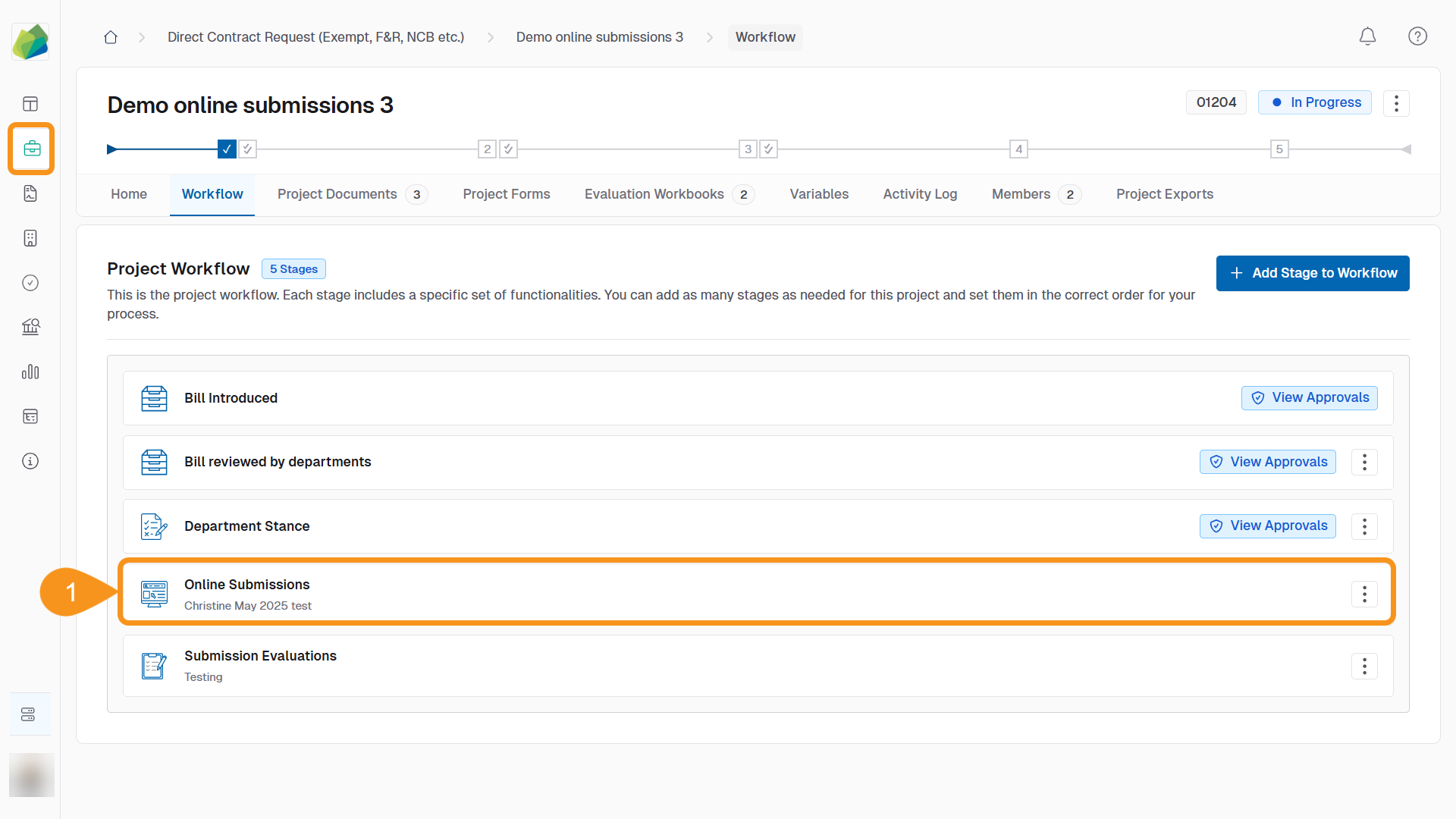
- Go to the project’s Online Submissions stage.
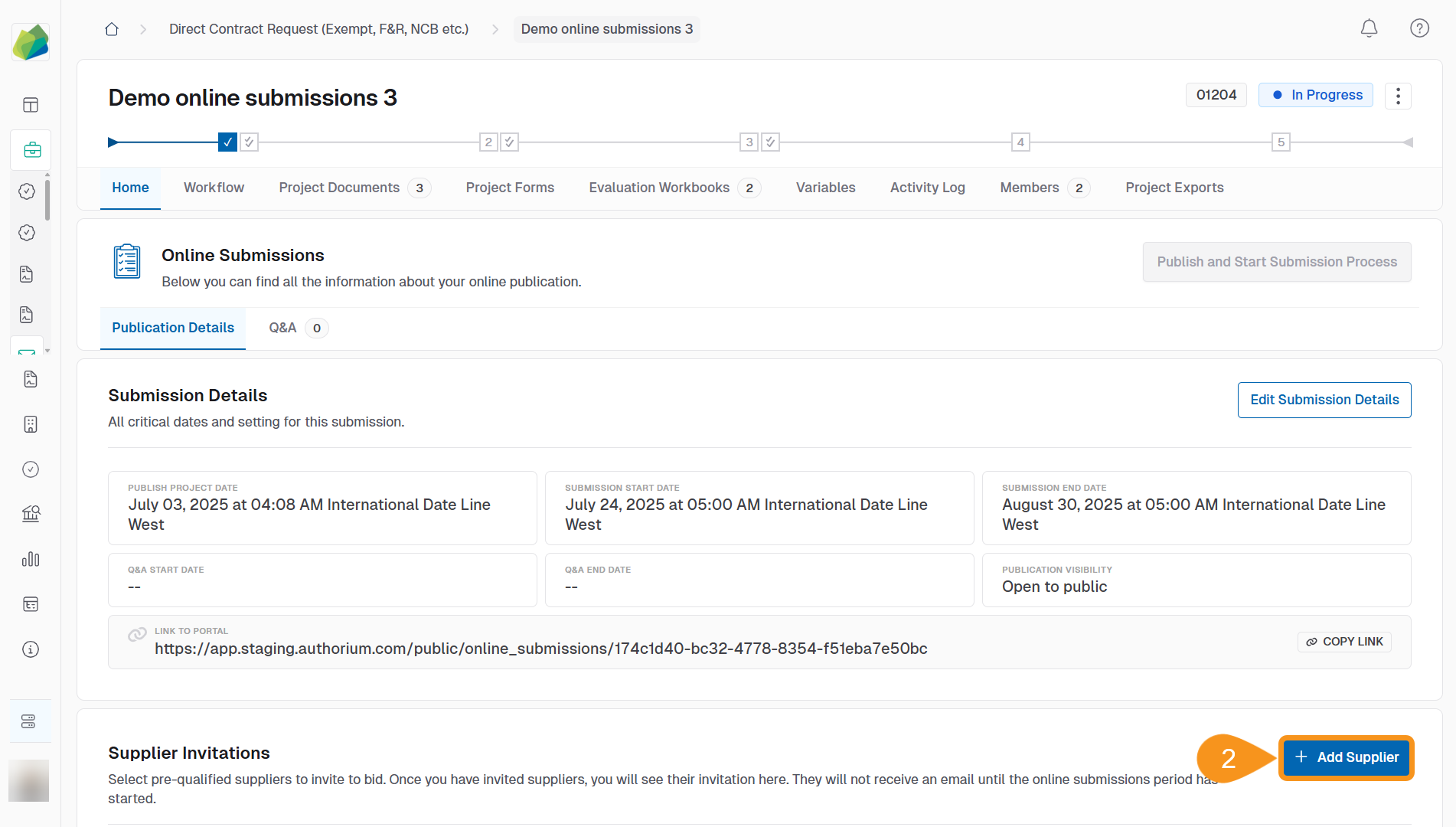
- In the Supplier Invitations section, click Add Supplier.
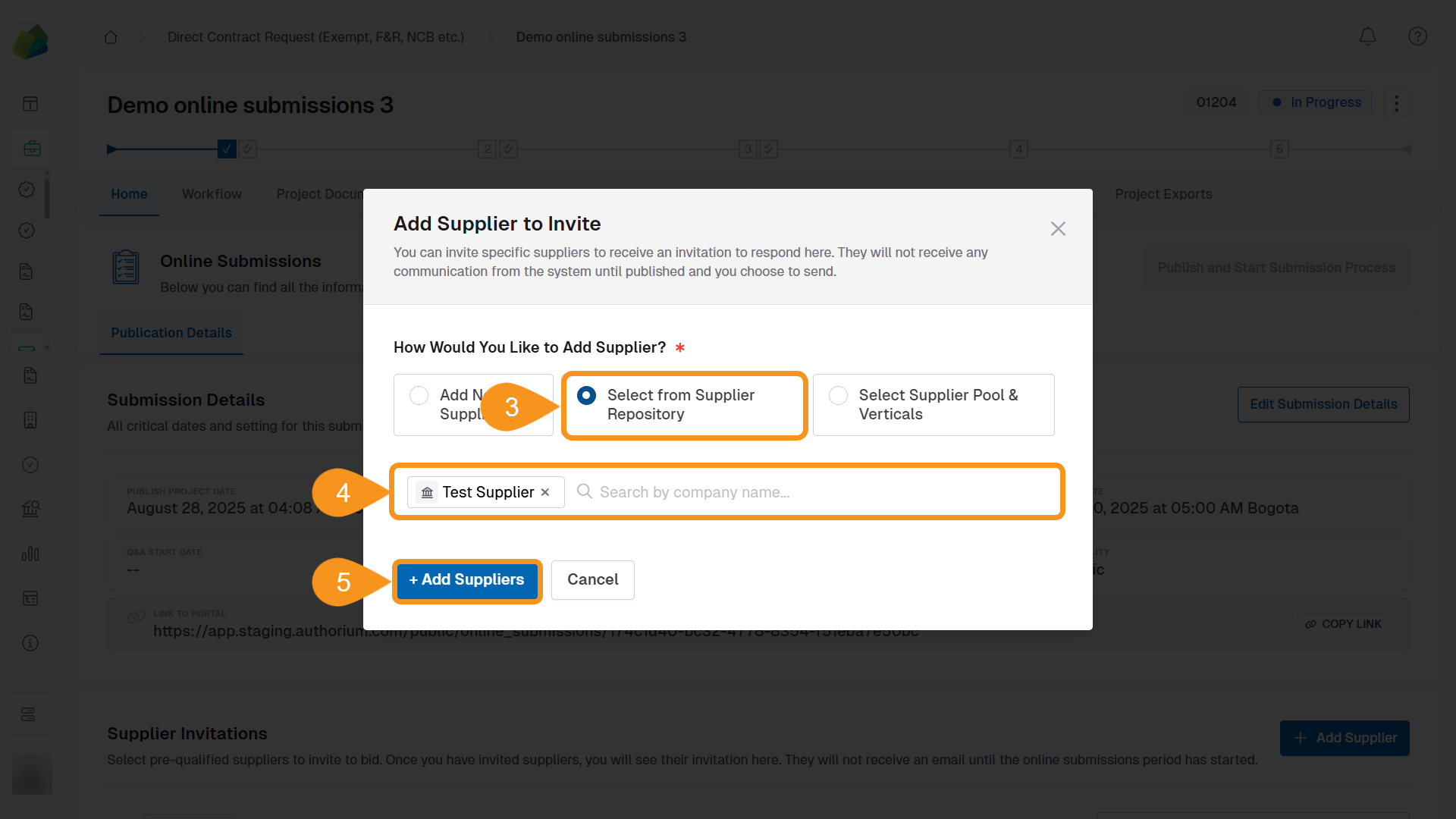
- Select From Supplier Repository.
- Use the search box to find suppliers by company name.
Note
You can select and invite multiple suppliers at the same time.
- Click Add Supplier.
A confirmation message appears: “Supplier added successfully”.
See Also
To complement your knowledge of this process, check the following pages: