Enable Supplier Q&A
This how-to guide explains how to enable the Supplier Q&A feature in projects with an Online Submissions stage in Authorium.
Supplier Q&A allows vendors to submit questions during a defined period, view other suppliers’ questions, and read official responses published by your agency. This improves transparency and reduces duplicate inquiries.
You can activate and configure the Q&A period directly from the project’s submission settings.
When to Enable Supplier Q&A
You should enable Supplier Q&A when you need to:
- Allow vendors to ask clarifying questions during the submission period.
- Provide answers to all suppliers in a centralized, transparent way.
- Control the timeframe during which questions can be submitted and answered.
To Enable Supplier Q&A
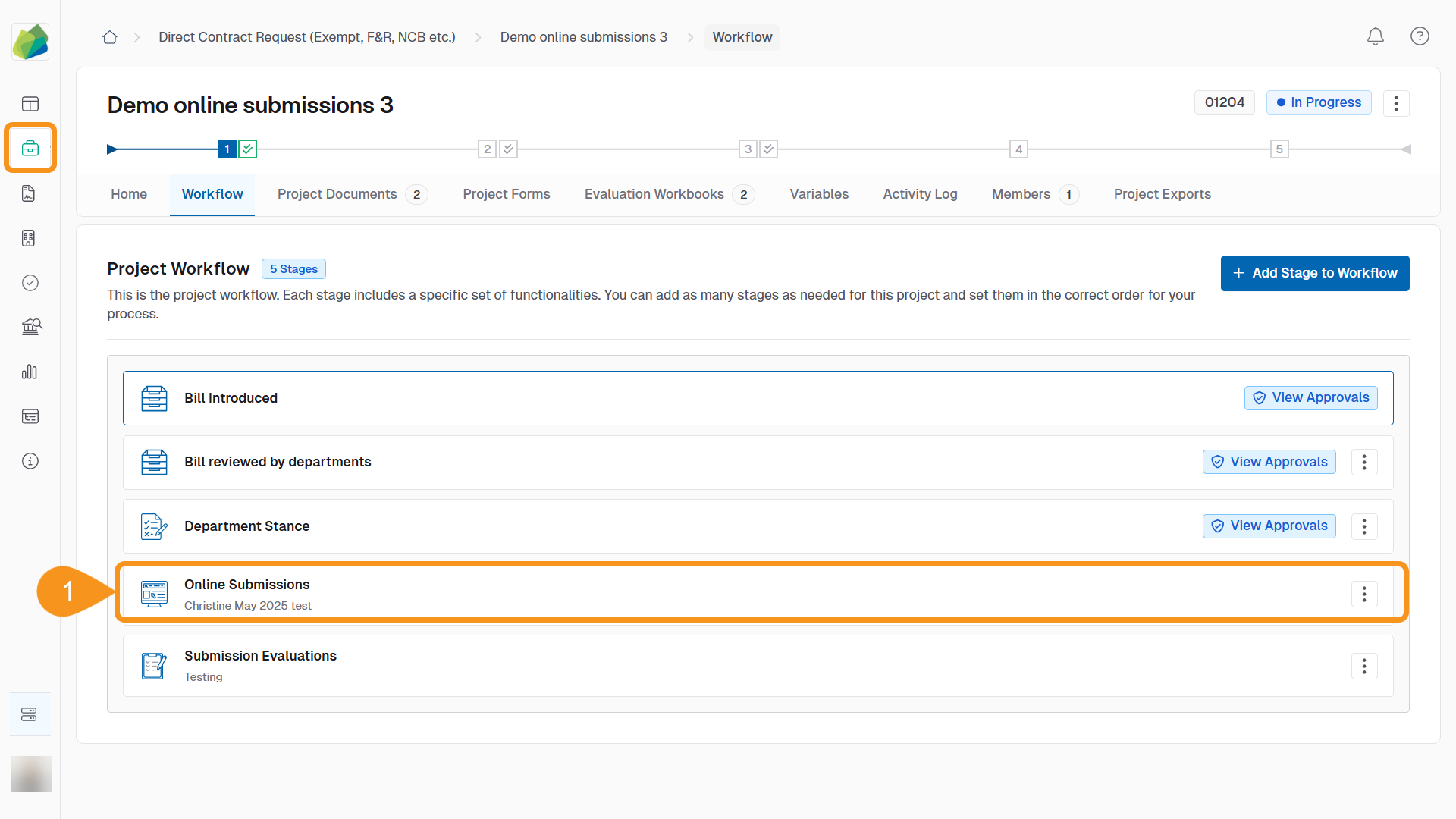
- Go to the project’s Online Submissions stage.
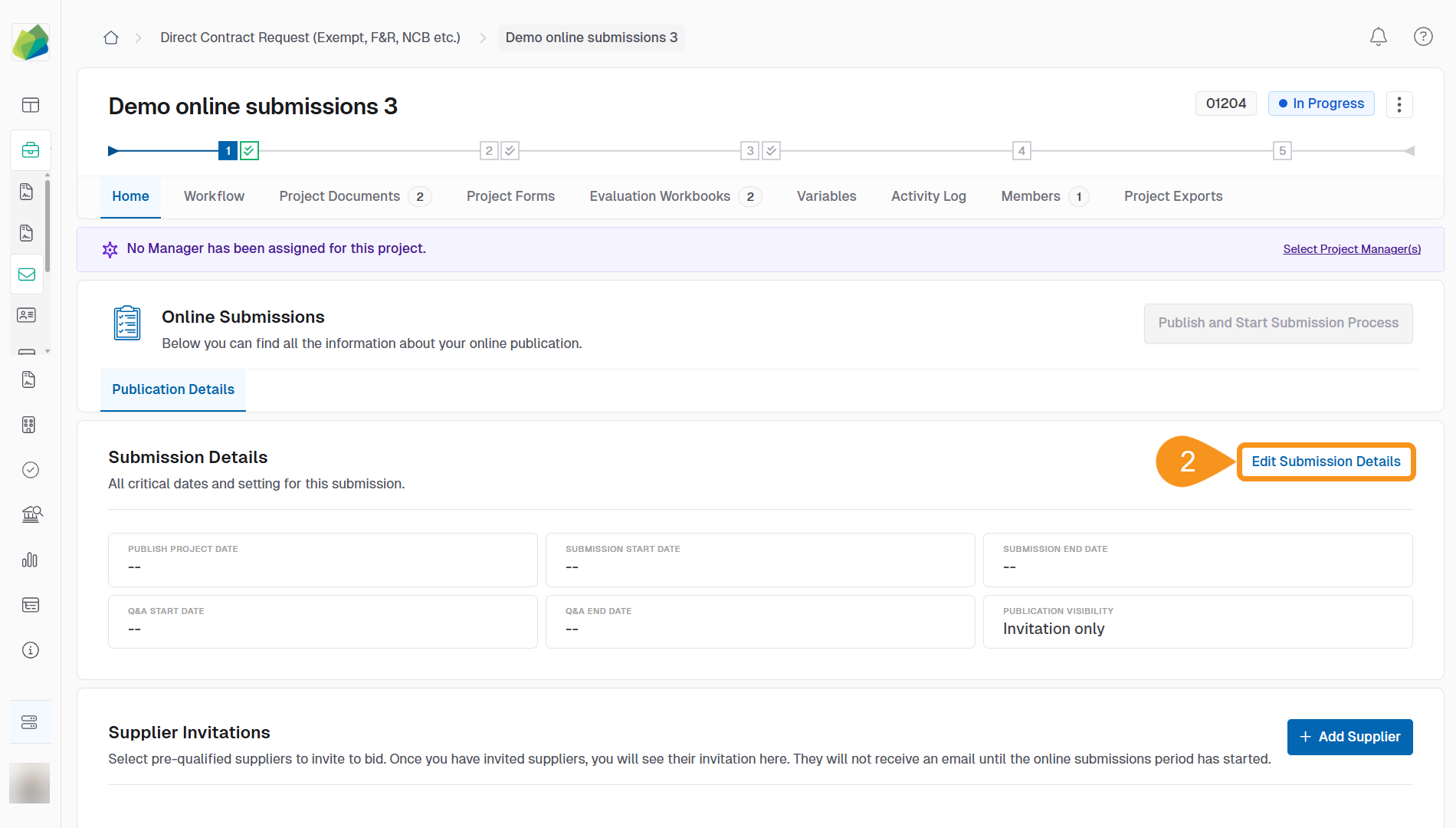
- Click Edit Submission Details.
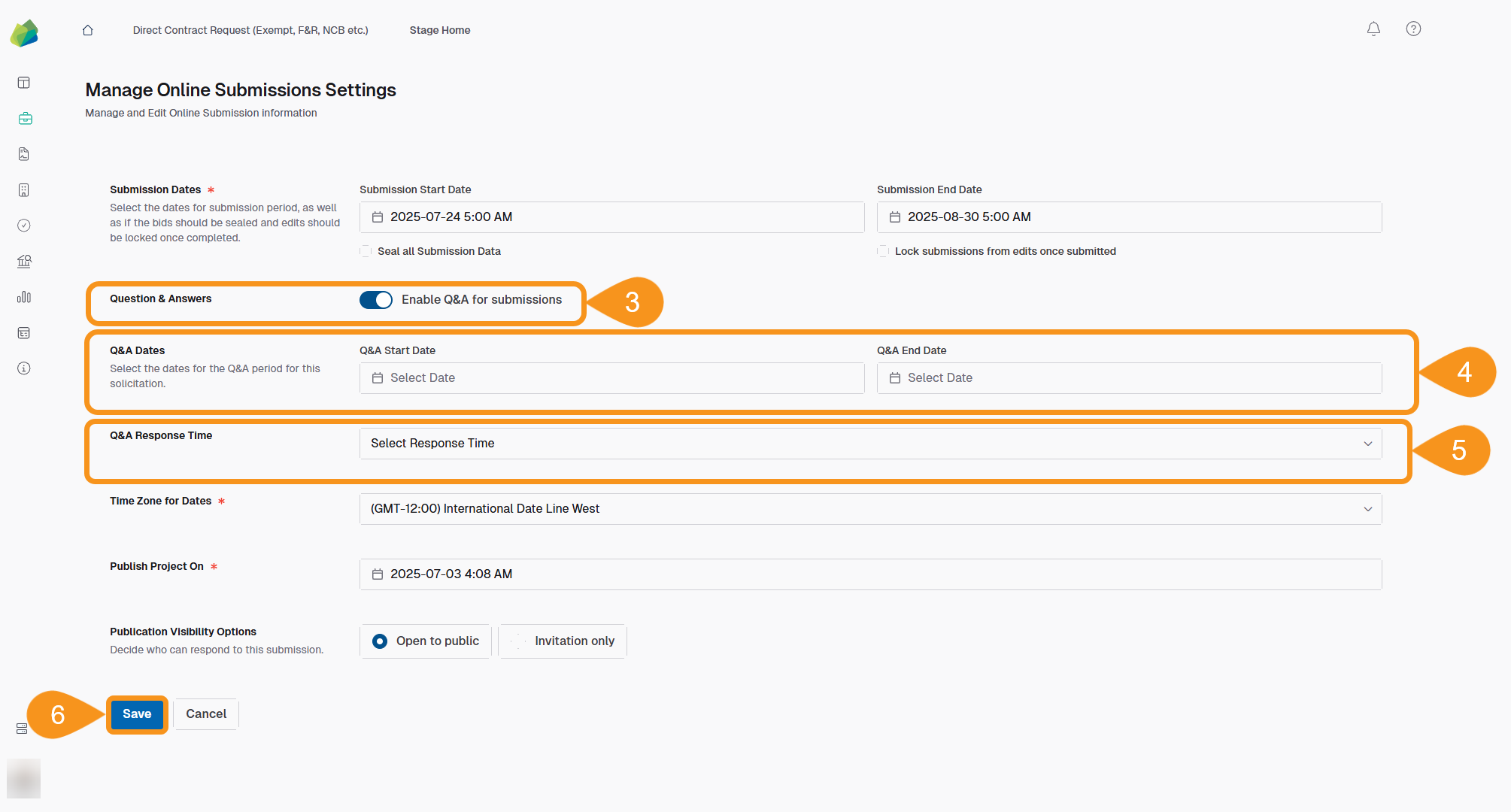
- Toggle Enable Q&A for Submissions.
- Set the Q&A Start Date and Q&A End Date.
- Select a Q&A Response Time from the dropdown to define how long your team has to respond.
- Click Save to apply the changes.
Note
Suppliers will only see responses that have been published by your team.
Unpublished answers remain internal until confirmed.
See Also
To complement your knowledge of this process, check the following pages: