Configure a Project’s Submission Details
This how-to guide explains how to configure submission settings in a project created from a template with an Online Submissions stage.
Submission details define the parameters of the submission window, supplier participation, and Q&A availability. These settings ensure that vendor responses are collected according to your timeline, confidentiality requirements, and invitation strategy.
Use this configuration to manage how and when suppliers can submit proposals, whether submissions are locked or sealed, and whether suppliers can submit questions during a Q&A period.
When to Configure Submission Details
You should configure submission details when you need to:
- Prepare to publish a project that includes supplier submissions.
- Define the submission start and end dates.
- Manage access and visibility settings for vendors.
- Enable a Q&A period for supplier questions.
You must complete all prior project stages before configuring submission details.
The Online Submissions stage only becomes available once earlier stages are finished.
To Configure Submission Details
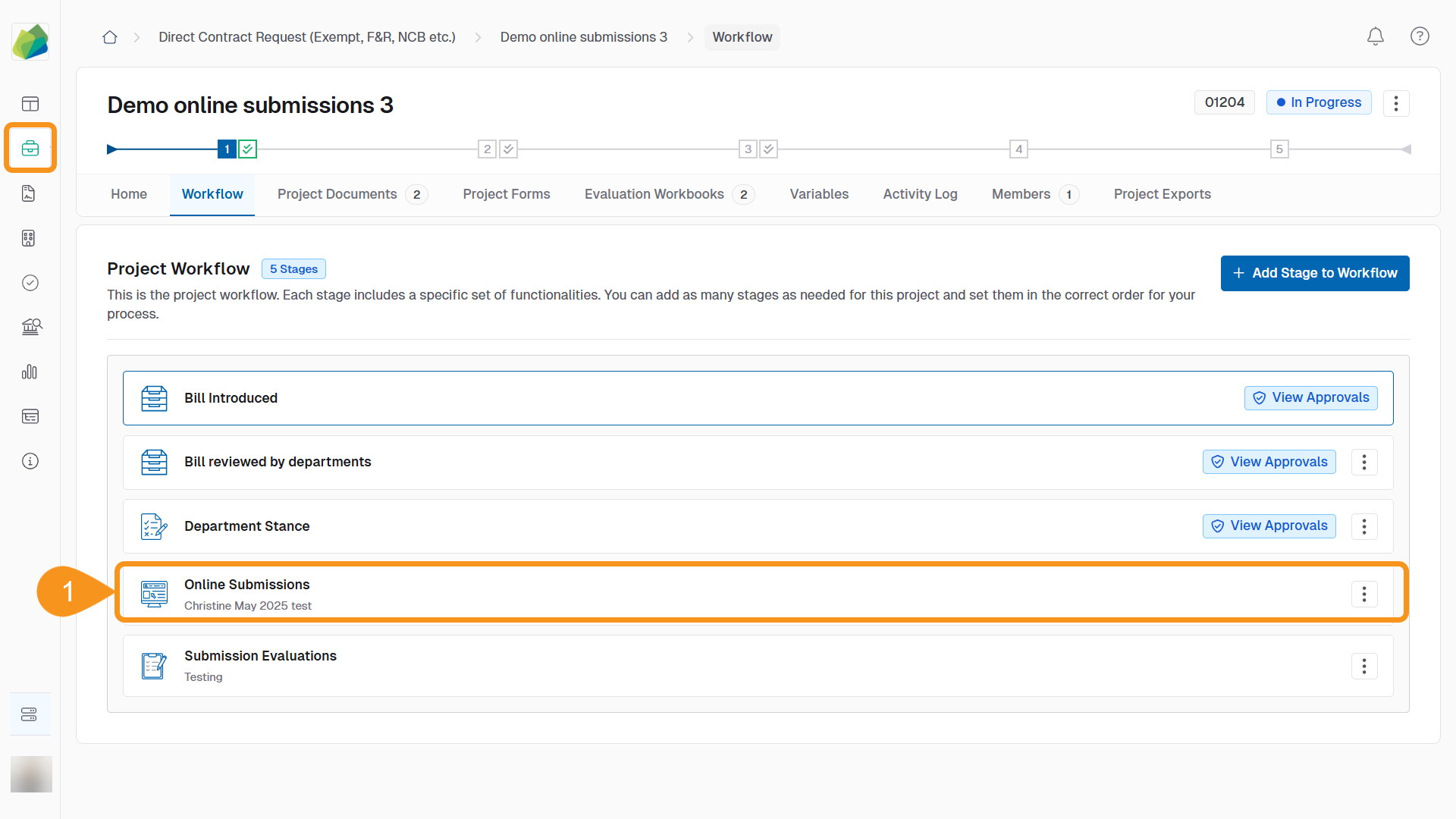
- Go to the project’s Online Submissions stage.
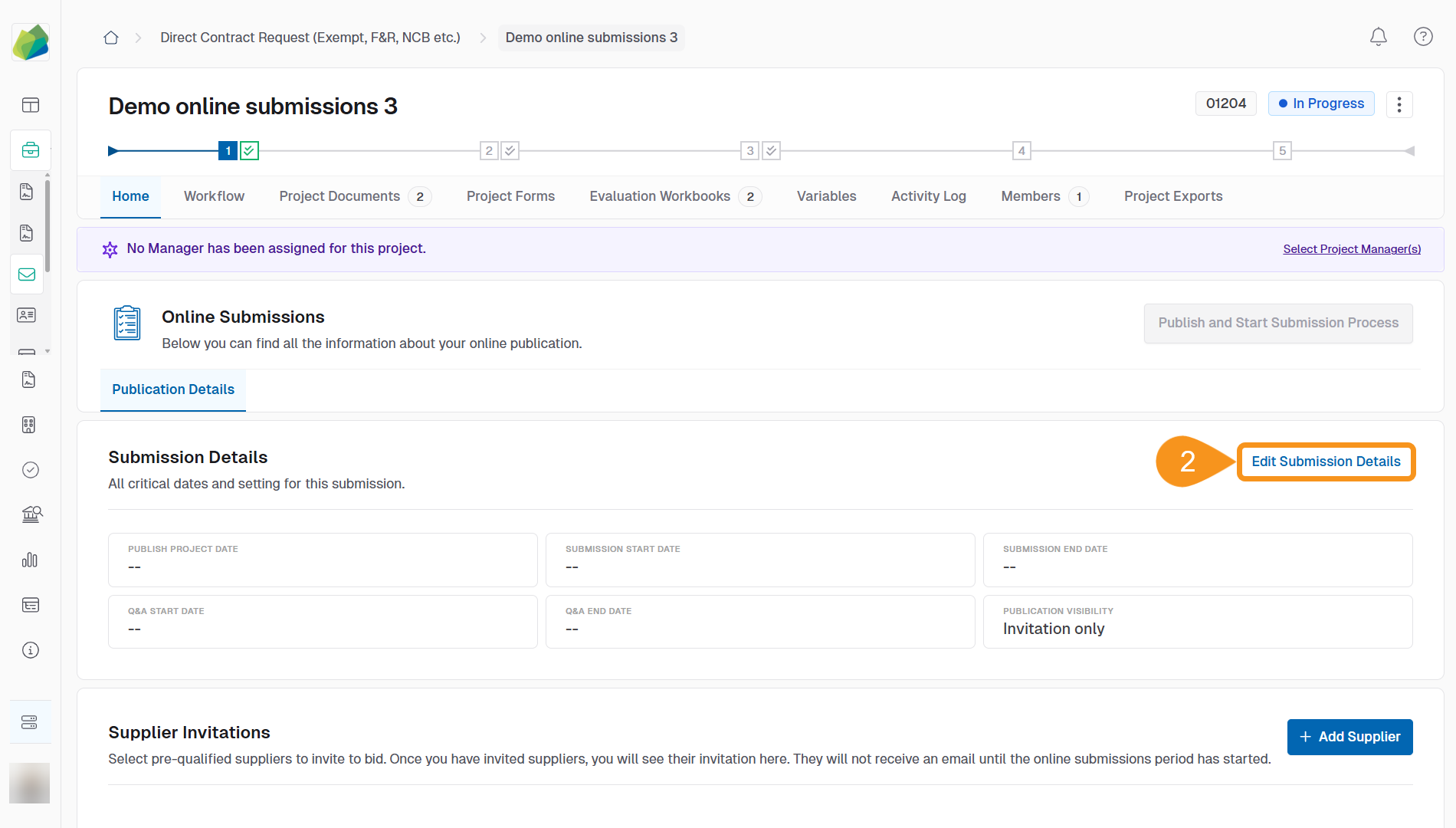
- Click Edit Submission Details.
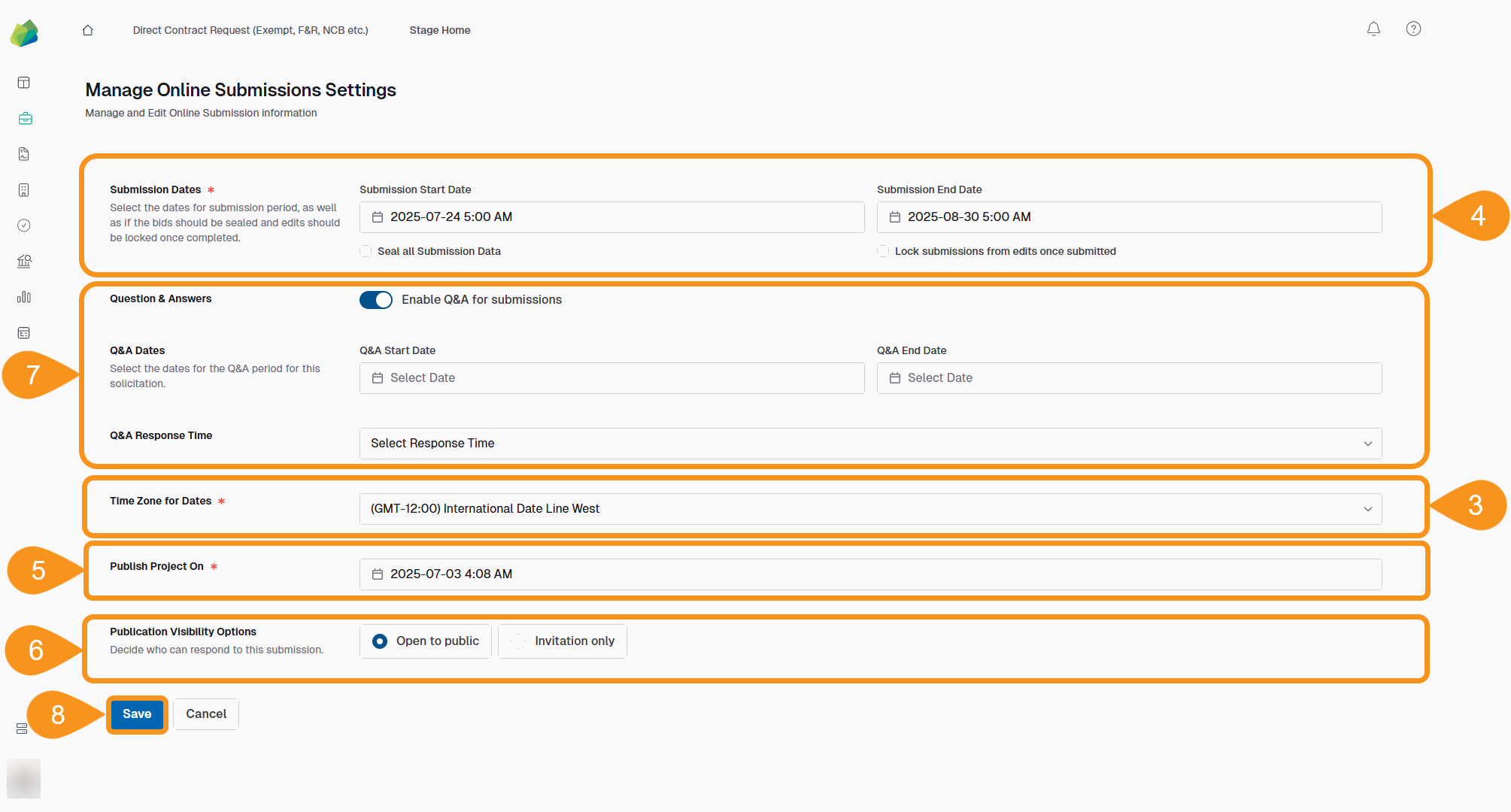
3.In the Time Zone for Dates dropdown, select the appropriate time zone for your submission and Q&A periods.
This time zone will apply to all dates in the project.
- Set the Submission Start Date and Submission End Date to define when suppliers can submit responses.
- (Optional) Enable Seal all Submission Data to hide content until the submission window closes.
- (Optional) Enable Lock submissions from edits once submitted to prevent suppliers from changing responses after submission.
- In the Publish Project On field, select the date when the project should become visible to suppliers.
- In the Publication Visibility Options section, choose who can submit proposals:
- Open to public: Any supplier with access to the platform can submit. This option generates a shareable link.
- Invitation only: Only invited suppliers can submit. An email notification will be sent automatically.
- (Optional) To allow suppliers to ask questions during a defined period, toggle Enable Q&A for submissions, then:
- Set the Q&A Start Date and Q&A End Date.
- Select a Q&A Response Time from the dropdown to define the maximum response window.
- Click Save to apply all changes.
Submission details can be edited at any time before the project is published. Once the project is published, only limited settings can be updated unless you unpublish it.
See Also
To complement your knowledge of this process, check the following pages: