Change Workbook Order
This guide explains how to change the order of Evaluation Workbooks within the Evaluations stage. Workbook order can affect how evaluators review criteria and how results are displayed.
When to Change Workbook Order
You should change the workbook order when you need to:
- Ensure evaluation criteria are reviewed in the correct sequence.
- Prioritize certain workbooks before others during the evaluation process.
To Change Workbook Order
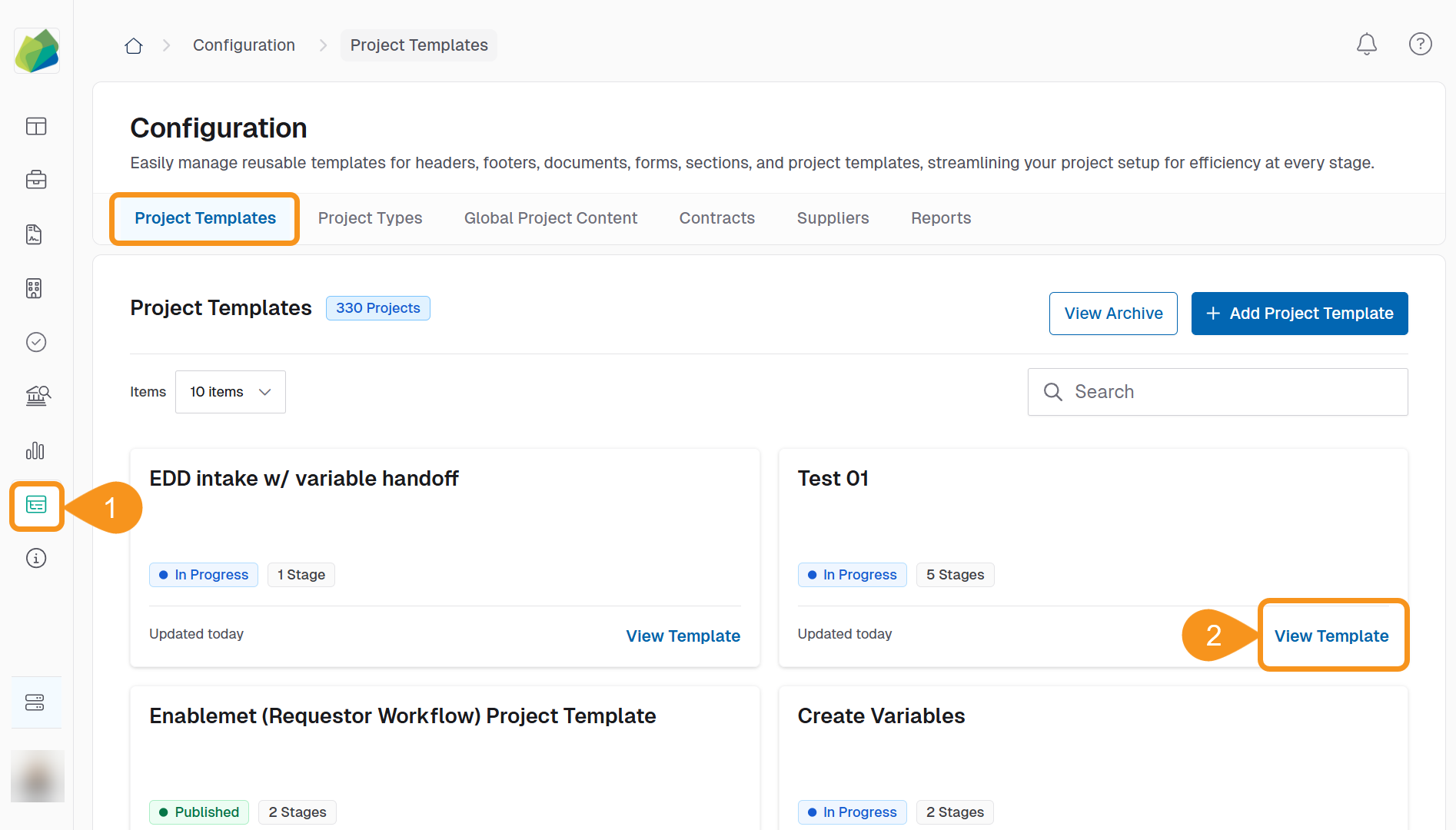
- Go to the Configuration section from the sidebar.
- In the Project Template tab, click View Template next to the template containing the evaluation workbooks.
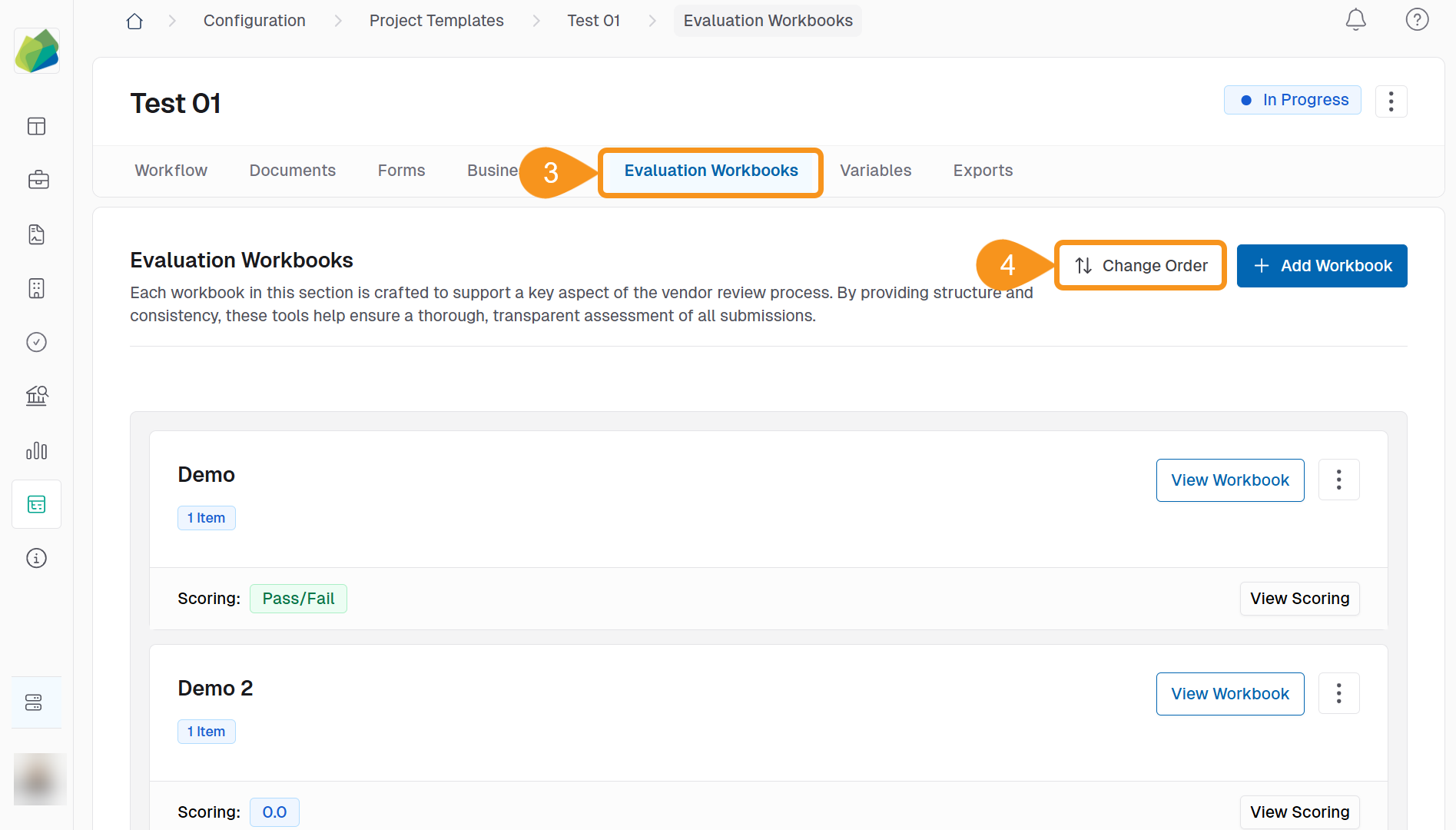
- In the Online Submissions stage, go to the Evaluation Workbooks tab.
- Click ↑↕ Change Order in the top right.
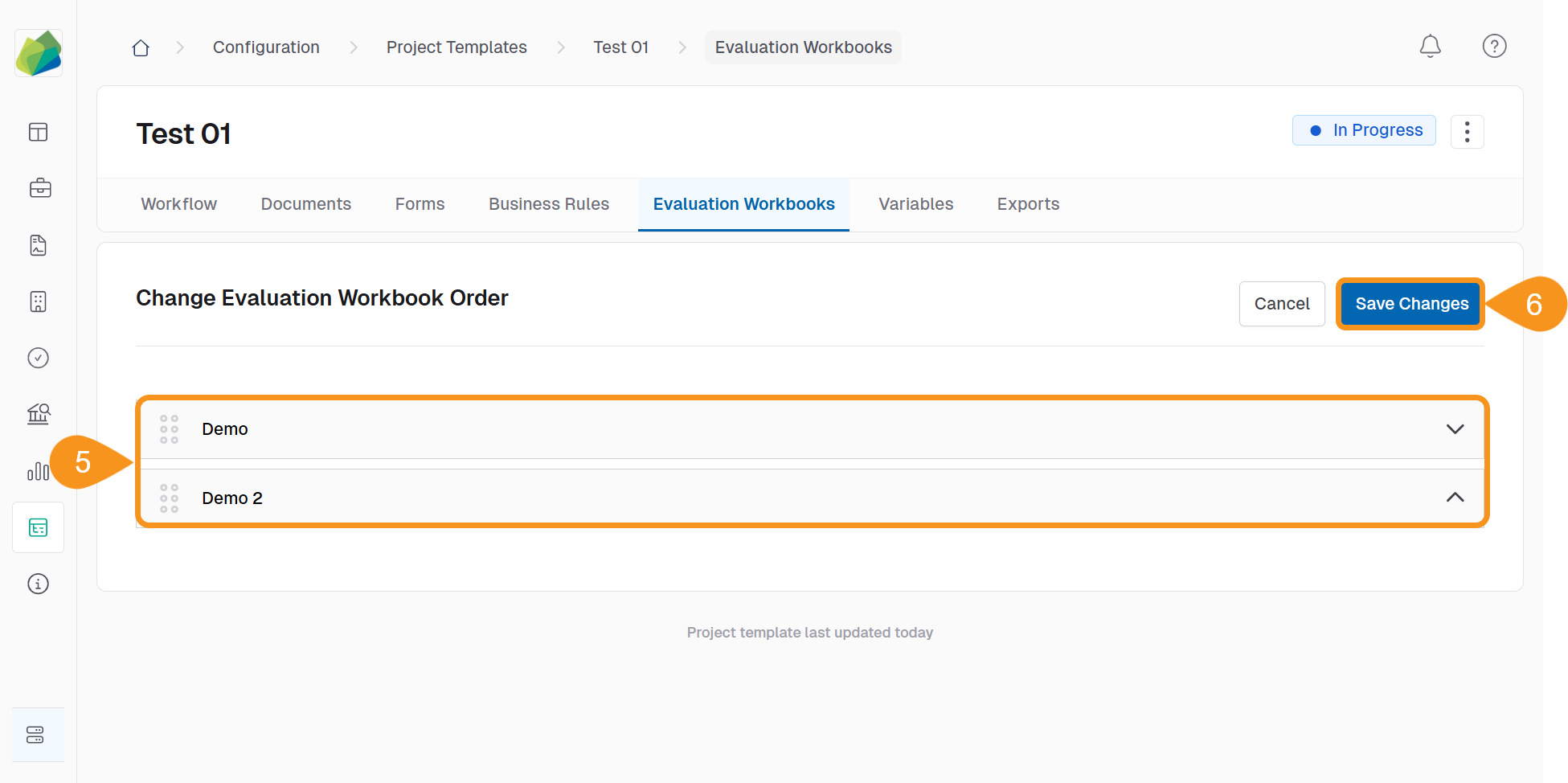
- Reorder the workbooks using one of these methods:
- Drag and Drop: Click and hold the drag handle (⋮⋮) to move a workbook to the desired position.
- Arrow Buttons: Use the up/down arrows on the right of each workbook to adjust its position.
- Click Save Changes to confirm the updated order.
The updated workbook order in the project template will be reflected in all projects created from that template.
See Also
To complement your knowledge of this process, check the following pages: