Add References to Response Items
You can attach reference documents to specific response items in an evaluation worksheet. These references provide evaluators with the right context, instructions, or templates from the collaborative document management (CDM) stage. Linking references helps ensure consistency and clarity across evaluations.
When to Add References
You should add references to response items when you need to:
- Provide evaluators with supporting documents, templates, or standardized forms.
- Ensure suppliers review or complete specific materials as part of their responses.
- Maintain consistent instructions and evaluation standards across submissions.
To Add References
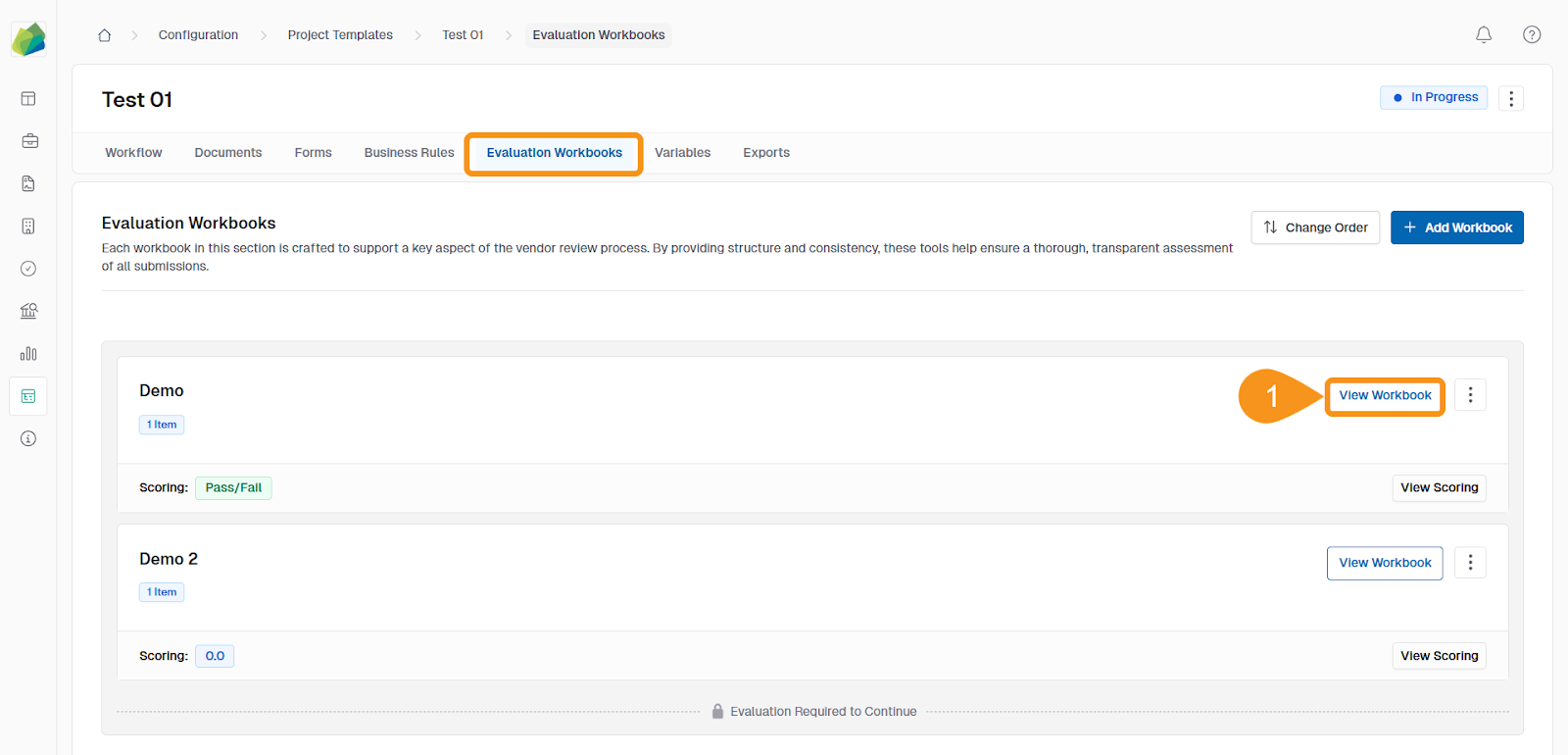
- From the Evaluation Workbooks tab, click View Workbook.
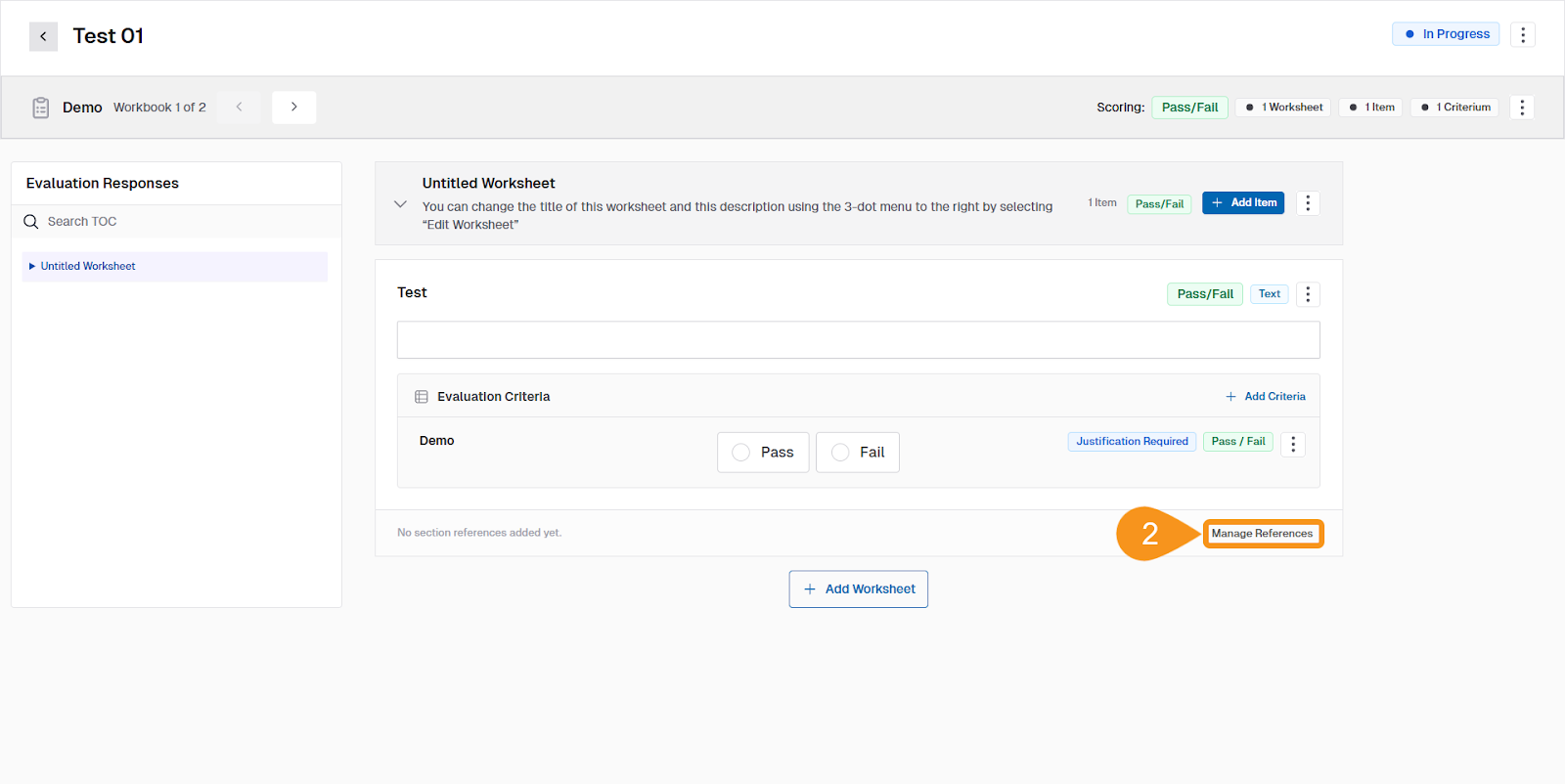
- Under the selected item, click Manage References.
Note
This option is located beneath the evaluation criteria for that item.
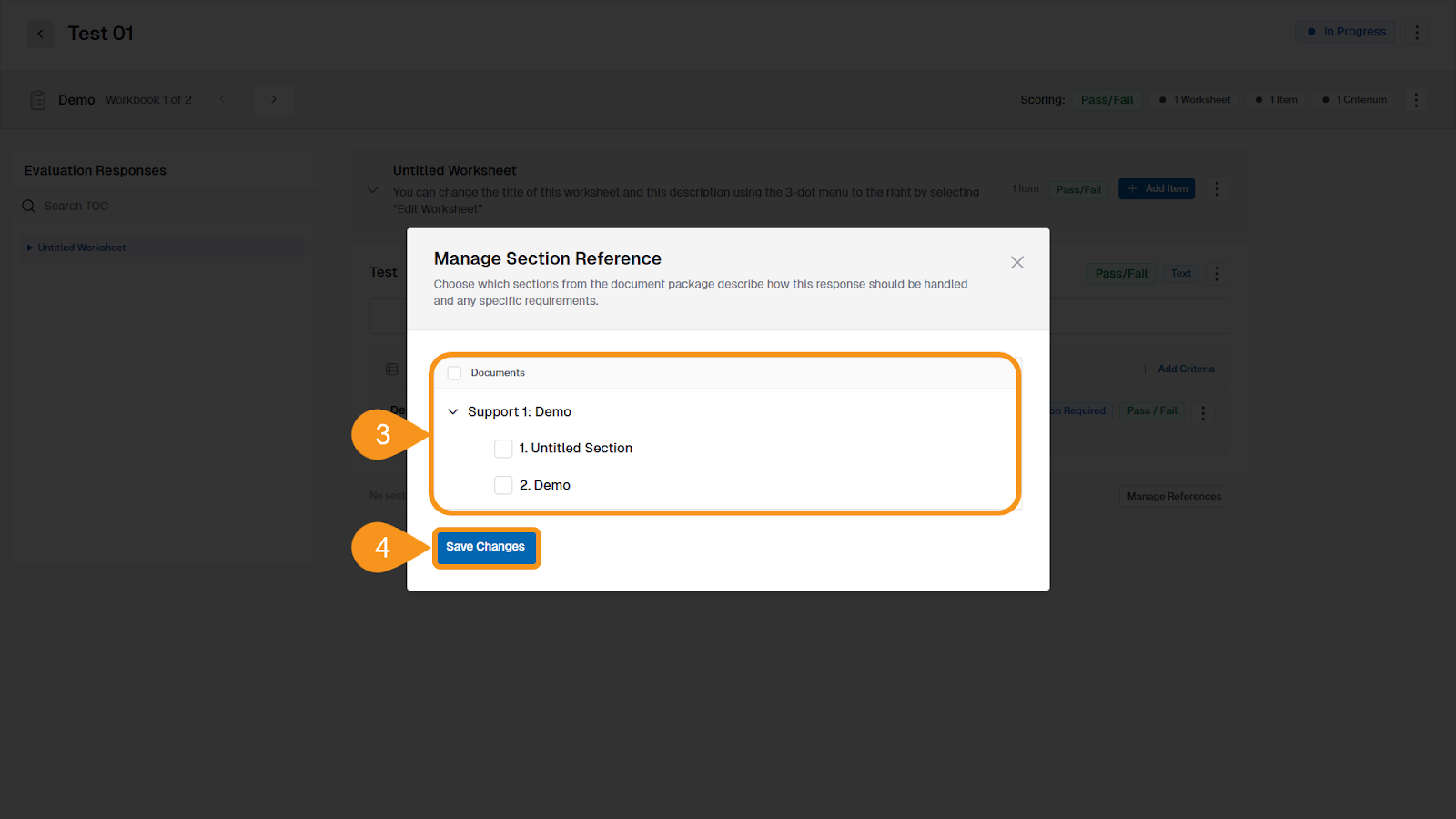
- Select the documents you want to attach to the item.
Note
If no documents are available, use the Missing Documents? banner to assign documents to the workbook first.
- Click Save Changes.
See Also
To complement your knowledge of this process, check the following pages: