Add Evaluation Worksheets
This guide shows you how to add a new Evaluation Worksheet inside an Evaluation Workbook. Worksheets help you divide evaluation criteria into logical sections, making them easier for both suppliers and evaluators to work with.
When to Add a Worksheet
You should add a worksheet when you need to:
- Separate evaluation content into focused categories (e.g., Technical, Pricing).
- Collect supplier responses in a structured, organized way.
To Add an Evaluation Worksheet
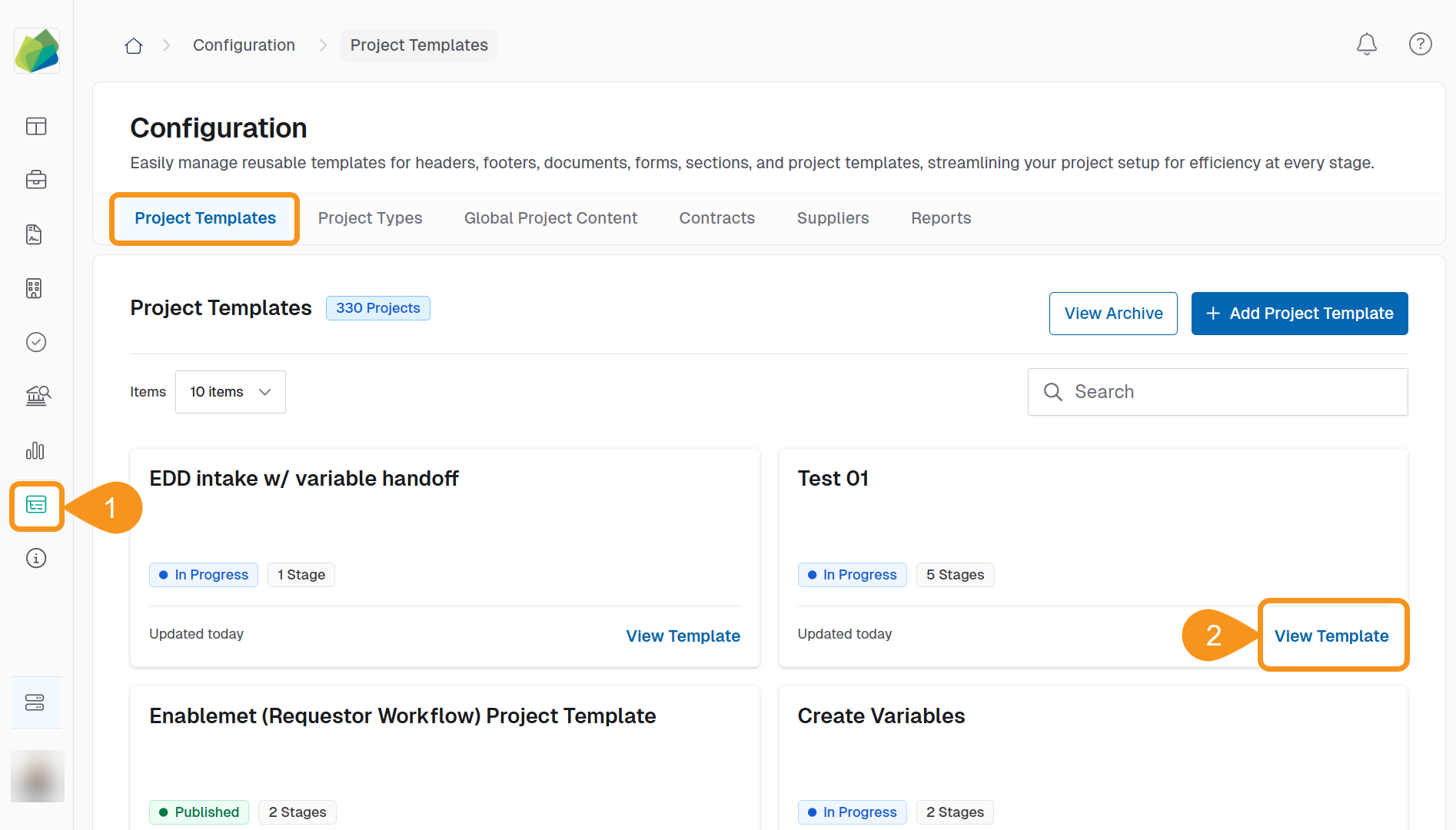
- Go to the Configuration section from the sidebar.
- In the Project Template tab, click View Template for the template you want to edit.
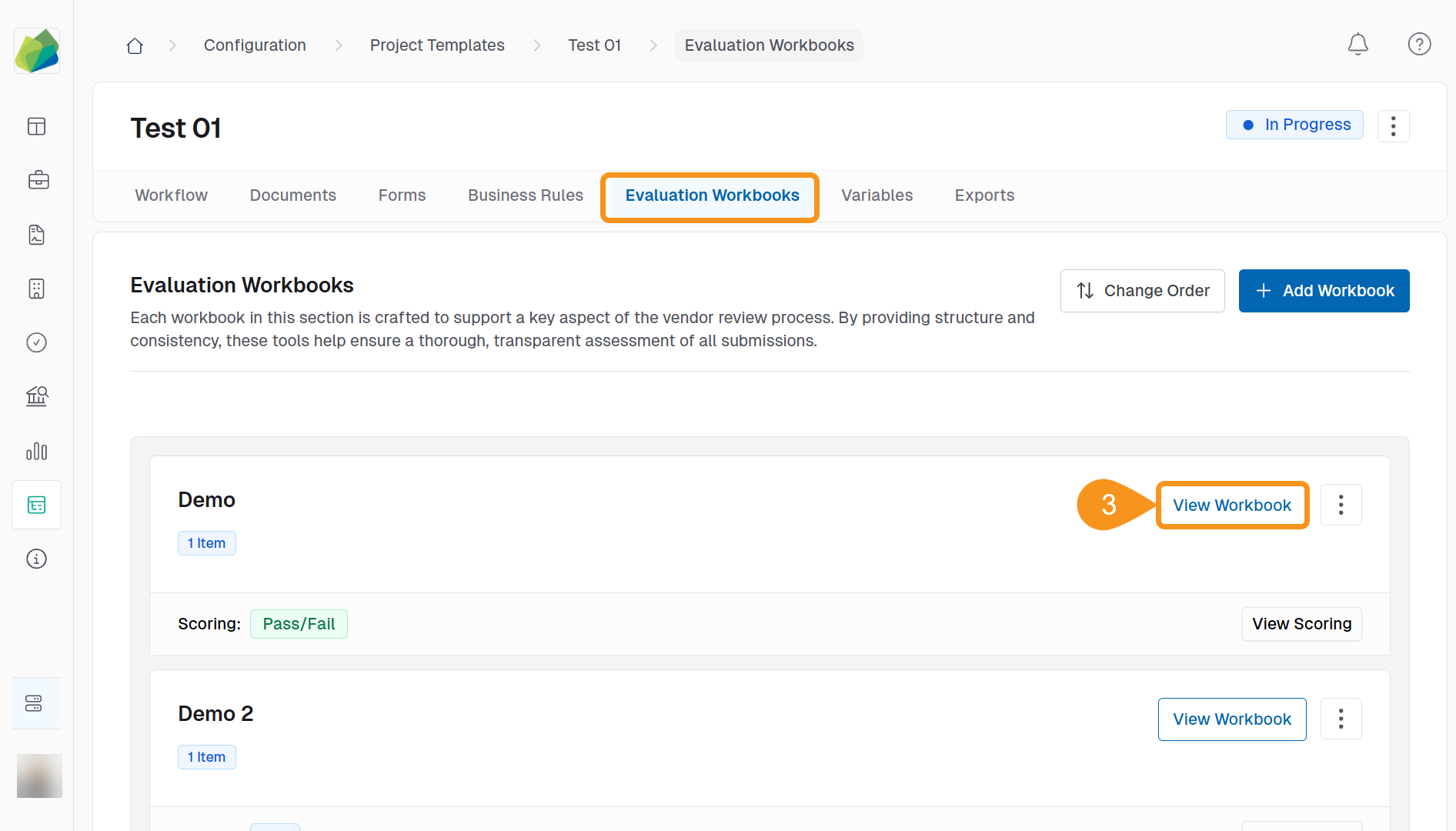
- In the Evaluation Workbooks tab, click View Workbook for the workbook where you want to add a worksheet.
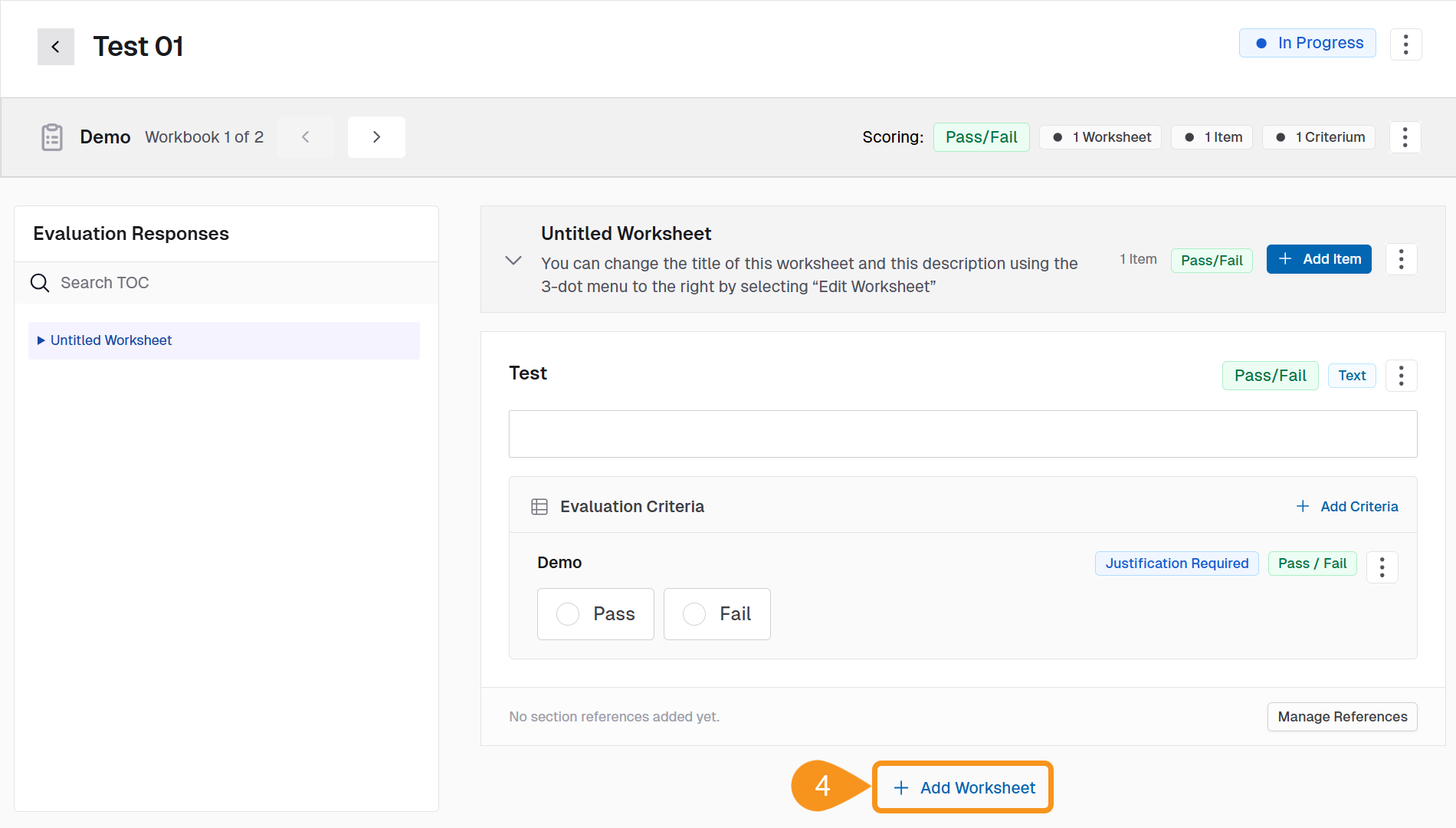
- Click + Add Worksheet at the bottom of the screen.
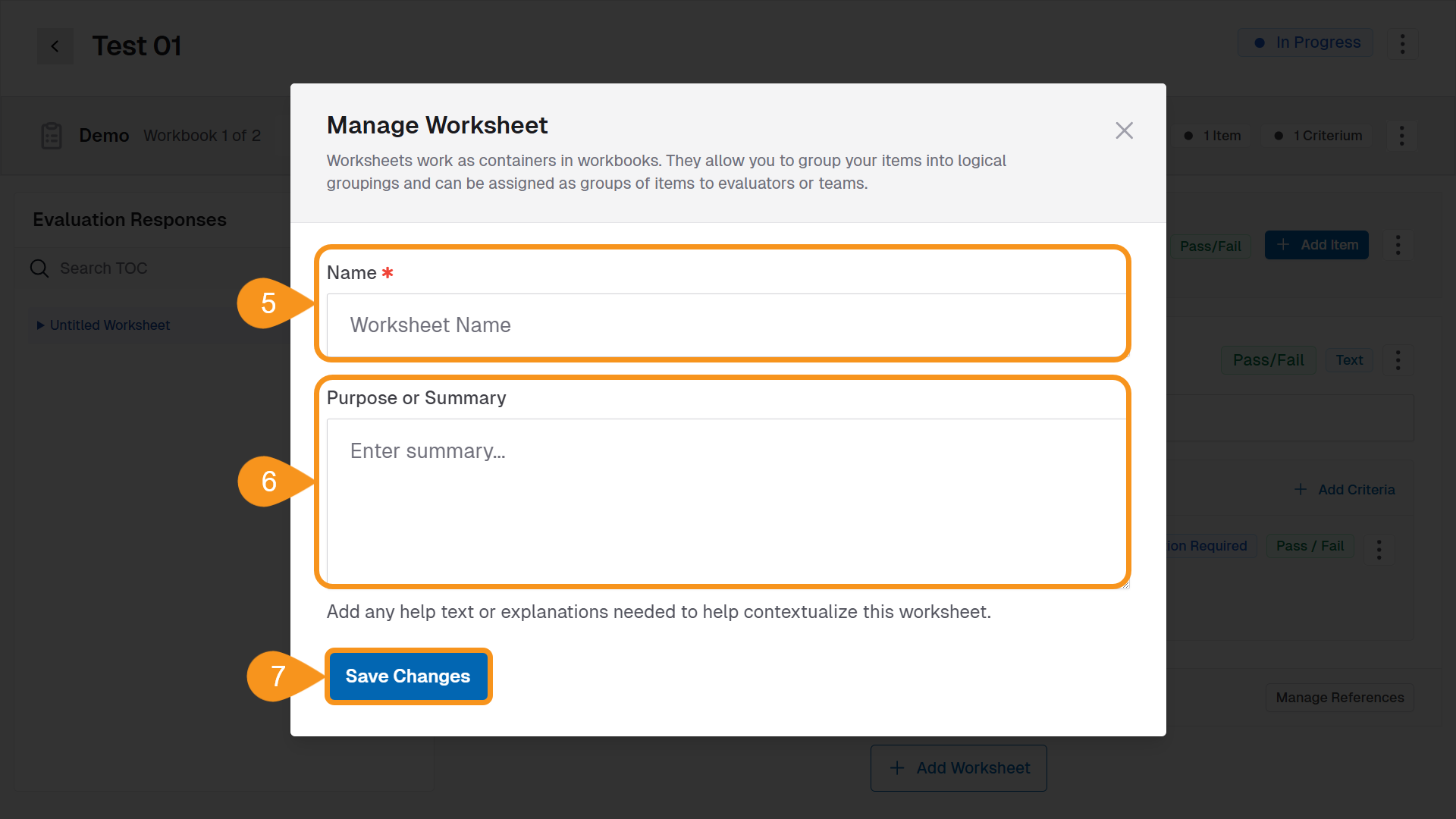
- Enter a Worksheet Name.
- (Optional): Add a Description or Purpose to give evaluators context.
- Click Save Changes.
The new worksheet will appear in the left sidebar under Evaluation Responses.
See Also
To complement your knowledge of this process, check the following pages: