Add Evaluation Criteria to a Workbook
Evaluation criteria define how supplier responses are scored during the Evaluations stage. Each criterion is linked to a specific worksheet item and ensures evaluators apply consistent standards when grading submissions.
Use criteria to standardize scoring and make evaluations more transparent and comparable across your team.
When to Add Evaluation Criteria
You should add evaluation criteria when you need to:
- Have evaluators score supplier responses using predefined methods.
- Ensure consistent rubrics for different response fields (numeric, cost, pass/fail, etc.).
- Require evaluators to provide justifications for scoring decisions.
To Add Evaluation Criteria
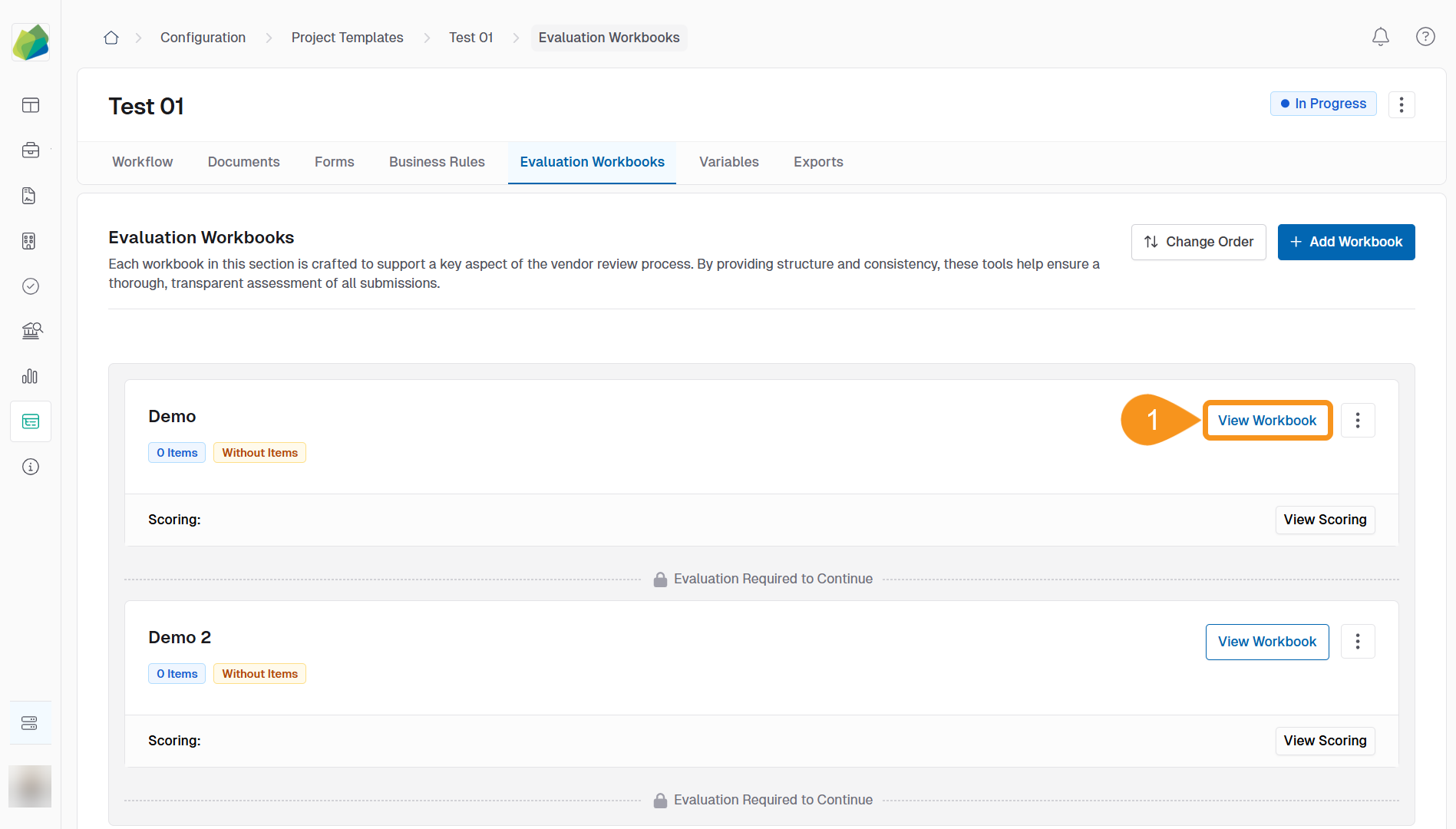
- From the Evaluation Workbooks tab, click View Workbook.
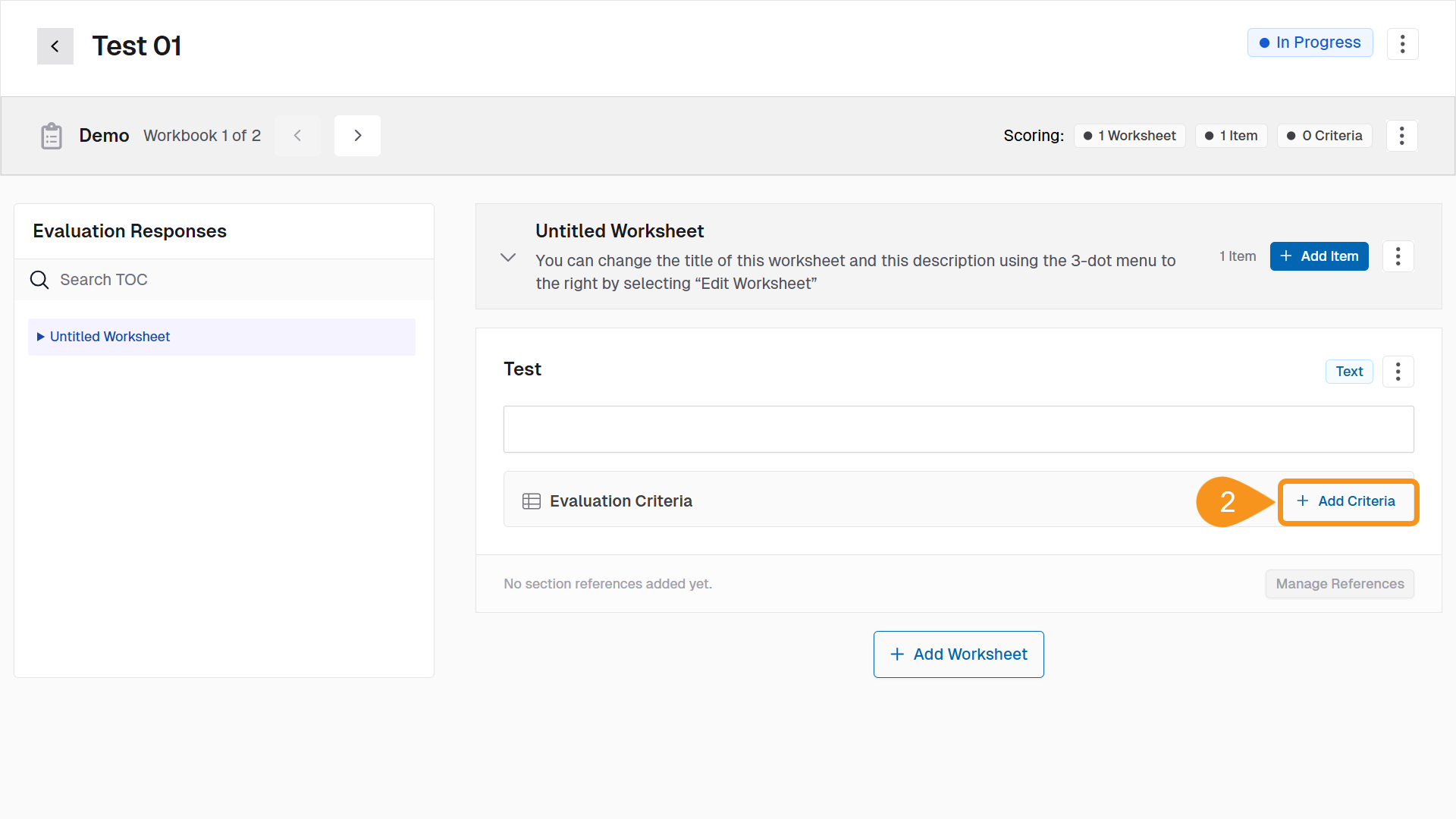
- Below the worksheet item, click Add Criteria.
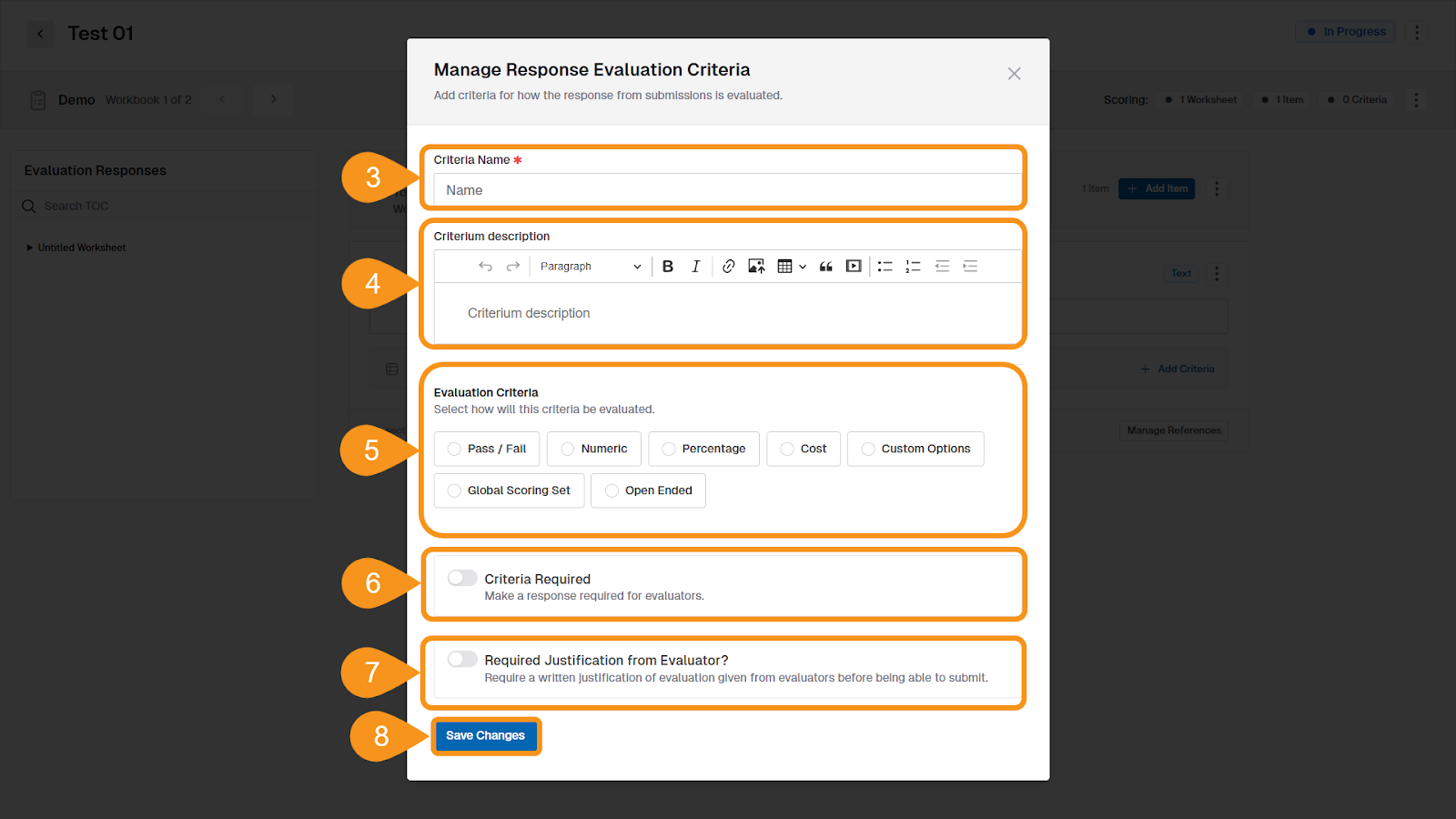
- Enter a Criteria Name. This is visible to evaluators.
- (Optional) Add a Criteria Description to guide evaluators on what to look for.
- Under Evaluation Criteria, select one of the available types:
- Pass / Fail – evaluator records whether requirements are met.
- Numeric – assigns a quantitative score.
- Percentage – weights the criterion as a percentage of the total score.
- Cost – evaluates based on price competitiveness.
- Global Scoring Set – uses a preconfigured scoring method.
- Open Ended – evaluator provides written comments.
- Custom Options – define custom values and labels.
Additional settings based on the selected type: - If you selected Cost, choose a Scoring Approach:
- Points Based – converts bid prices into scores using a formula.
- Cost Based – displays the submitted cost in reports.
- If you selected Numeric, Percentage, or Cost, enter the Maximum Score for Criteria.
- (Optional, for Cost-based criteria): enable Apply Preference Incentives to automatically apply scoring bonuses if configured.
- (Optional) Toggle Criteria Required if evaluators must enter a score for this criterion.
- (Optional) Toggle Require Justification from Evaluator? if evaluators must provide written justification.
- Click Save Changes.
Note
Each worksheet item can have multiple evaluation criteria. Criteria are only visible to internal evaluators, not suppliers.
See Also
To complement your knowledge of this process, check the following pages: