Remove Approval Steps
This guide explains how to remove an individual approval step from a workflow stage in a project template. Removing a step may be necessary when the approval is no longer needed or was added by mistake.
When to Remove Approval Steps
You should remove approval steps when:
- The step was added in error.
- A person or group no longer needs to review the content.
- The approval process has been simplified or restructured.
To Remove an Approval Step
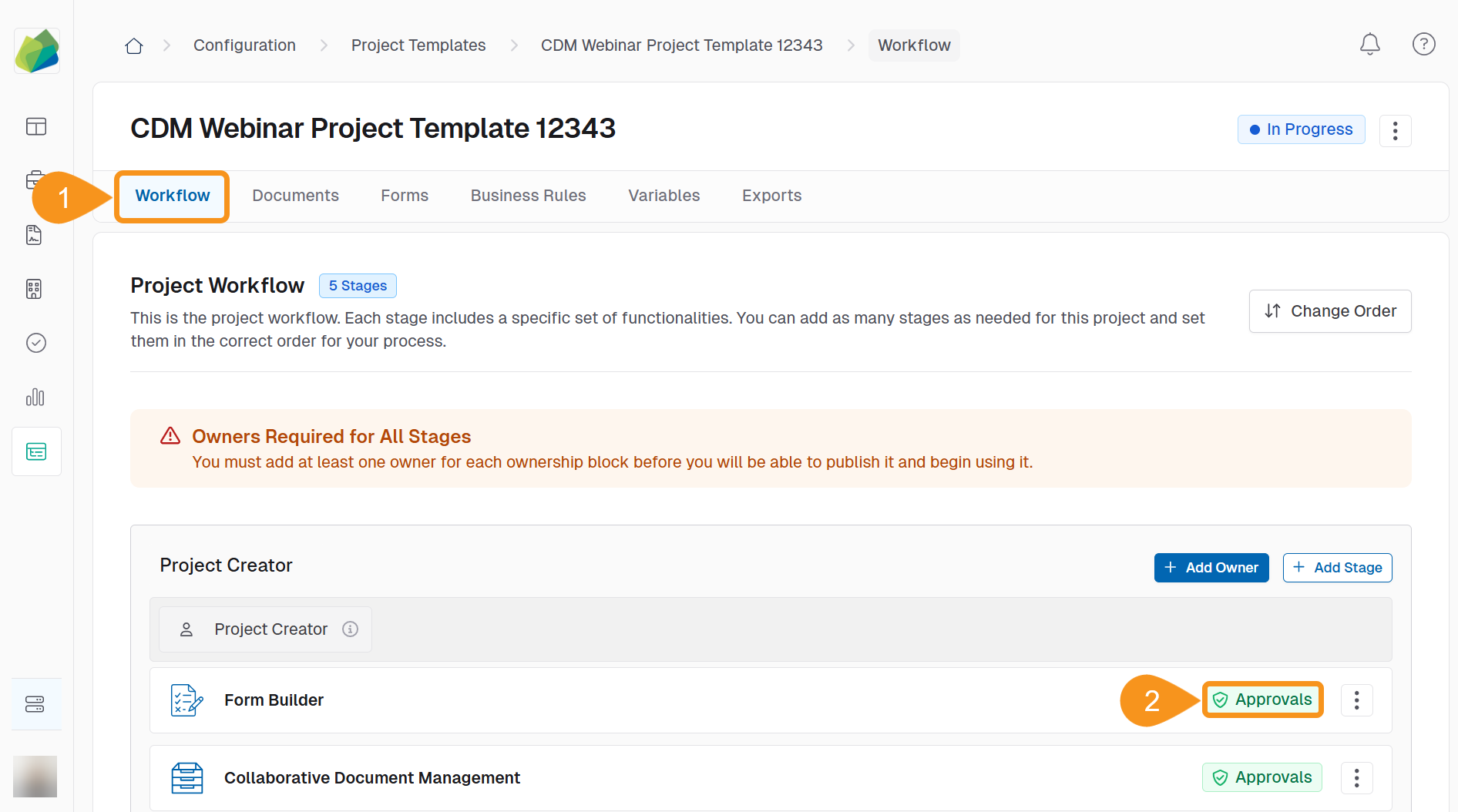
- Go to the Workflow tab of your project template.
- Identify the stage with approvals and click the green Approvals banner to open the approval workflow.
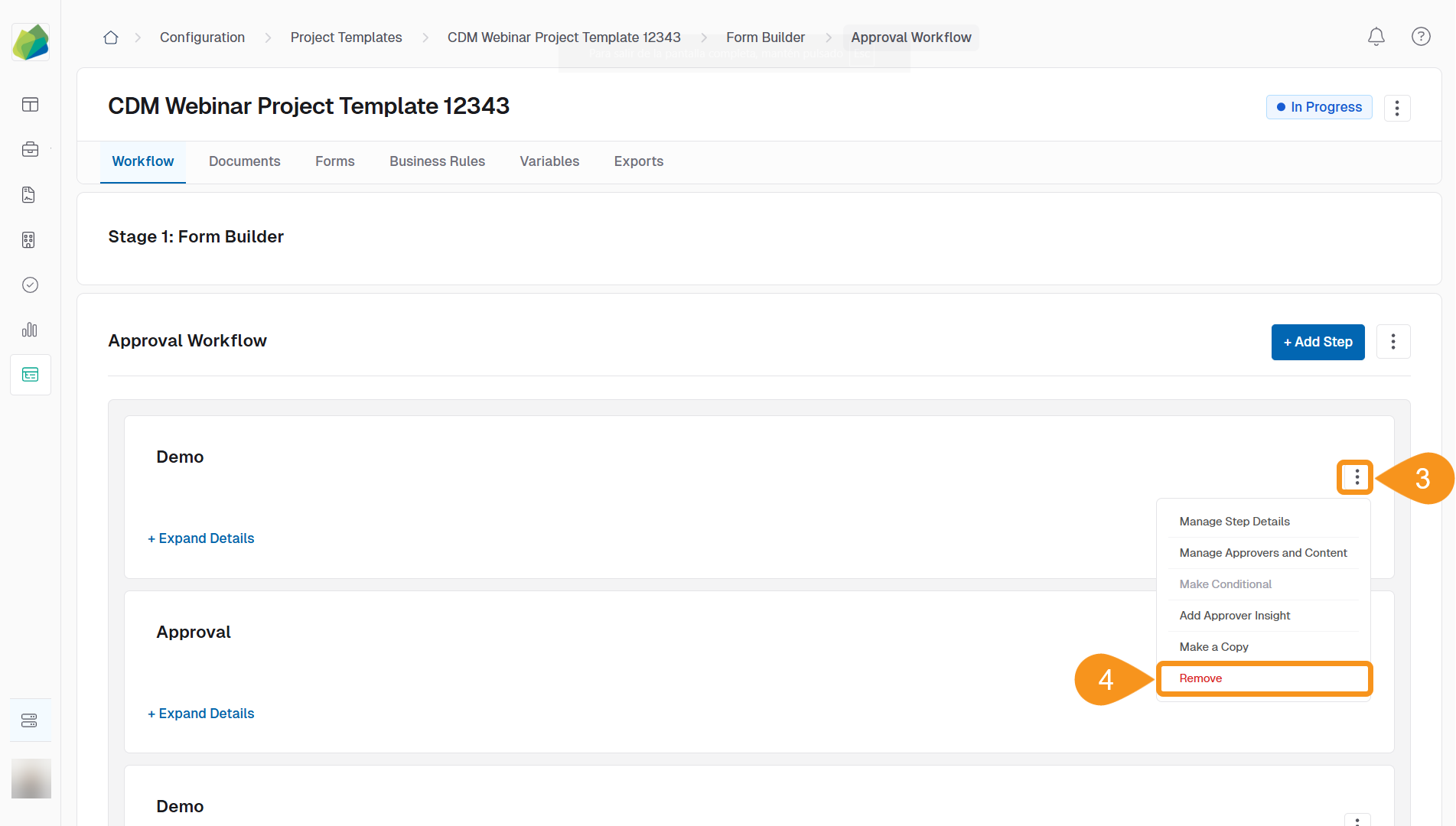
- Locate the step you want to delete and click the kebab menu next to the step name.
- Select Remove from the dropdown menu.
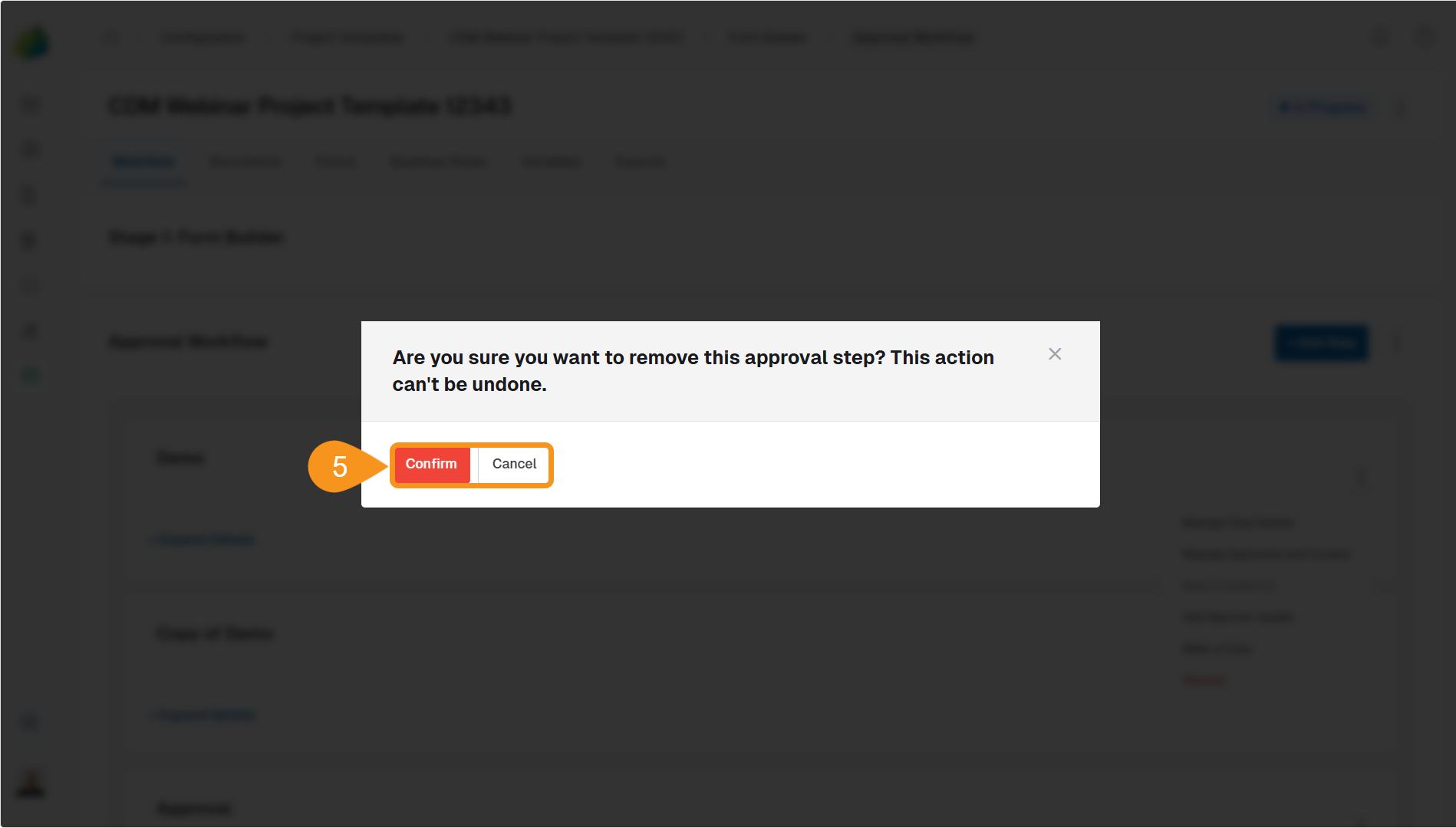
- In the confirmation modal, click Confirm to delete the step or Cancel to discard the changes.
Warning
Once deleted, the approval step cannot be recovered. Make sure to review any step content or approver assignments before confirming.
See Also
To complement your knowledge of this process, feel free to check the following pages:
- Add Approval Steps to an Approval Workflow
- Add Content to Approval Steps
- Add Group Emails to Approval Steps
- Add Placeholders to Approval Steps
- Configure Approval Workflow
- Enable Multi-Step Approval Routing
- Add Global Members to Approval Steps
- Reorder Approval Steps
- Remove Approvals from a Workflow Stage