Copy & Paste Basic Components
This how-to guide explains how to copy and paste Basic Components in a Form Template. Duplicating components can save time and ensure consistency when building forms.
When to Copy & Paste Basic Components
You should copy and paste basic components when:
- You need to reuse the same configuration or layout multiple times.
- You want to replicate fields for similar data collection.
- You want to maintain design and logic consistency across components.
To Copy & Paste Basic Components
- Hover over a basic component to display the action buttons.
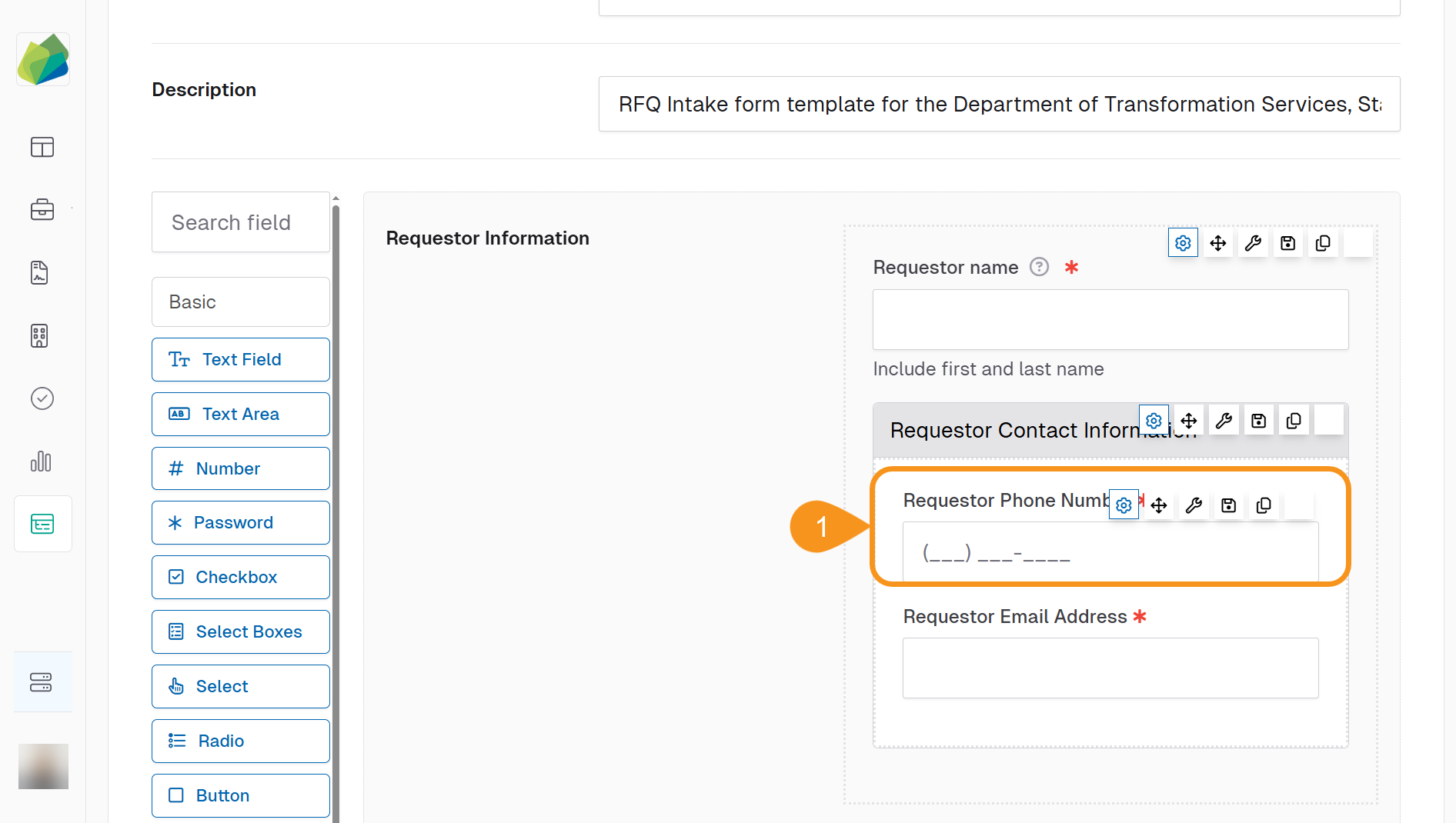
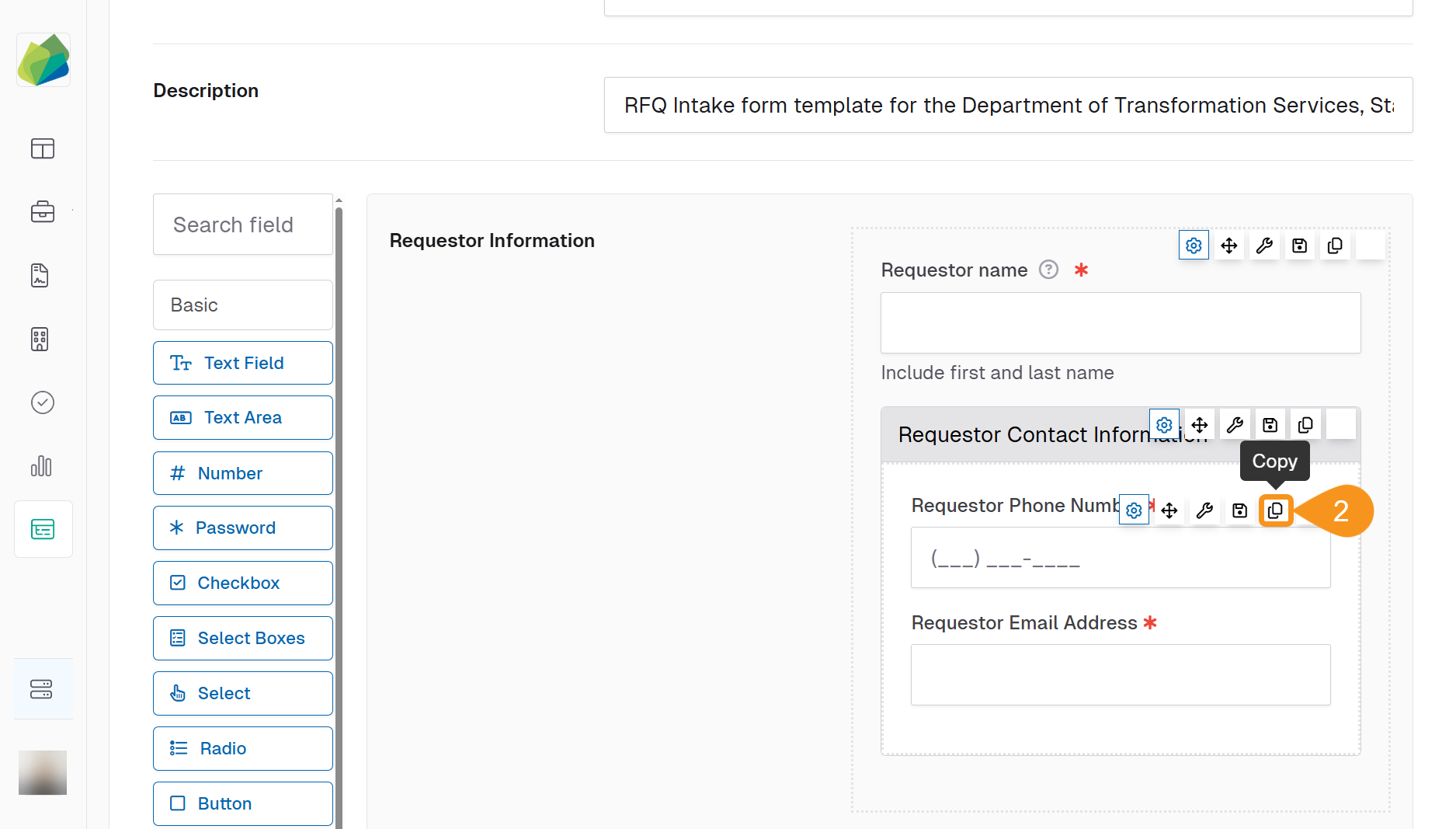
- Click the Copy button located above the component.
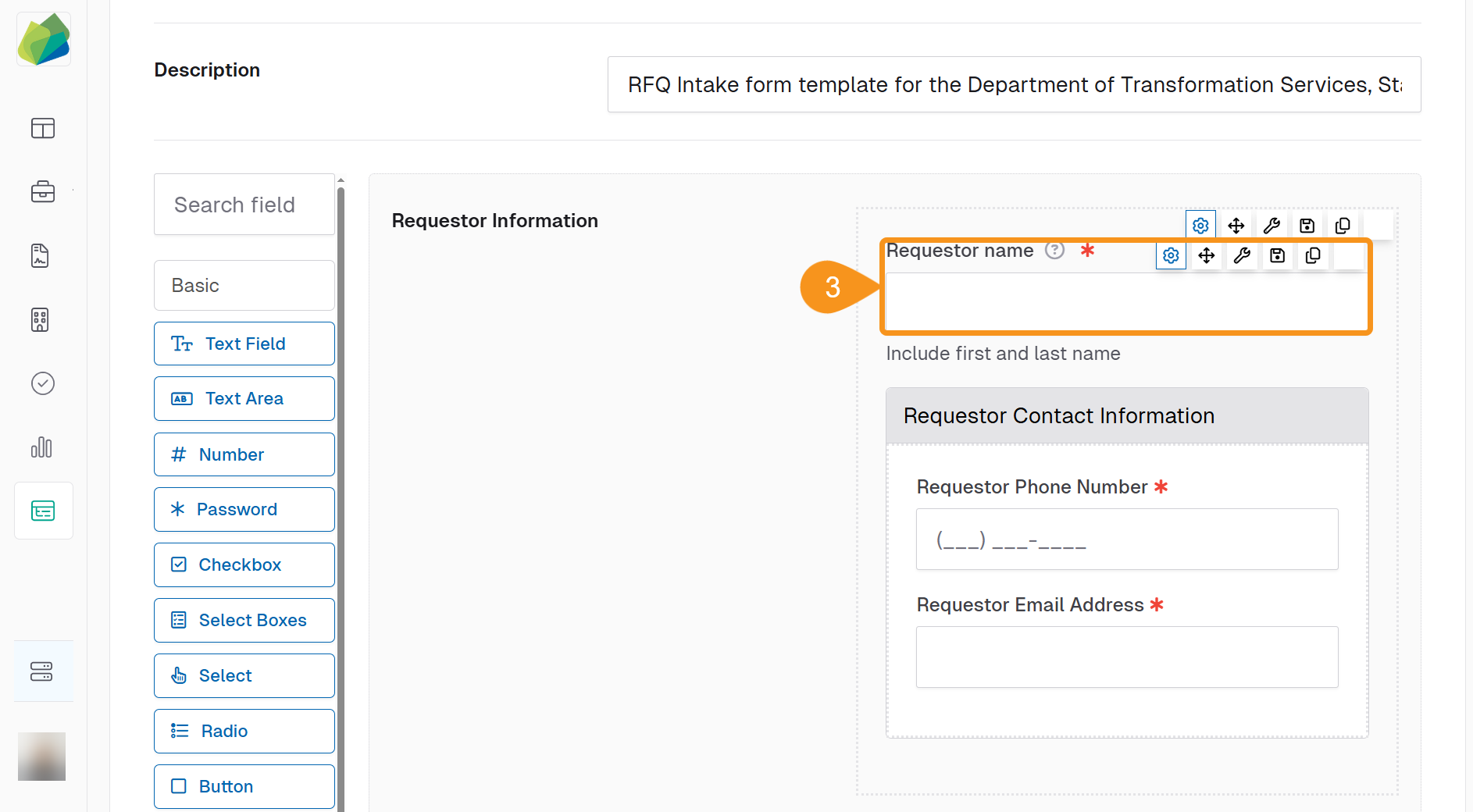
- Hover over another component where you want the duplicate to appear.
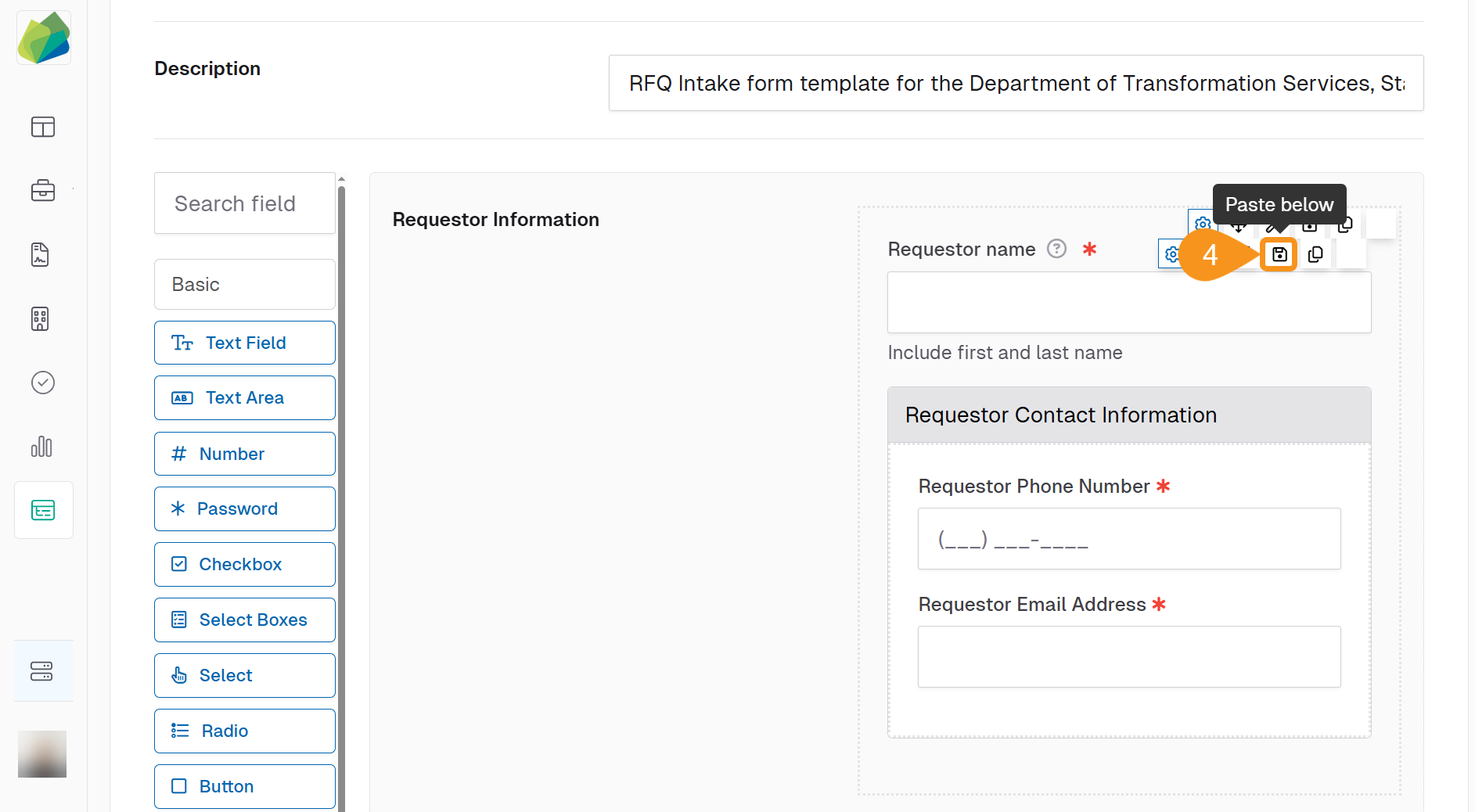
- Click the Paste Below button to paste the copied component below the selected one.
Note
If edits are needed on the duplicated component, follow the steps in the Edit Basic Components guide to make the necessary changes.
See Also
To complement your knowledge of this process, check the following pages: