View & Edit Contract Details in the Contract Repository
The Contract Repository provides centralized access to all finalized and archived contract records.
When to Edit Contract Details
You should edit contract details when:
- The contract’s expiration date or amount has changed.
- You need to correct information in a finalized contract.
- You want to update the contract name for clarity.
To View or Edit Contract Details
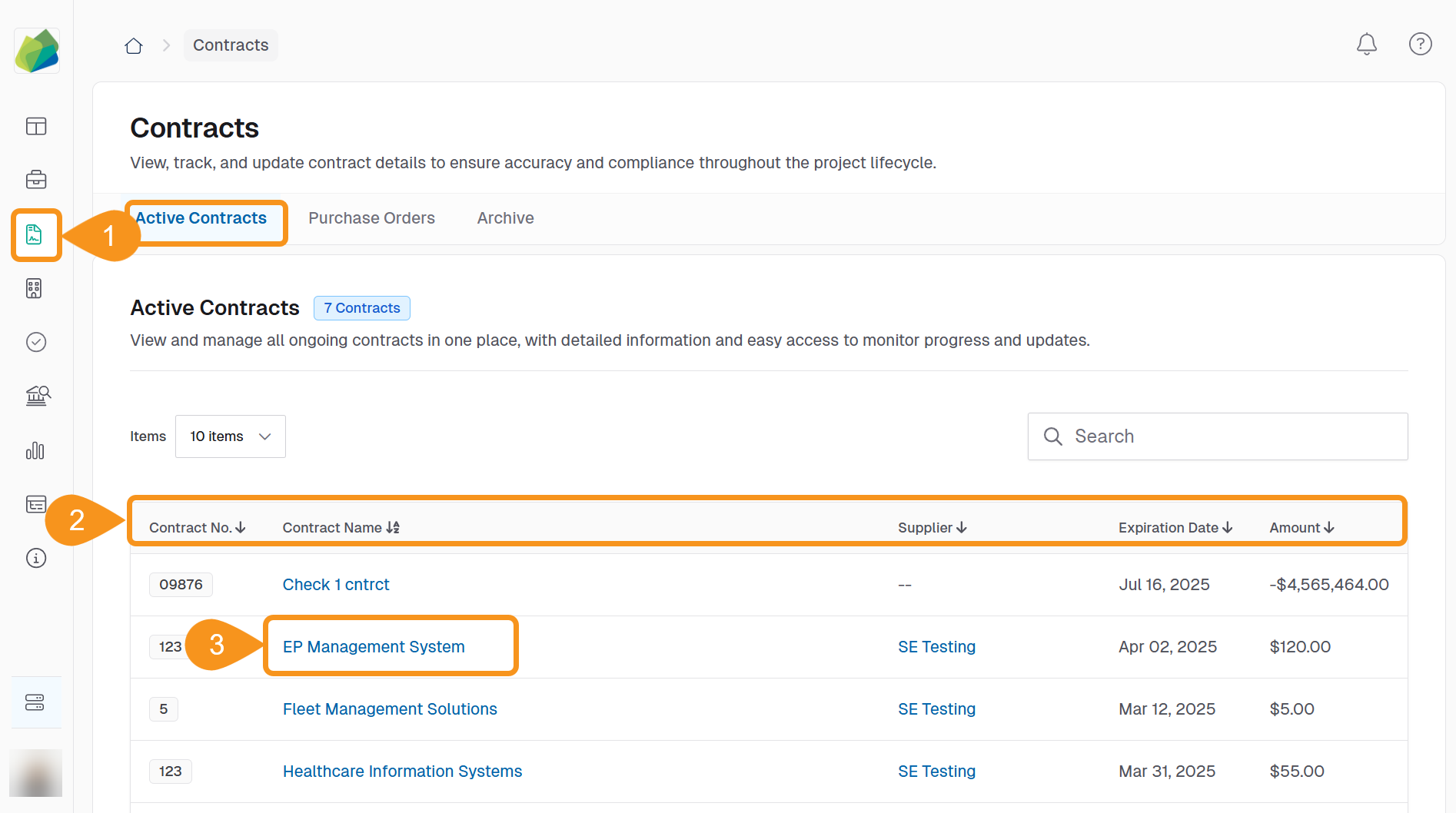
- From the main navigation bar, go to the Contracts tab.
- Under Active Contracts, locate the contract you want to update. You can use the contract name, supplier, expiration date, or amount to help identify it.
- Click the Contract Name to open the Contract Details page.
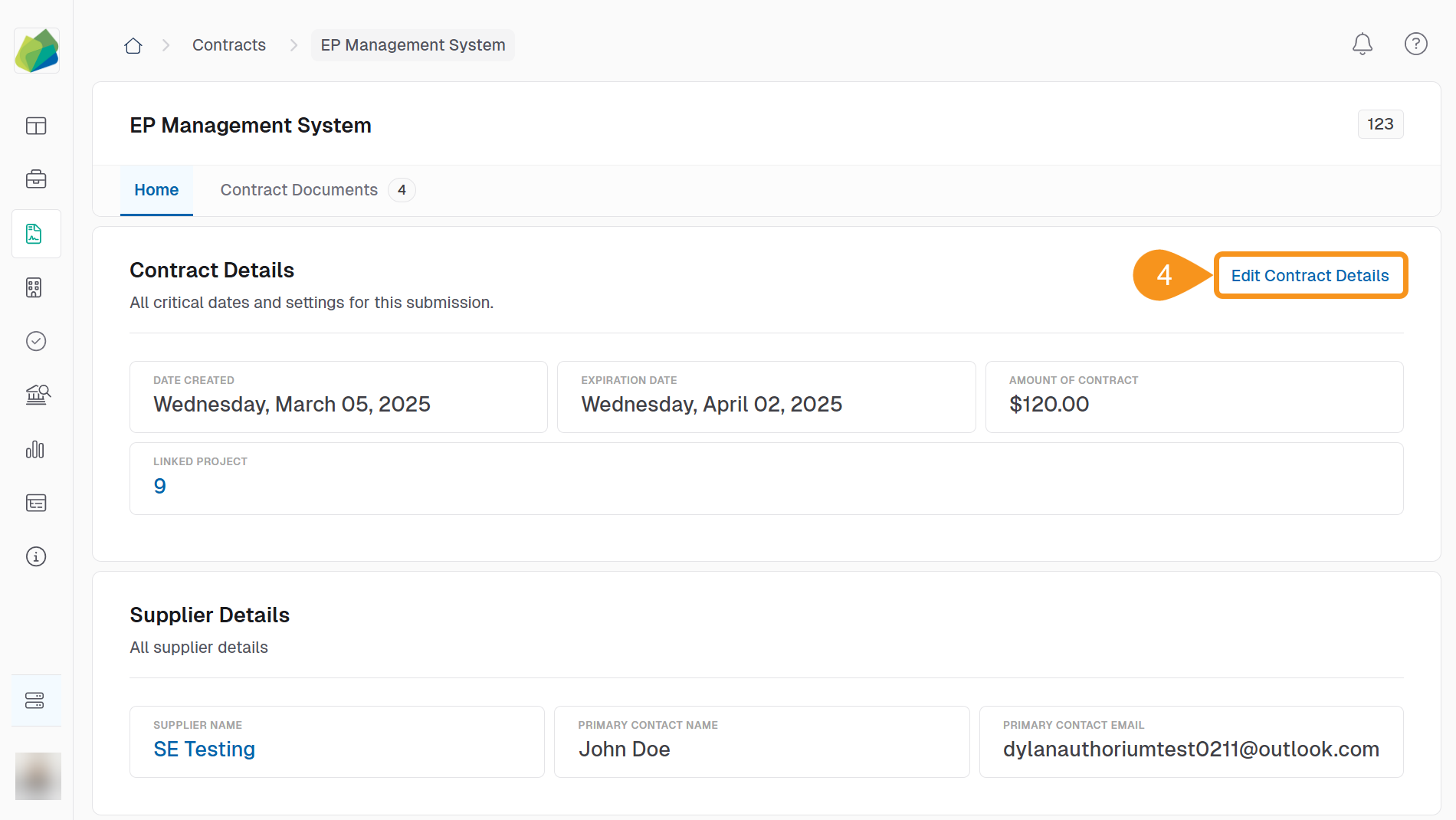
- Click Edit Contract Details.
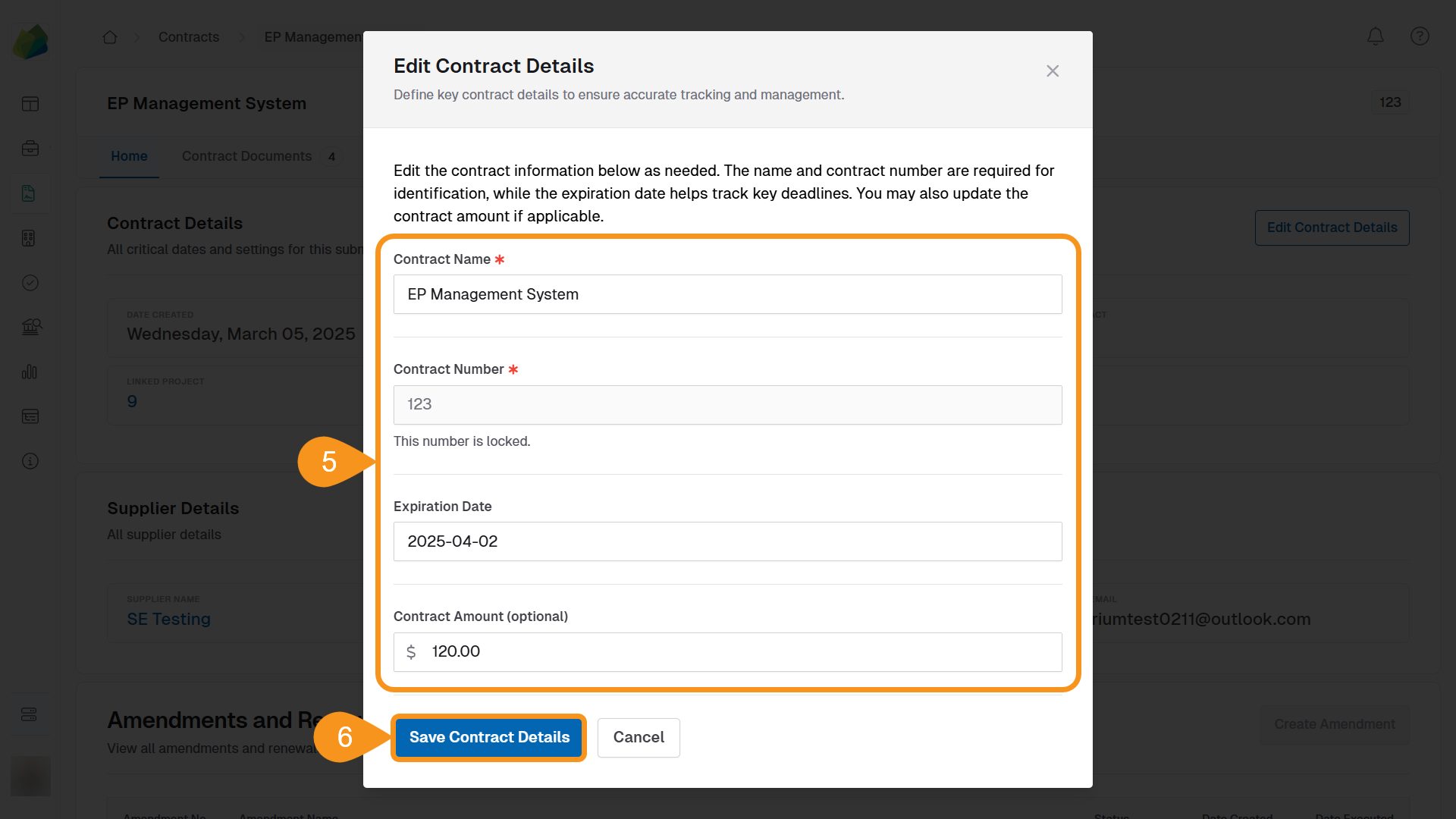
- Update the following fields as needed:
- Contract Name
- Contract Number
- Expiration Date
- Contract Amount
- Click Save Contract Details to confirm your changes.
More in the Repository
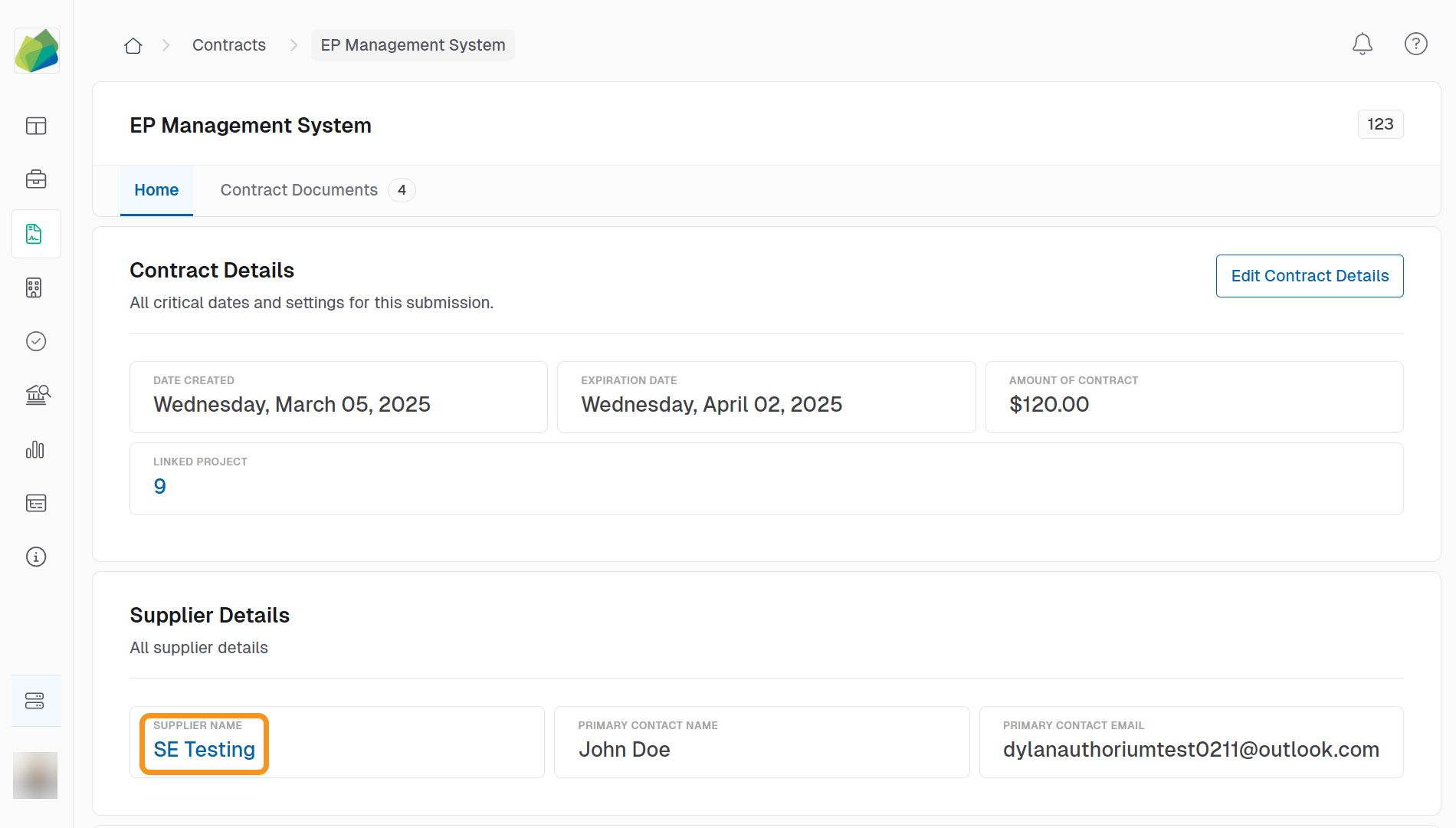
The Contract Details page also includes supplier contact info, executed documents, and the full contract document package.
Supplier Info Access
To view supplier details, click the supplier’s name from the Active Contracts list.
See Also
To complement your knowledge of this process, check the following pages: