References
References let you link to specific sections, documents, or external content within a set of related documents in your stage. This helps readers quickly access supporting information without interrupting the flow of the main content.
When to Add References to Documents
Use references when you want to:
- Direct readers to supporting documents or sections.
- Avoid repeating detailed information.
- Improve navigation across related content.
To Add References to CDM Documents
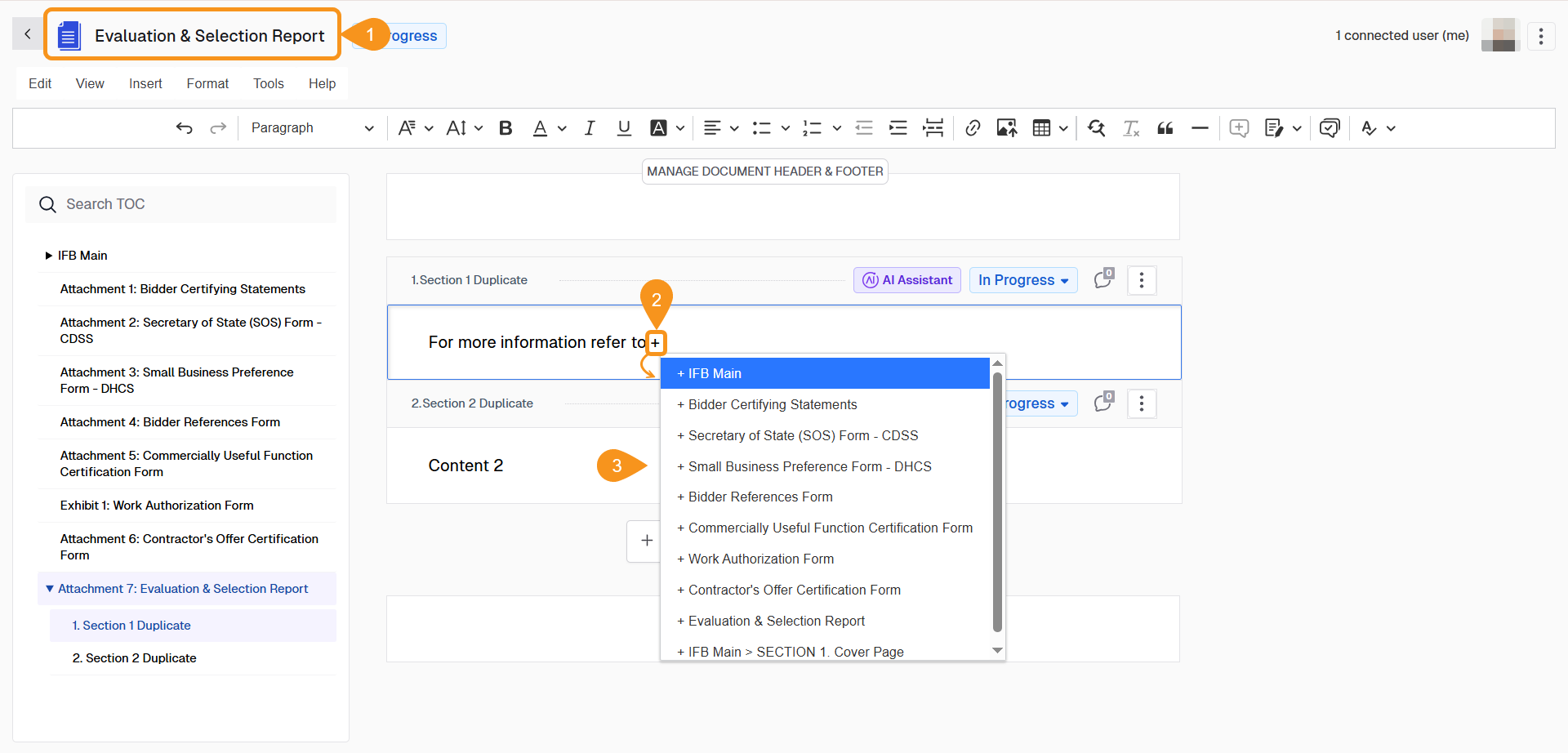
- Open the Document you would like to work with and click on the content part of the section to enable the text cursor.
- Type + into the section to see a list of documents in the CDM stage.
- Select the Document Title of the document to reference. When references are added to documents sections, they become hyperlinks in documents.
See Also
To complement your knowledge, check the following pages: