Set Up Organizational Roles and Permissions
Define high-level access across the Authorium platform.
When to Use Organizational Roles
Set up roles when:
- You need to assign admin privileges or account ownership.
- You want to control who can manage settings, users, and permissions.
Role Types
Authorium includes three organizational roles:
- Account Owner: Has all permissions and cannot be edited.
- Admin: Can manage most platform settings.
- Project Creator: Can create and manage projects.
To Edit Organizational Roles
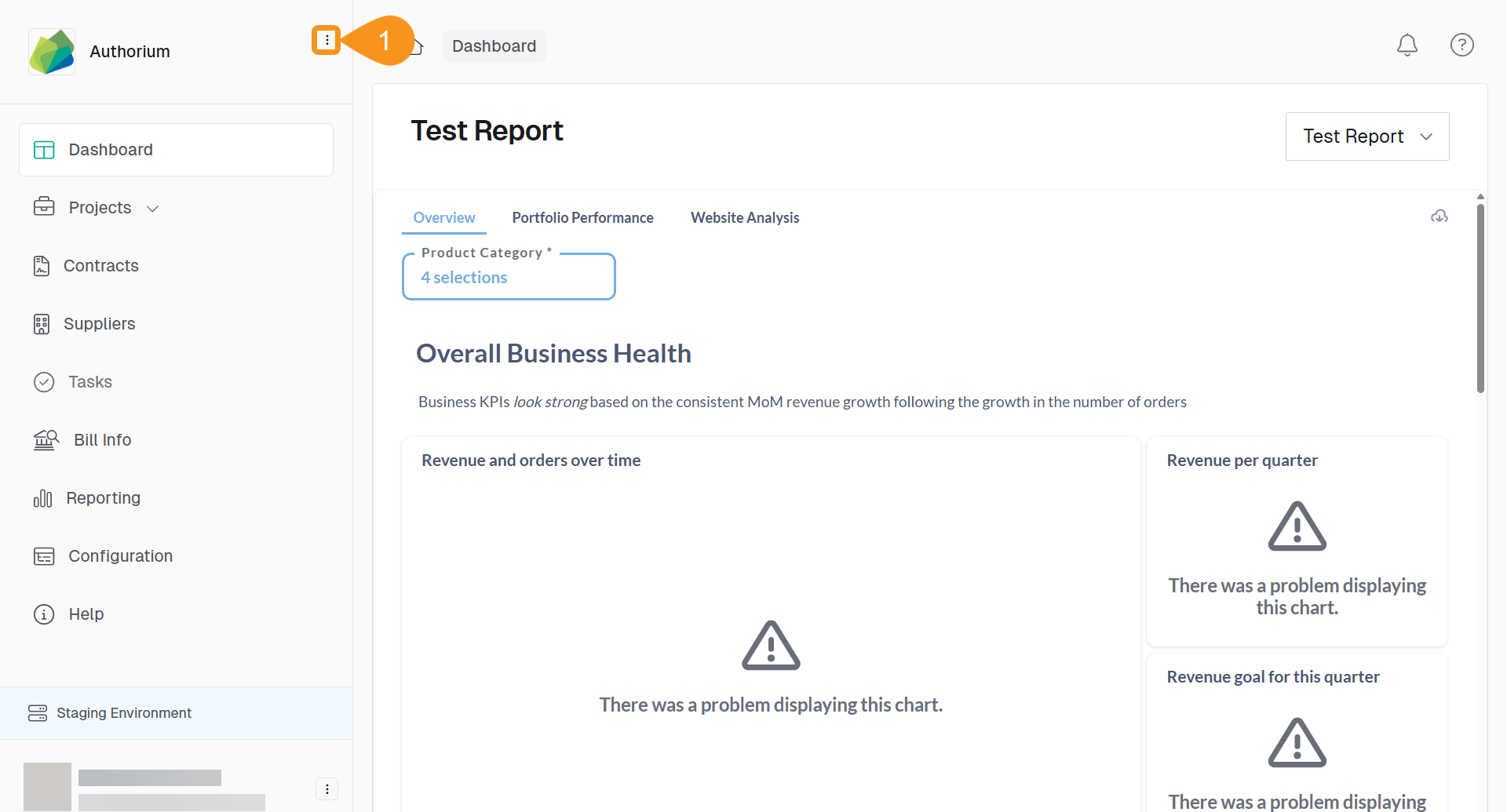
- From the Dashboard, go to the three-dots menu in the main navigation bar next to the logo.
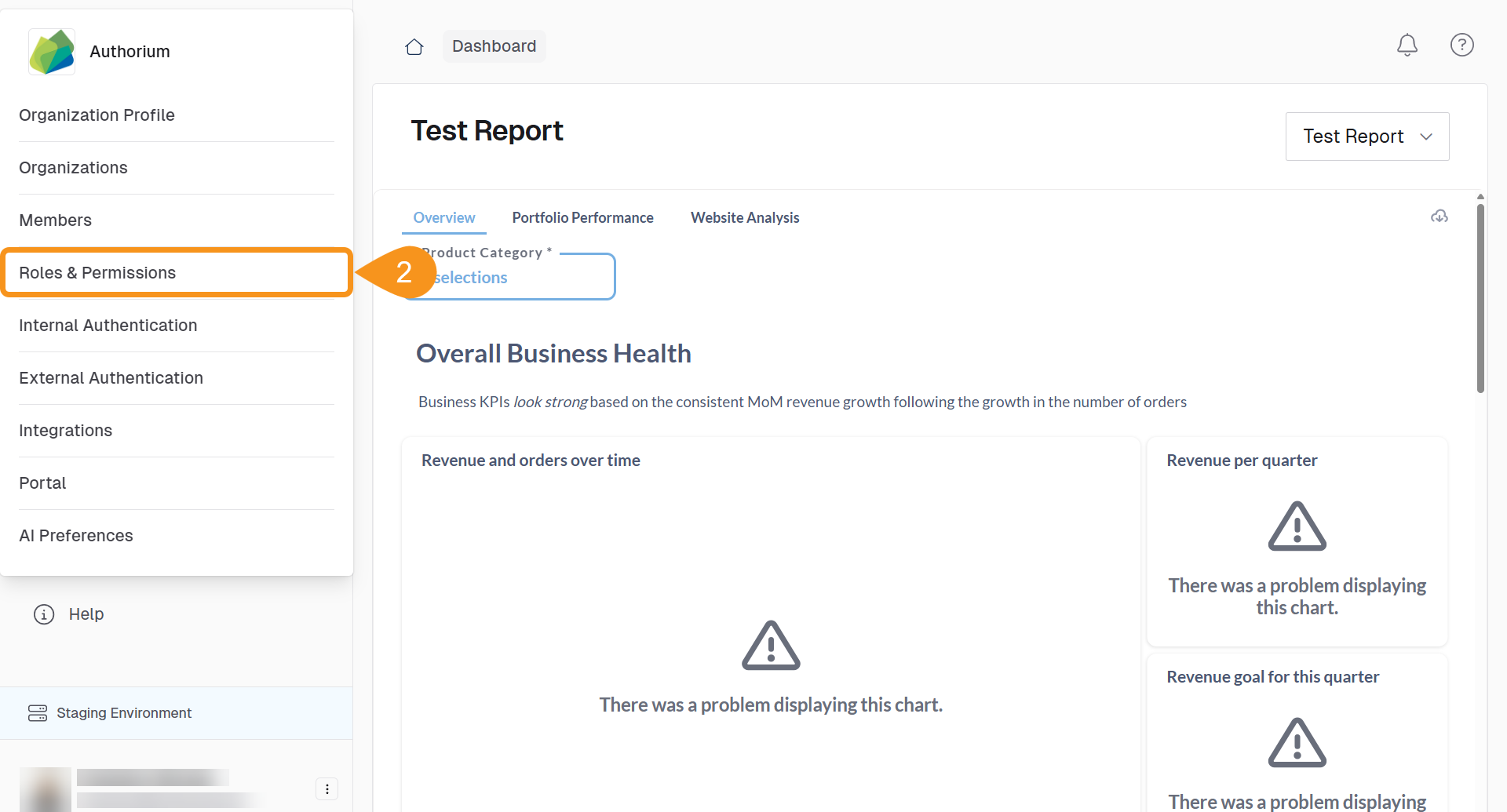
- Select Roles & Permissions.
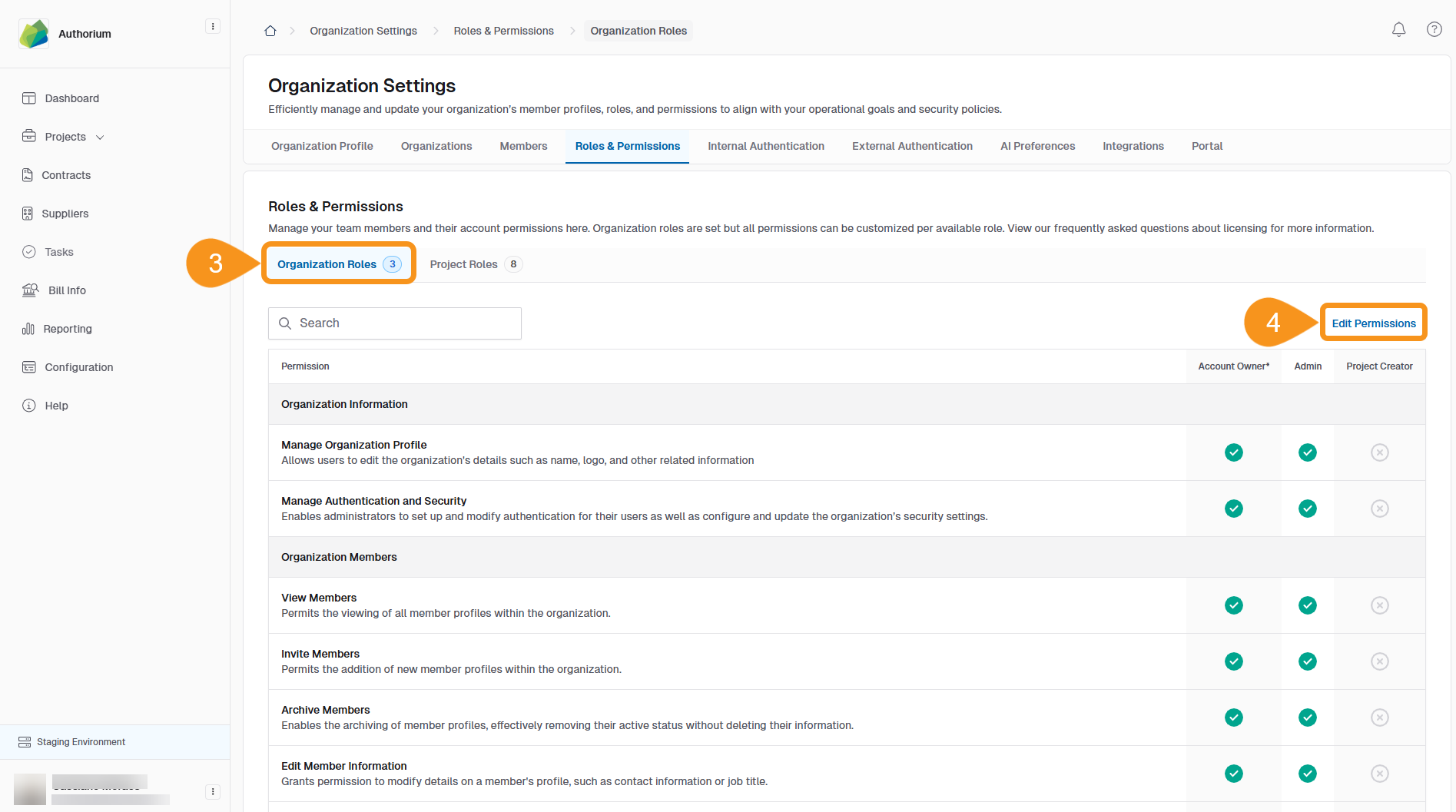
- Go to the Organization Roles tab.
- Click Edit Permissions.
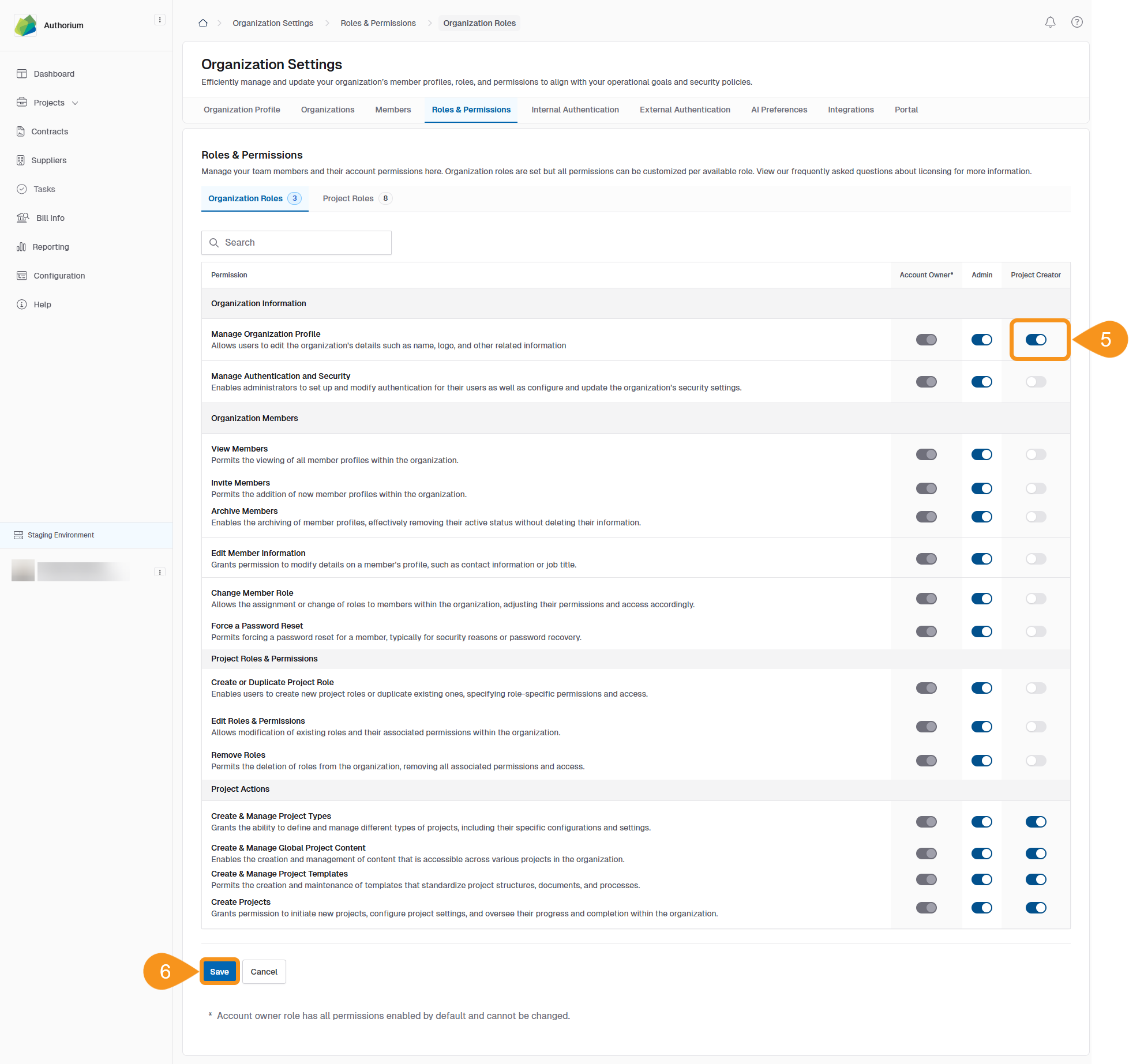
- Toggle each permission on or off by role.
- Click Save to apply your changes.
Note
Organizational roles are separate from project-level roles.
For project-level role setup, see Managing Project Roles & Members.
See Also
To complement your knowledge of this process, check the following pages: