Manage External User Security Settings
Set access and authentication policies for users outside your organization (e.g., contractors).
When to Configure External Security Settings
You should configure external security settings when:
- You're inviting contractors or users with emails outside your domain.
- You want to enforce secure login and session settings for external users.
- You are not using SSO for these users.
To Configure External Security Settings
- From the Dashboard, go to the three-dots menu in the main navigation bar next to the logo.
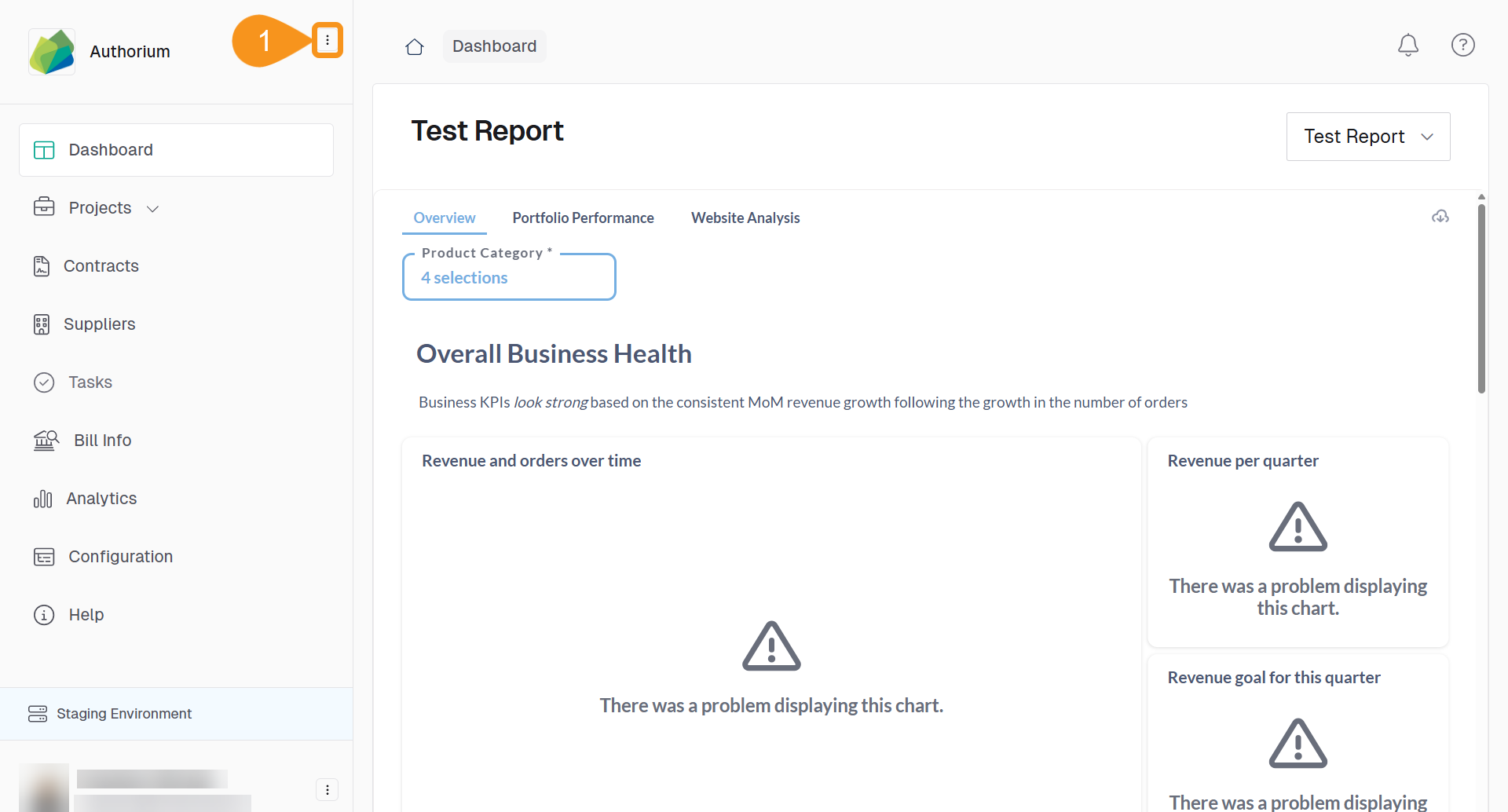
- Select External Authentication.
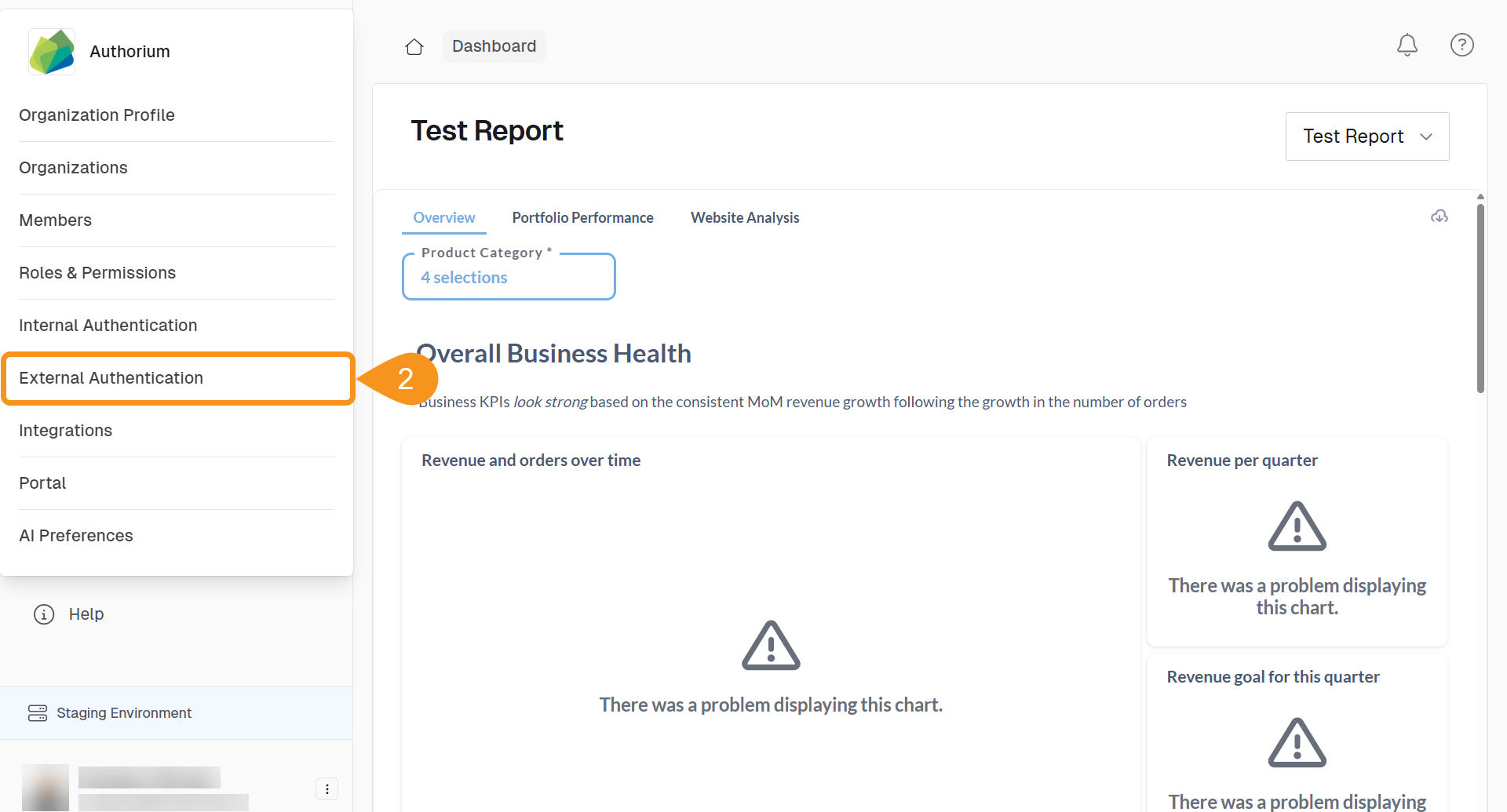
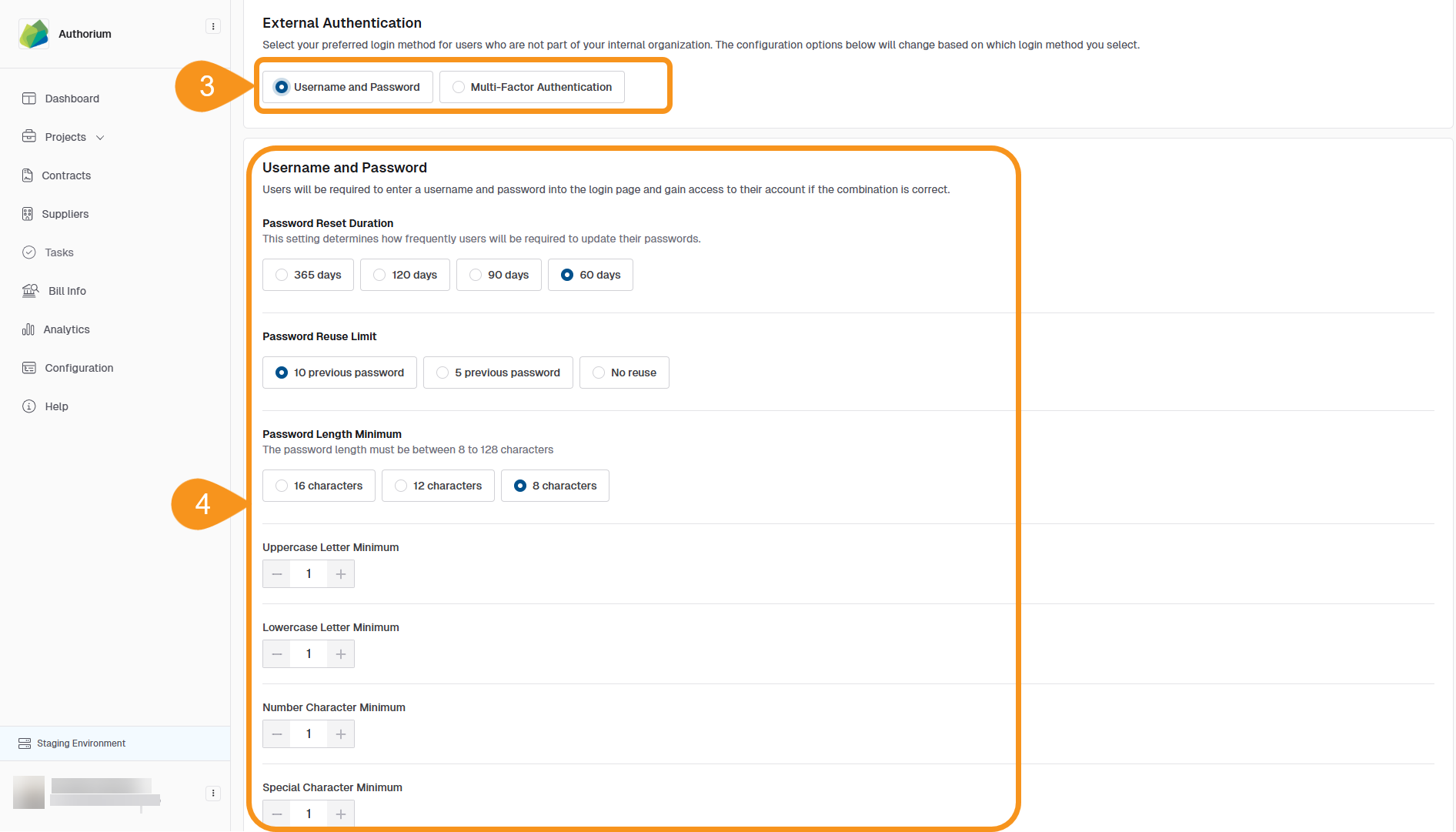
- Choose your preferred Authentication Method:
- Username and Password
- Multi-Factor Authentication
- Configure the following options:
- Username and Password:
- Password Reset Duration: 365, 120, 90, or 60 days
- Password Reuse Limit: Last 5, last 10, or no reuse
- Password Length Minimum: 8, 12, or 16 characters
- Character Requirements: Uppercase, lowercase, number, special character
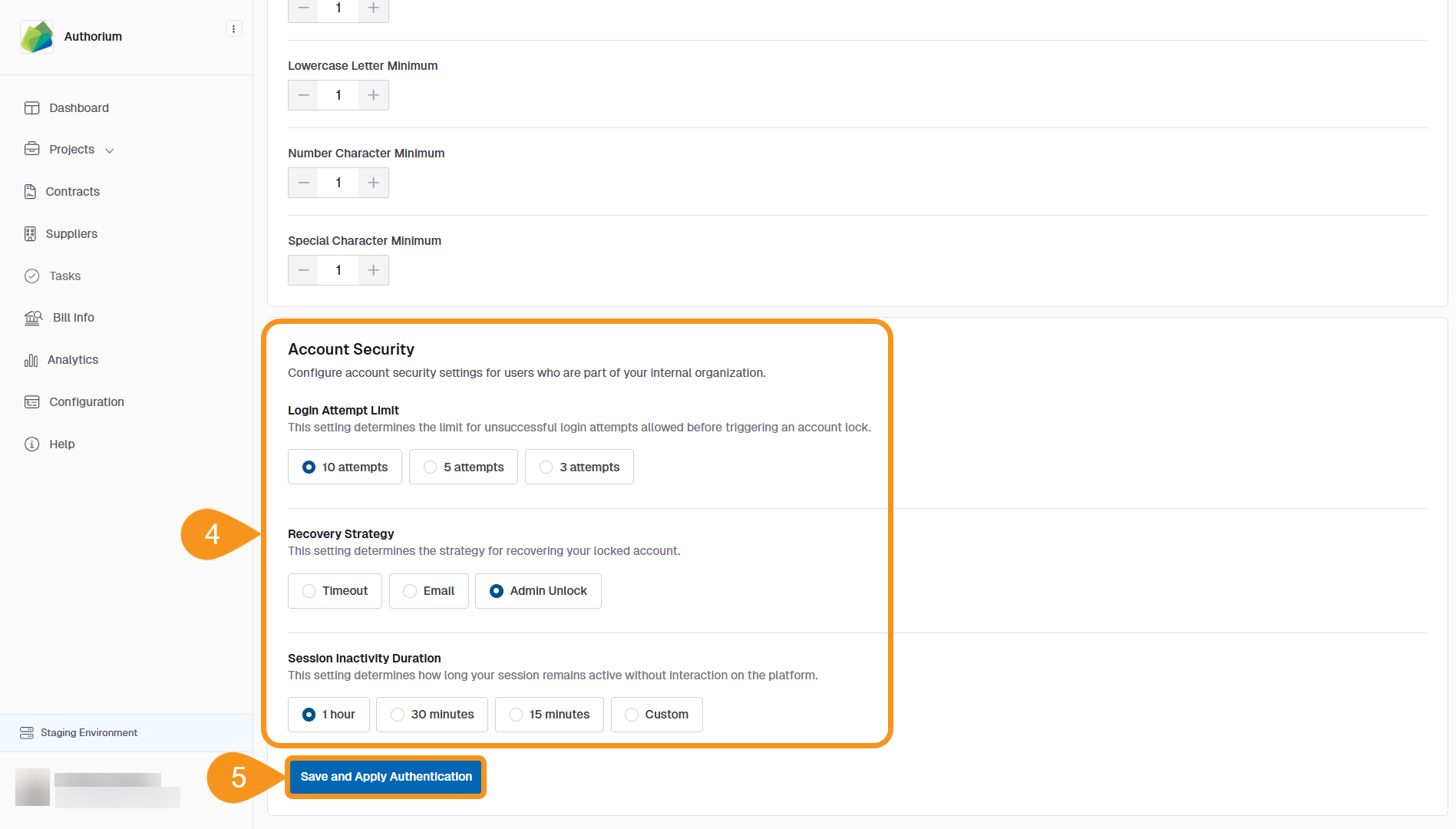
- Account Security:
- Login Attempt Limit: 3, 5, or 10 failed attempts
- Lockout Duration: Set a custom value
- Recovery Strategy: Choose from email, admin unlock, or timeout
- Session Inactivity Duration: Set a custom value
- Click Save and Apply Authentication to confirm your settings.
See Also
To complement your knowledge of this process, check the following pages: