Edit Your Organization’s Appearance
Customize your organization's branding across the Authorium platform.
When to Edit Your Organization’s Appearance
You should update your organization’s appearance when:
- You’ve rebranded and need a new logo or brand color.
- You want your email communications to reflect your organization’s identity.
To Update Organization Profile
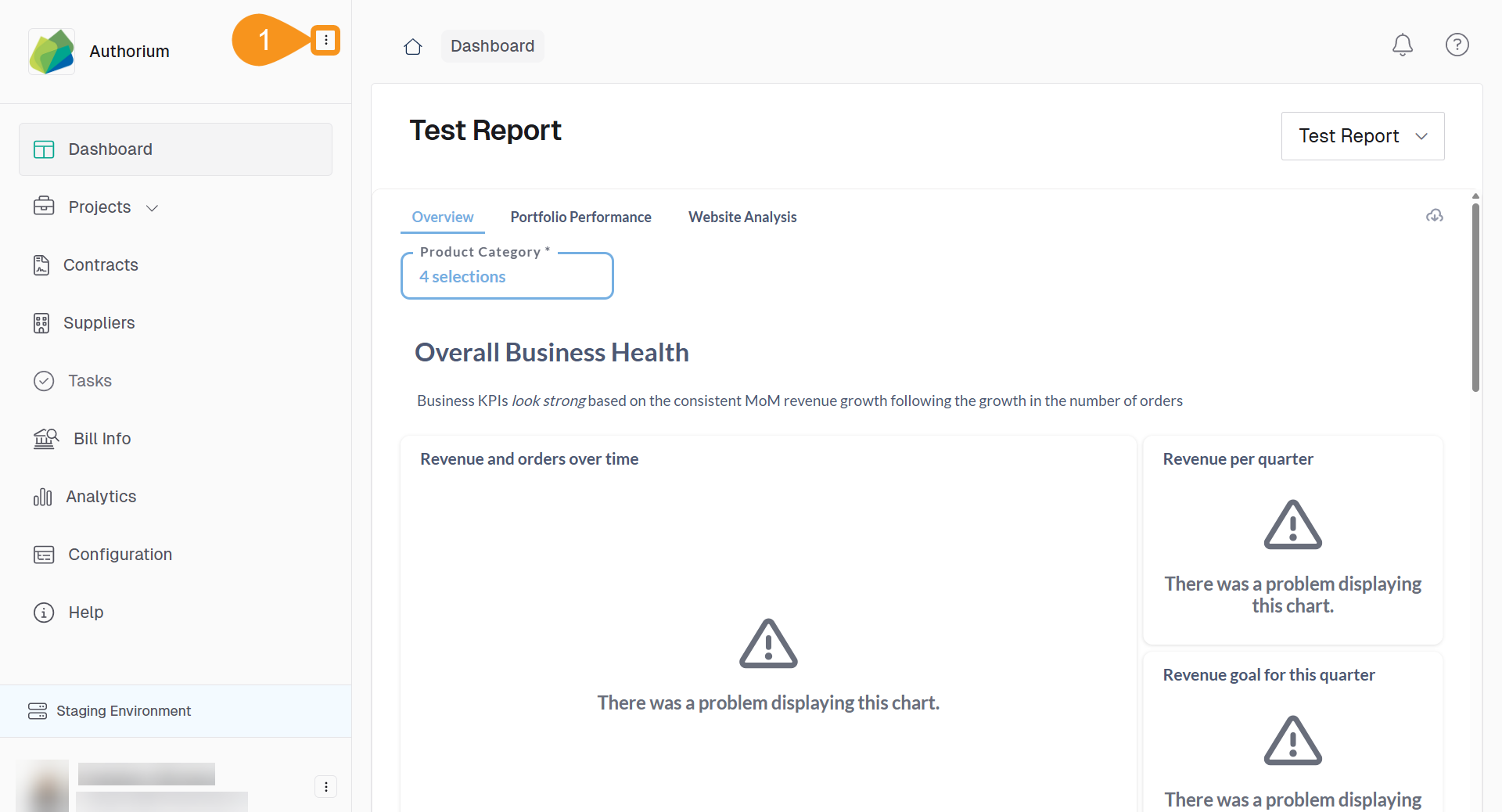
- From the Dashboard, go to the three-dots menu in the main navigation bar next to the logo.
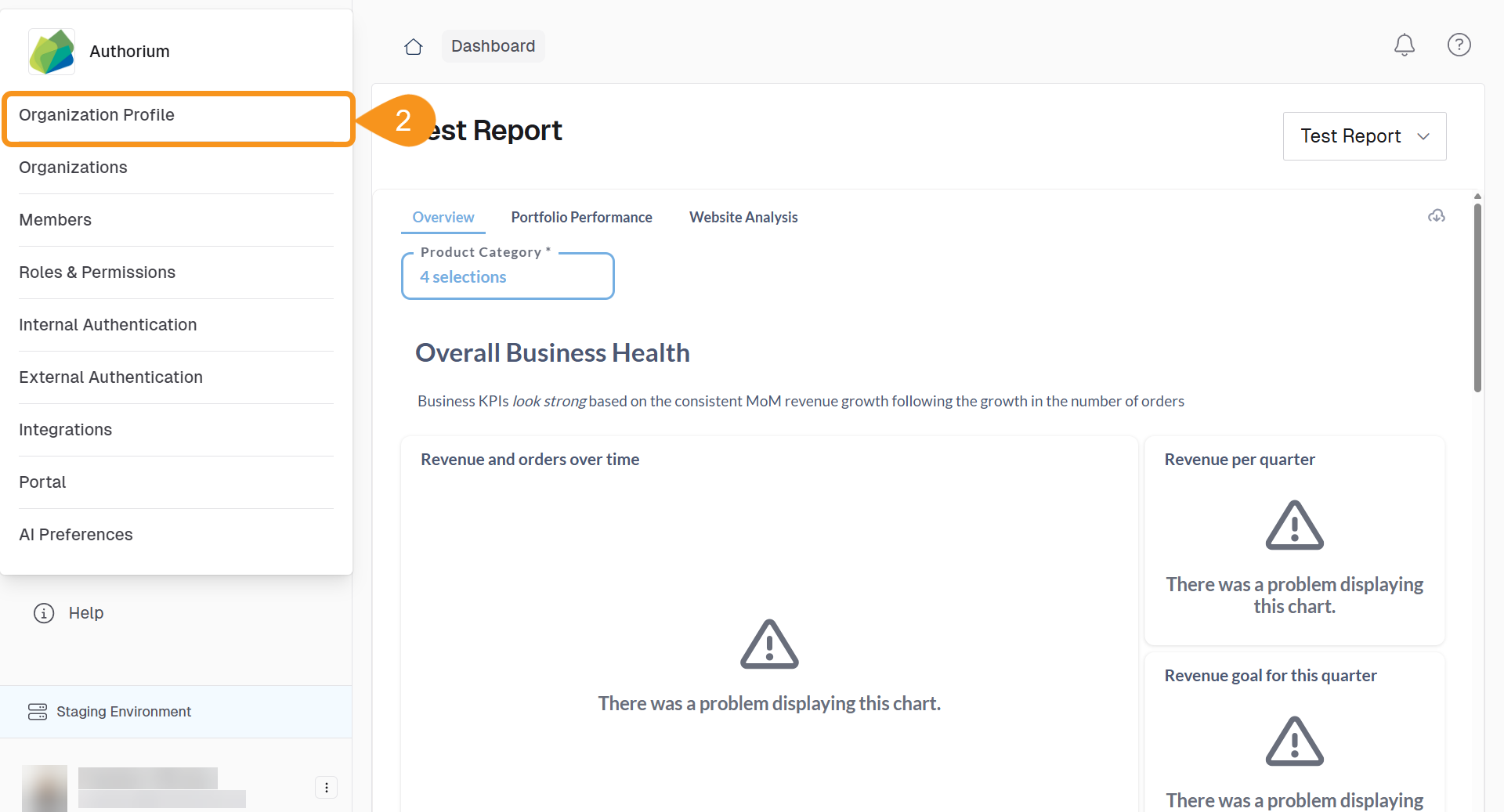
- Select Organization Profile.
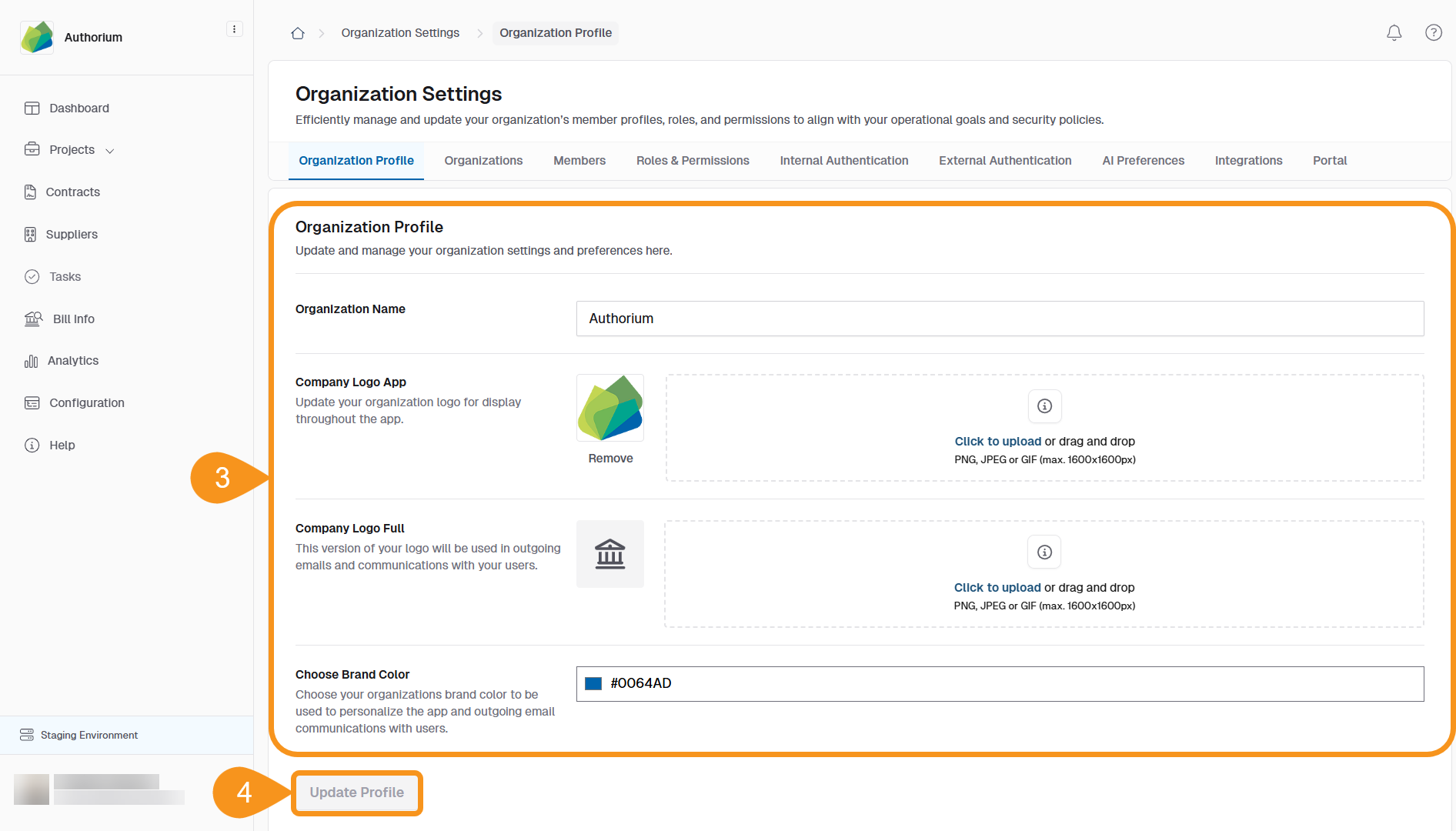
- Update any of the following:
- Organization Name
- Company Logo App
- Company Logo Full
- Choose Brand Color
- Click Update Profile to save your changes.
See Also
To complement your knowledge of this process, check the following pages: